Financial Doc
The Financial Doc feature in PrismERP helps record and track inbound and outbound financial documents in an organized way. It allows users to capture branch details, payment methods, party information, amounts, and cheque data when needed. Documents can be linked with vouchers, set to impact accounts, and managed through receipt books for better control. All records are maintained with branch context and can be easily searched, updated, and reported from a single list.
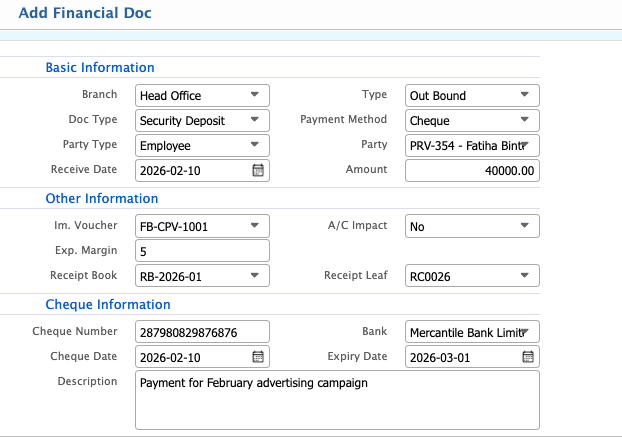
Add Financial Doc
| Field | Action |
|---|---|
| Branch | Select the branch for which the financial document is being created. |
| Type | Select the document type (e.g., In Bound, Out Bound). |
| Doc Type | Select the specific type of financial document. |
| Payment Method | Choose the payment method (e.g., Cheque, Cash, Bank Transfer). |
| Party Type | Select the type of party involved (e.g., Customer, Supplier, Ad. Agent). |
| Party | Select the party from whom the payment is received or to whom it is made. |
| Receive Date | Enter the date when the payment/document is received. |
| Amount | Enter the amount of the transaction. |
| Im. Voucher | Select related im.voucher if applicable. |
| A/C Impact | Select whether this document impacts accounts (Yes/No). |
| Exp. Margin | Enter any expected margin if applicable. |
| Receipt Book | Select the receipt book associated with this transaction. |
| Receipt Leaf | Enter the leaf number of the receipt used. |
| Cheque Number | Enter the cheque number, if applicable. |
| Bank | Select the bank issuing the cheque. |
| Cheque Date | Enter the date on the cheque. |
| Expiry Date | Enter the expiry date of the cheque. |
| Description | Enter any additional remarks or notes regarding the financial document. |
Financial Doc List – Search & Actions
| Field | Action |
|---|---|
| FnD No | Search by Financial Document number to locate a specific record. |
| Status | Filter by document status (e.g., All, Pending, Cleared) and update the doc status as required. |
| Party | Filter by party to view records associated with a specific customer, vendor, or agent. |
| D. Method | Filter by payment method (e.g., All, Cheque, Cash, Bank Transfer). |
| From | Filter by start date of the transaction period. |
| To | Filter by end date of the transaction period. |
| Branch | Filter by branch to view records for a specific branch. |
| Add New | Add a new financial doc directly from the list. |
| Edit | Edit a financial doc to update its details. |
| Report | Generate, preview, and download report in multiple formats. |
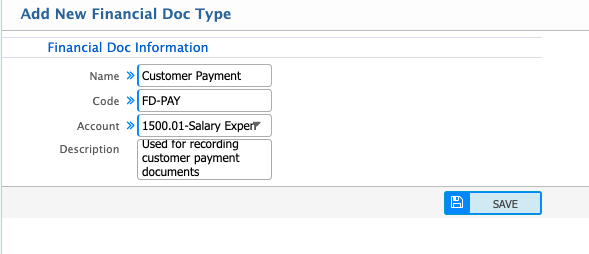
Add Financial Doc Type
| Field | Action |
|---|---|
| Name | Enter the name of the financial document type. |
| Code | Enter a unique code to identify the document type. |
| Account | Select the account associated with this financial document type. |
| Description | Enter any notes or details about the document type. |