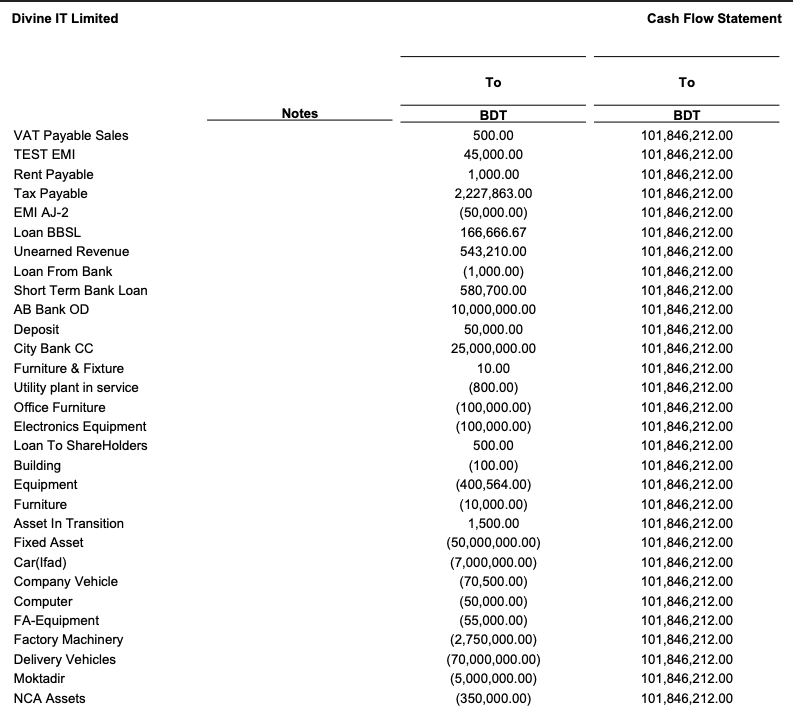
Cash Flow Statement
Cash Flow Statement in PrismERP shows the movement of cash and cash equivalents within a selected period. It helps users understand how cash is generated and used in business operations, investments, and financing activities. This report provides a clear picture of cash inflow and outflow, supporting better financial planning and liquidity monitoring.
| Field | Action |
|---|---|
| Go to | Navigate to Reports → Financial Statements → Cash Flow Statement to open the report screen. |
| From | Select the starting date for the reporting period. Cash transactions from this date onward will be included in the report. |
| To | Select the ending date for the reporting period. All cash transactions up to this date will be included. |
| Branch | Select the branch for which the report will be generated. Selecting “All” includes all branches. |
| Generate Report | Click Preview or Print Report to produce the Cash Flow Statement based on the selected filters. |
| Outline | Set the report outline including header, footer, and page orientation to customize the layout. |
| Export / Print | Download the report in PDF, DOC, HTML, Excel, or CSV formats directly from the system, or print it for financial review. |