Statement of Financial Performance
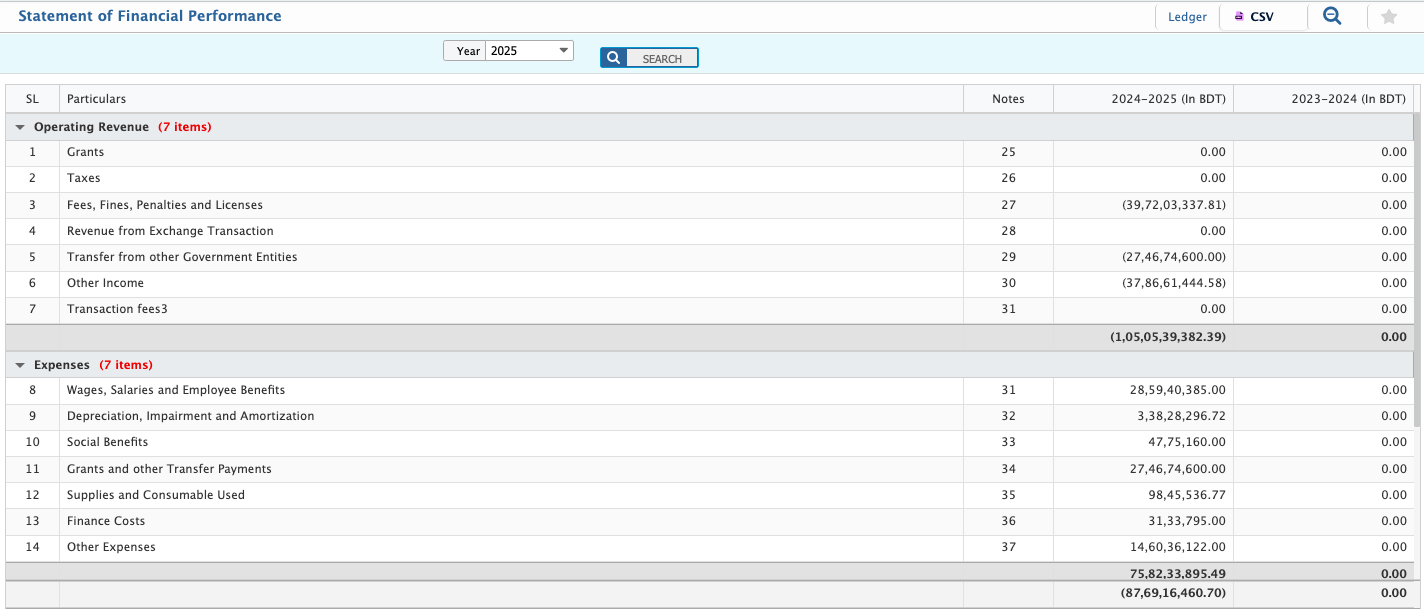
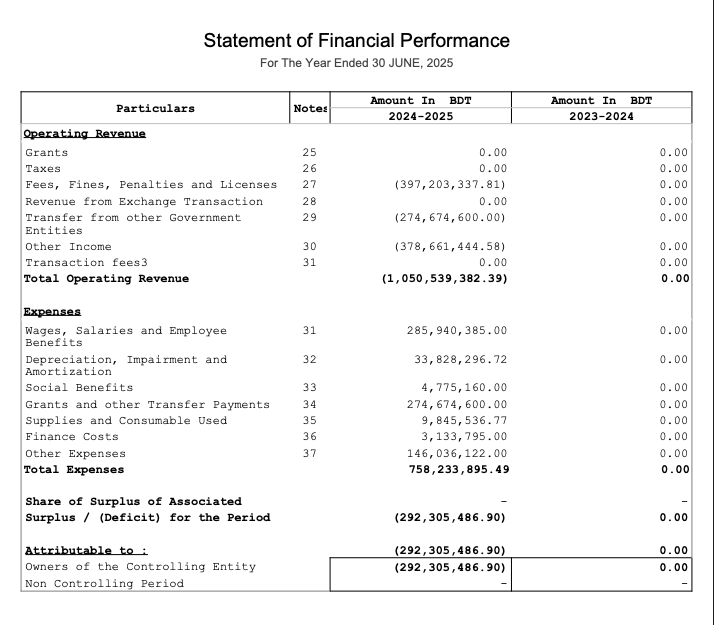
In PrismERP, the Statement of Financial Performance shows the company’s revenues, expenses, and net profit or loss for a selected period, reflecting all transactions recorded in the system for the chosen financial year or date range. Users can first view the underlying table of statements, which lists all accounts and their balances, allowing them to review or filter accounts before generating the report. Once generated, the report can be previewed on-screen, downloaded in multiple formats such as PDF, Excel, or CSV, and a custom report outline can be saved for future use. The report is connected to the ledger data, so any updates in transactions automatically appear, and users can navigate between individual accounts directly from the report for more detailed viewing.
| Field | Action |
|---|---|
| Accessing the Report | Go to the Financial Reports module in PrismERP. Select Statement of Financial Performance from the list of available reports. |
| Selecting the Reporting Period | Choose the financial year or specific date range for which the report is required. PrismERP automatically loads the financial data for the selected period. |
| Viewing the Report | The report displays all revenue, expense, and net profit/loss accounts. |
| Preview & Download | Users can preview the report on-screen or download it in multiple formats (PDF, Excel, CSV). |
| Add Report Outline | Users can create and save a custom report outline for future use, selecting specific accounts or sections to include in the report. |