Trial Balance
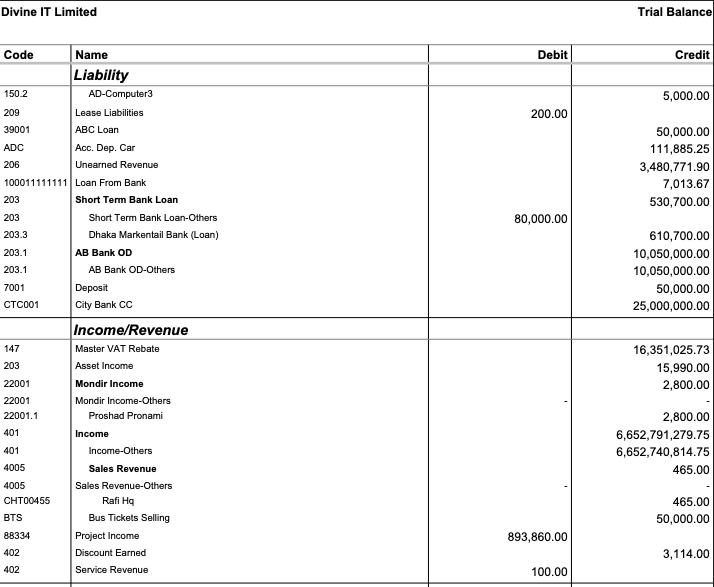
Trial Balance in PrismERP allows users to view and verify ledger account balances for a selected period. Users can generate reports for specific branches, select the level of detail, and choose between summarized or split debit/credit views. The report can be generated, previewed, exported, or printed in multiple formats for reconciliation, auditing, and financial review purposes.
| Field | Action |
|---|---|
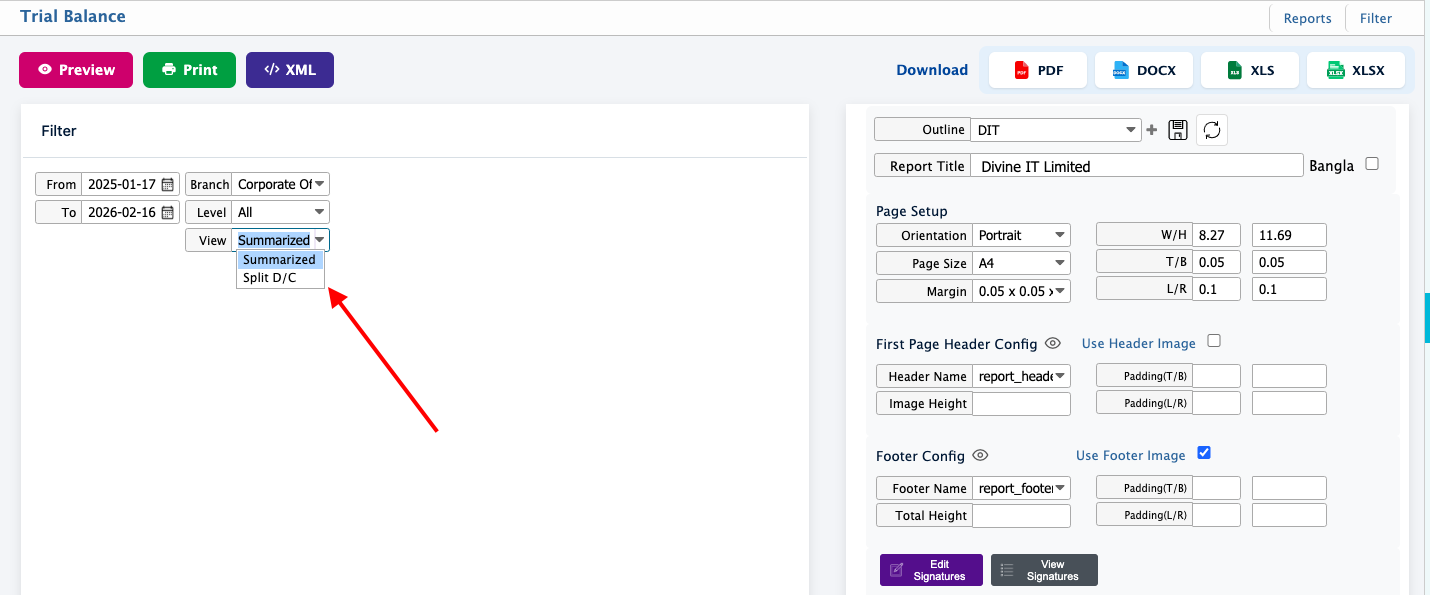
| Go to | Navigate to Reports → Financial Statements → Trial Balance to open the Trial Balance report screen. |
| From | Select the starting date for the report. Determines the beginning of the reporting period. |
| To | Select the ending date for the report. Determines the end of the reporting period; all transactions within this range are included. |
| Branch | Select the branch whose ledger balances you want to view. Only transactions for the selected branch will appear. |
| Level | Select the level of detail for the report. Higher levels show account groups or sub-ledgers; lower levels show individual account balances. |
| View | Choose the report display format: Summarized – Shows only the closing balances of each account. Split D/C – Shows separate debit and credit totals for each account along with closing balance. |
| Generate Report | Click Preview or Print Report to produce the Trial Balance based on the selected filters. |
| Outline | Set the report outline like its header, footer, page orientation. |
| Export / Print | Download the report in PDF, DOC, HTML, Excel, or CSV directly from the system. |