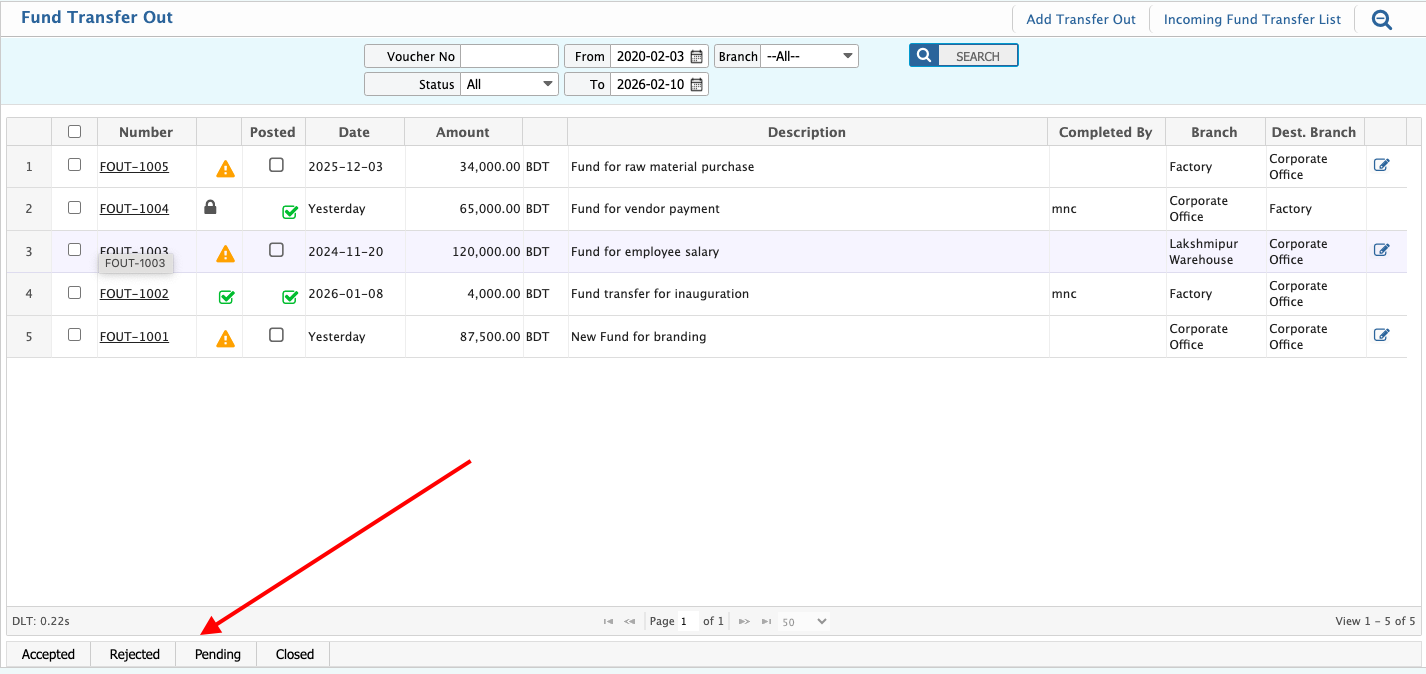
Transfer Execution
Efficiently Carry Out Approved Transfers with Full Accuracy and Traceability
Once a fund or goods transfer request is approved, the next critical step is proper execution. PrismERP’s Transfer Execution feature ensures that approved internal transactions—whether involving money, inventory, or assets—are carried out accurately, recorded completely, and reflected across all relevant accounts or locations.
This function enhances operational flow by bridging the gap between approval and action, with built-in checks, validations, and real-time updates.
What is Transfer Execution in PrismERP?
Transfer Execution refers to the actual processing of an approved internal transfer, such as moving funds between accounts or branches, or relocating goods between warehouses or departments. This feature ensures that transfers are not only approved but also logged, tracked, and reflected in the appropriate financial or inventory systems.
Key Features of Transfer Execution
Execution of Approved Requests
Only authorized and approved transfers can be executed, ensuring control and compliance.
Dual-Sided Accounting Entries
Automatically creates journal entries for the sending and receiving entities, ensuring accurate financial reporting.
Real-Time Inventory or Fund Updates
Instantly reflects stock movement in inventory or balance adjustments in financial ledgers upon execution.
Transfer Confirmation & Timestamping
Logs who executed the transfer, when it occurred, and from where, for full traceability.
Linked Documentation
Attach receipts, approvals, or shipping documents to executed transactions.
User Permissions & Security
Limit execution rights to authorized personnel to prevent unauthorized actions.
Error Handling & Reversal Options
In case of discrepancies, users can flag issues and follow structured reversal processes.
Audit Trail
Maintain a detailed transaction history, including approval notes and execution logs, for accountability and review.
Integrated with Core ERP Modules
Fund Requisition & Inter-Branch Transfer – Executes fund transfers across branches or departments
Inventory Management – Carries out item transfers between warehouses, shops, or production units
General Ledger & Accounts – Reflects financial impact with automated accounting entries
Project & Asset Management – Tracks transfer of fixed assets and project-specific items
Perfect for:
- Multi-departmental organizations managing fund or resource allocation
- Enterprises with multiple branches or warehouses
- Companies requiring strict approval workflows before execution
- Industries with high inventory mobility (retail, manufacturing, logistics)
- NGO and donor-based projects with accountable internal transfers
From Approval to Action – Execute Transfers Seamlessly with PrismERP
With Transfer Execution in PrismERP, you don’t just approve internal transactions—you complete them efficiently, accurately, and with total traceability.
Request a Demo to see how PrismERP turns approved transfers into real-time updates across your enterprise.