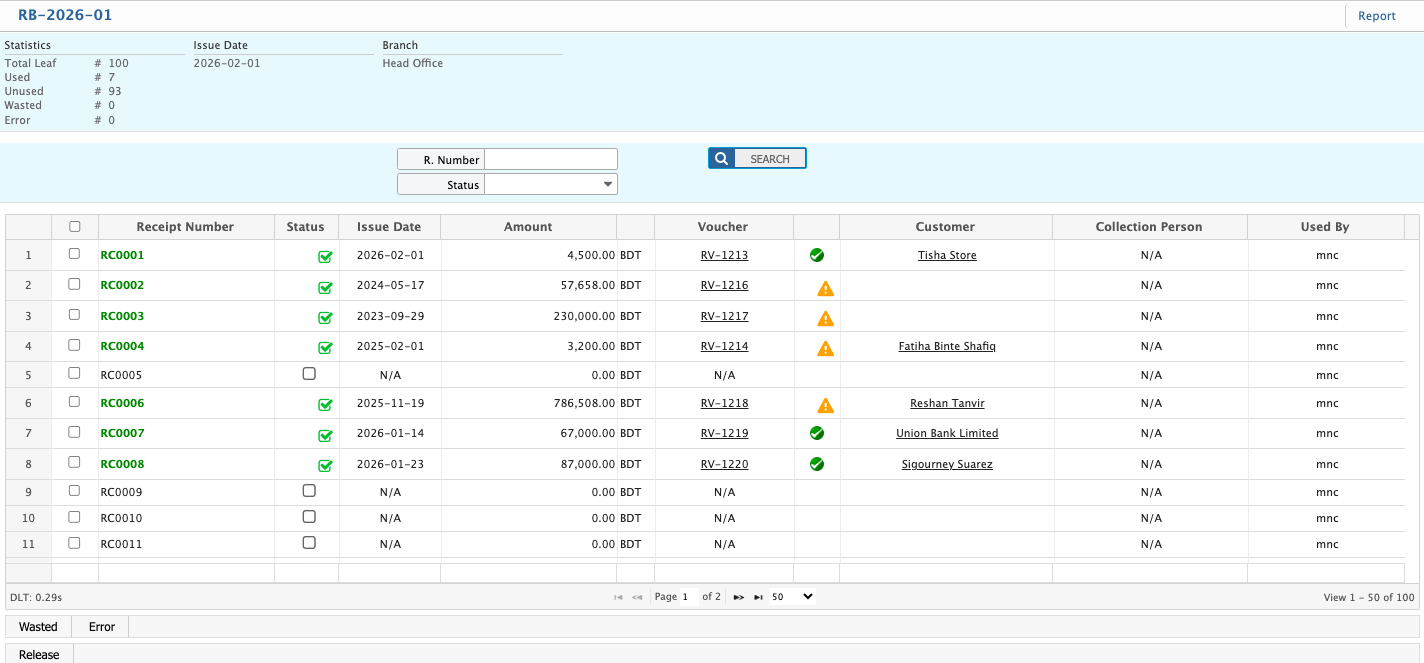
Receipt Book
In PrismERP, receipt books are used to record and manage receipt leaves for financial transactions. Users can add a new receipt book, assign it to a user, define the number of leaves, set the branch, and specify the issue date. The Receipt Book List allows searching and filtering receipt books by number, user, or branch, with the option to add new books directly. Within a receipt book, users can track individual receipts, update their status (used, unused, wasted, error), view associated vouchers, and preview, generate, or download reports in multiple formats.
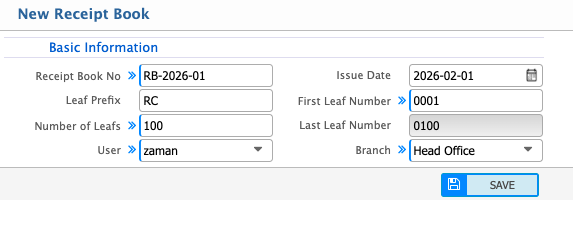
Add Receipt Book
| Field | Action |
|---|---|
| Receipt Book No | Enter a unique receipt book number to identify the receipt book. |
| Leaf Prefix | Enter a prefix that will be applied to all receipt numbers in this book. |
| Number of Leafs | Enter the total number of receipt leaves included in the receipt book. |
| User | Select the user to whom the receipt book is assigned. |
| Issue Date | Select the date on which the receipt book is issued. |
| First Leaf Number | Enter the starting receipt number of the book. |
| Last Leaf Number | Displays the ending receipt number based on the number of leaves entered. |
| Branch | Select the branch under which the receipt book will be used. |
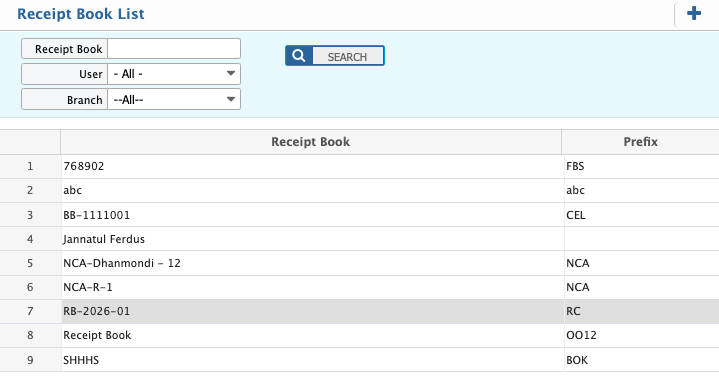
Receipt Book List - Search & Filter Action
| Field | Action |
|---|---|
| Book | Search by receipt book number to locate a specific receipt book from the list. |
| User | Filter the list to show receipt books assigned to a specific user. |
| Branch | Filter the list to show receipt books issued under a specific branch. |
| Add Receipt Book | Add a new receipt book directly from the receipt book list. |
Receipt Books - Details View & Action
| Field | Action |
|---|---|
| R. Number | Search by receipt number to locate a specific receipt in the list. |
| Status | Filter by status (used, unused, wasted, error) and update the status if required. |
| Voucher | View the voucher associated with the receipt and the related party. |
| Report | Preview the receipt book report, generate it, and download in multiple formats such as PDF, Excel, or CSV. |