Security Deposit
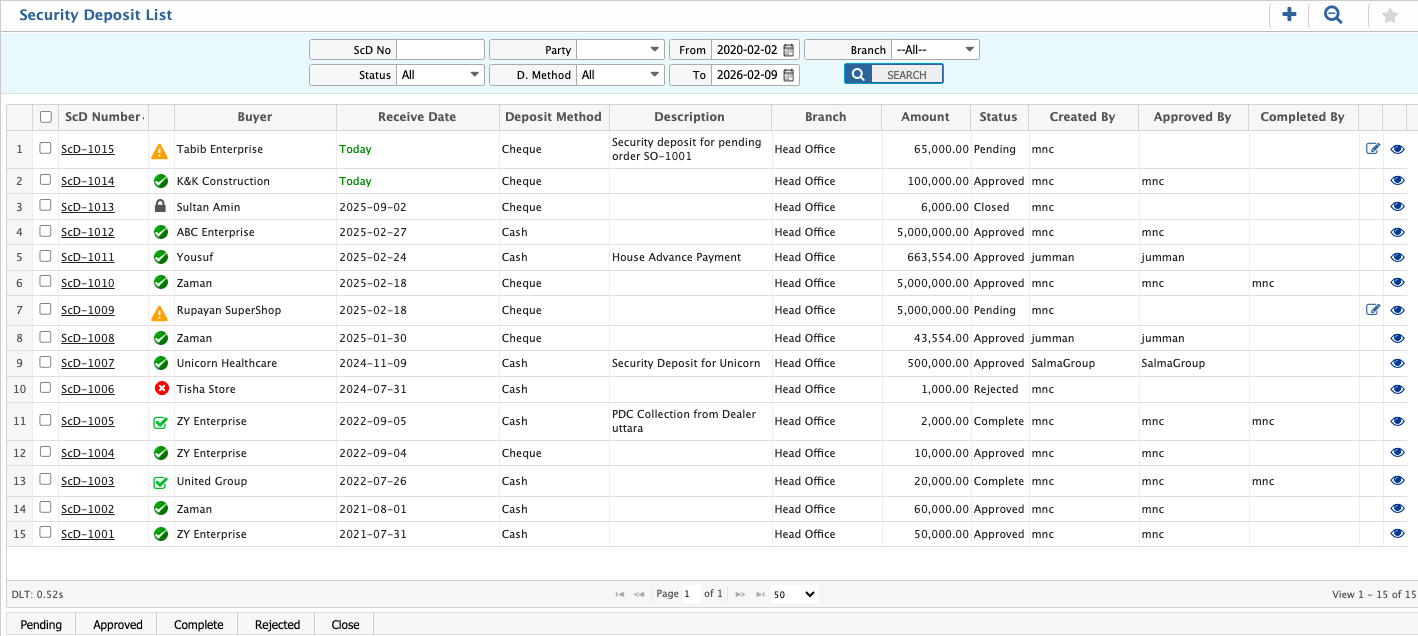
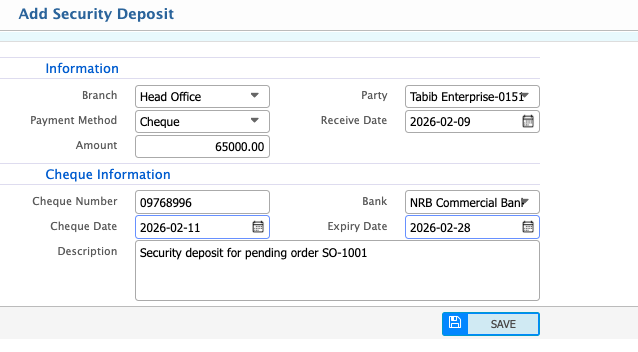
Security Deposit in PrismERP enables the management of deposits from customers, vendors, or other parties. Users can record a new deposit by entering branch, party, payment method, receive date, and amount, including cheque details if applicable. The Security Deposits List allows users to search and filter records by deposit number, status, party, payment method, date range, and branch. From the list, users can also add new deposits or edit existing records directly.
Add Security Deposit
| Field | Action |
|---|---|
| Branch | Select the branch where the security deposit is being recorded. |
| Party | Select the party making the security deposit. |
| Payment Method | Select the payment method (cheque/cash). |
| Receive Date | Enter the date on which the security deposit is received. |
| Amount | Enter the total amount of the security deposit. |
| Cheque Number | Enter the cheque number provided by the party. |
| Bank | Select the bank issuing the cheque. |
| Cheque Date | Enter the date written on the cheque. |
| Expiry Date | Enter the date on which the cheque expires. |
| Description | Enter any details related to the cheque or security deposit purpose. |
Security Deposits List
| Field | Action |
|---|---|
| ScD No | Search by entering a specific Security Deposit number to view its details. |
| Status | Filter by status to display records based on processing state and update status as needed. |
| Party | Filter by selecting a customer, vendor, or party to view related security deposit records. |
| D. Method | Filter by deposit/payment method (e.g., All, Cash, Cheque). |
| From Date | Filter by selecting the start date to display security deposits received from the selected date onward. |
| To Date | Filter by selecting the end date to display security deposits received up to the selected date. |
| Branch | Filter by selecting a branch to view branch-specific security deposit records. |
| Add New | Add a new security deposit directly from the list. |
| Edit | Edit an existing security deposit details directly from the list. |