Account Receivable Planning
Account Payable Planning in PrismERP helps users manage vendor payments and payable schedules efficiently. Users can create and update payment plans, check pending vouchers, and view summarized payable data. The module includes AP Scheduling for managing individual vendor schedules and Account Payable Analysis for reviewing overall vendor balances and planned payments.
Add Account Receivable Schedule
| Field | Action |
|---|---|
| Customer | From the Customer List, choose the customer for whom a new schedule needs to be created or an existing schedule needs to be updated. |
| Pending Vouchers | Check the Pending Voucher List to see all unpaid invoices or balances due for the selected customer. |
| Date | Enter the specific date on which the receivable is expected to be collected. |
| Amount | Enter the exact amount that is planned to be received from the customer. |
| Schedule | Add the schedule to save the planned receivable and update the customer’s account. |
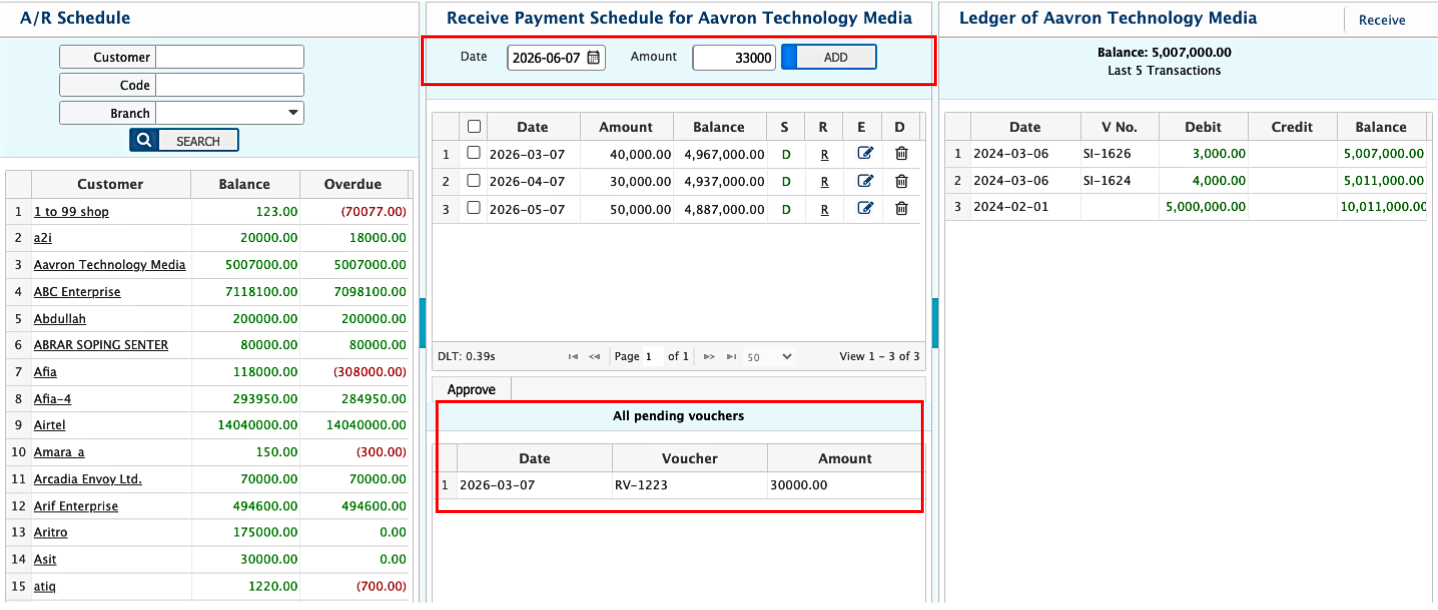
After a schedule is added for a selected customer, the details appear in the Schedule List. The interface is divided into three sections for clear customer account management. In the Customer List, the user can see all customers with outstanding dues and select a customer to view and manage account details. The AR Scheduling & Pending Voucher List shows scheduled plans and pending vouchers for the selected customer.In the Balance with Last 5 Transactions section, the user can see the current balance of the selected customer along with their last five transactions for quick reference.
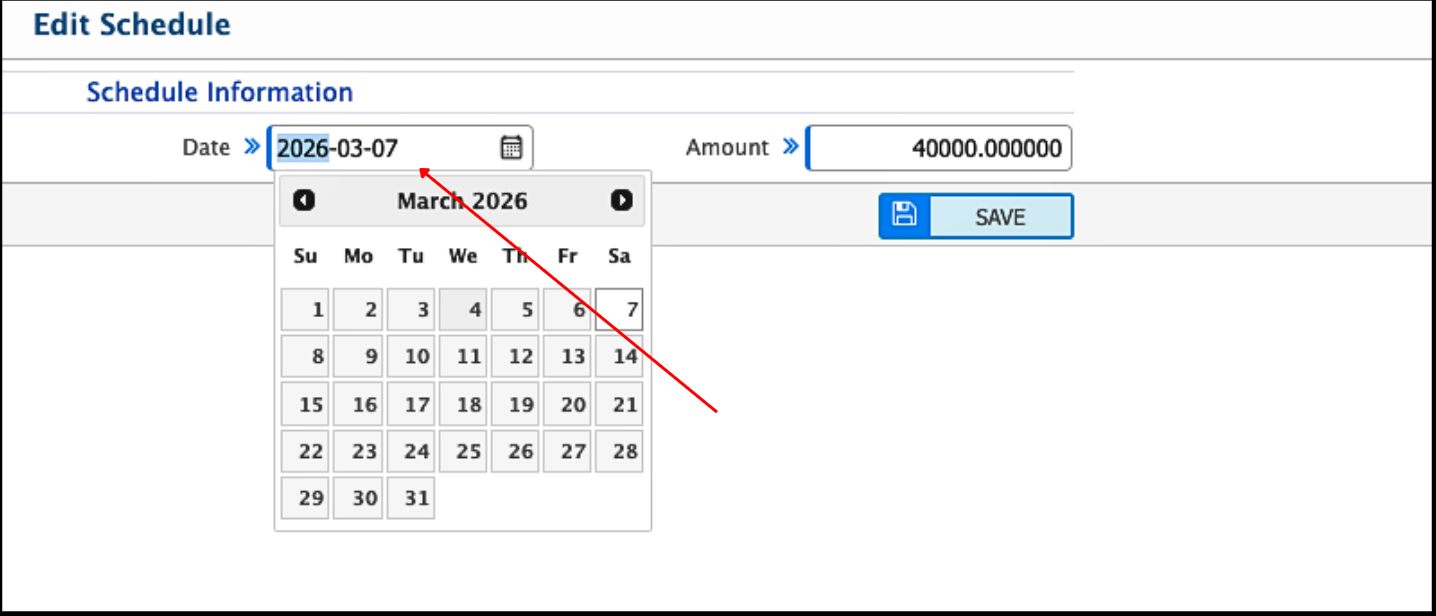
It also allows users to manage schedules by providing options to edit, reschedule, or delete previously created entries. Users can approve the schedule and can edit a schedule while it's in pending state by selecting it from the list, updating the scheduled date and amount. If a schedule is no longer required, users can delete a schedule by selecting it and confirming deletion, which permanently removes it from the Schedule List.User can add a receive voucher from the customer directly from the page.
Account Receivable Analysis
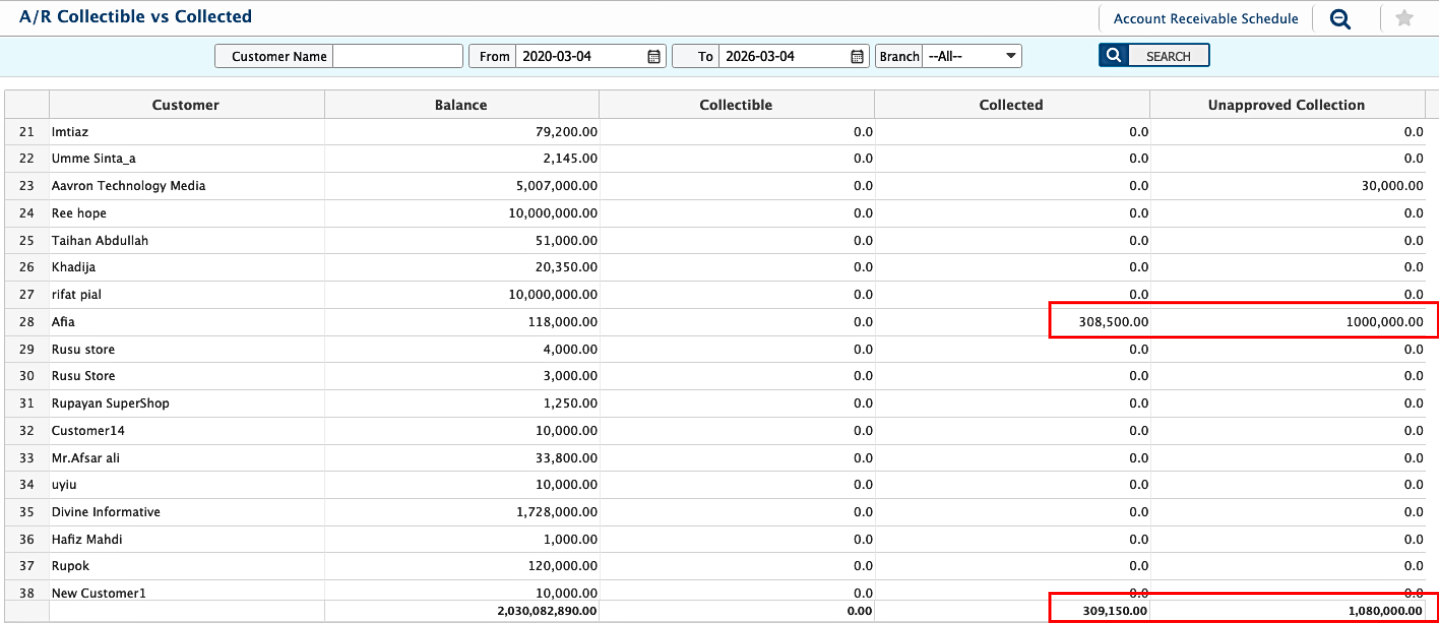
Account Receivable Analysis provides an overview of all customer receivables. Users can navigate to AR Planning → Account Receivable Analysis to see summarized data for all customers. Customer Balance shows the total outstanding balance for each customer, so users can spot high-value receivables. Collectible Amount displays amounts scheduled to be collected within the selected period. Collected Amount shows what has already been received from customers. Unapproved Balances lists amounts that are still pending approval.