Project Inventory
Project Inventory in PrismERP is used to manage inventory associated with a specific project. Users can create project inventories, add products, update stock balances, and review product-wise transactions and stock movements through the Product Ledger.
Add Project Inventory
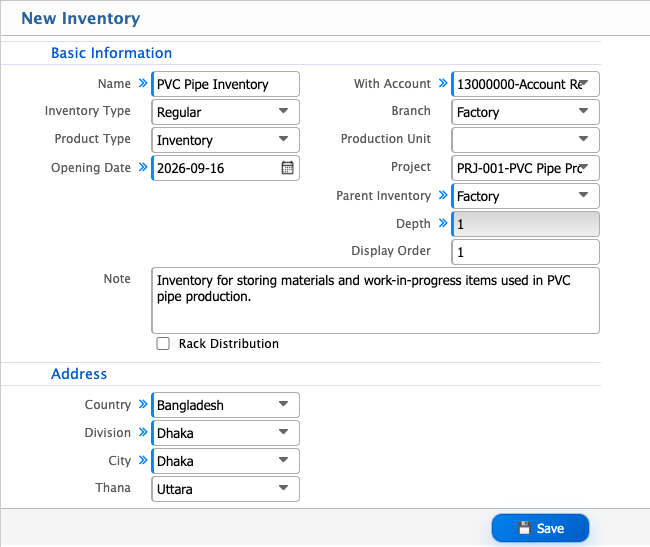
| Field | Action |
|---|---|
| Name | Enter the name of the inventory. |
| Inventory Type | Select the inventory type based on its purpose. |
| Product Type | Select whether the inventory is for regular inventory, rent, or free products. |
| Opening Date | Select the date from which the inventory will be available. |
| With Account | Enable this option if an account is associated with the inventory. |
| Branch | Select the branch where the inventory is located. |
| Production Unit | Select the production unit associated with the inventory. |
| Project | Select the project associated with the inventory, if applicable. |
| Parent Inventory | Select the parent inventory if this inventory is part of an inventory hierarchy. |
| Display Order | Enter the order in which the inventory should be displayed. |
| Note | Enter any additional information about the inventory. |
| Country | Select the country where the inventory is located. |
| Division | Select the division of the inventory location. |
| City | Select the city of the inventory location. |
| Thana | Select the thana of the inventory location. |
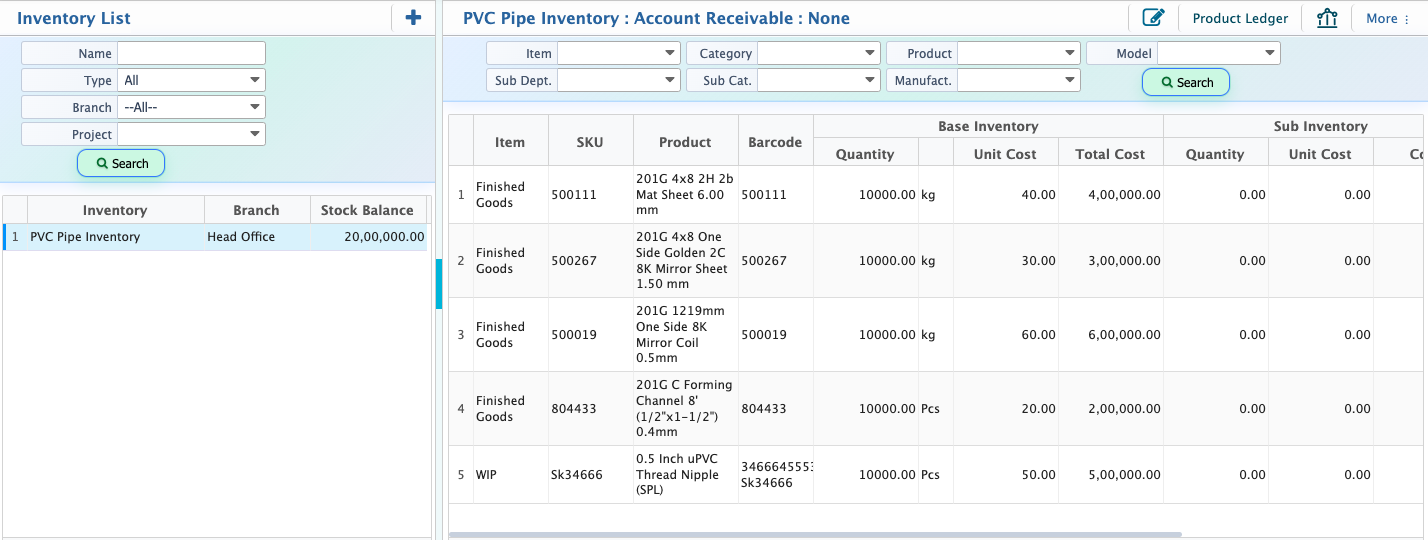
Project Inventory List
After adding an inventory, it appears in the Project Inventory List. Users can search and filter the list to find the required project inventory. By selecting an inventory, users can view its associated products, add products, and update stock balances as required.Users can also access the Product Ledger to review product-wise transactions and stock movements for the project inventory.