Hire Sales Operations
Sale Invoice Outline
Path: /sale_invoice/outline
-
Activate EMI Sales Outline.
-
Set Payment Method = Hire Only.
-
Configure and Save.
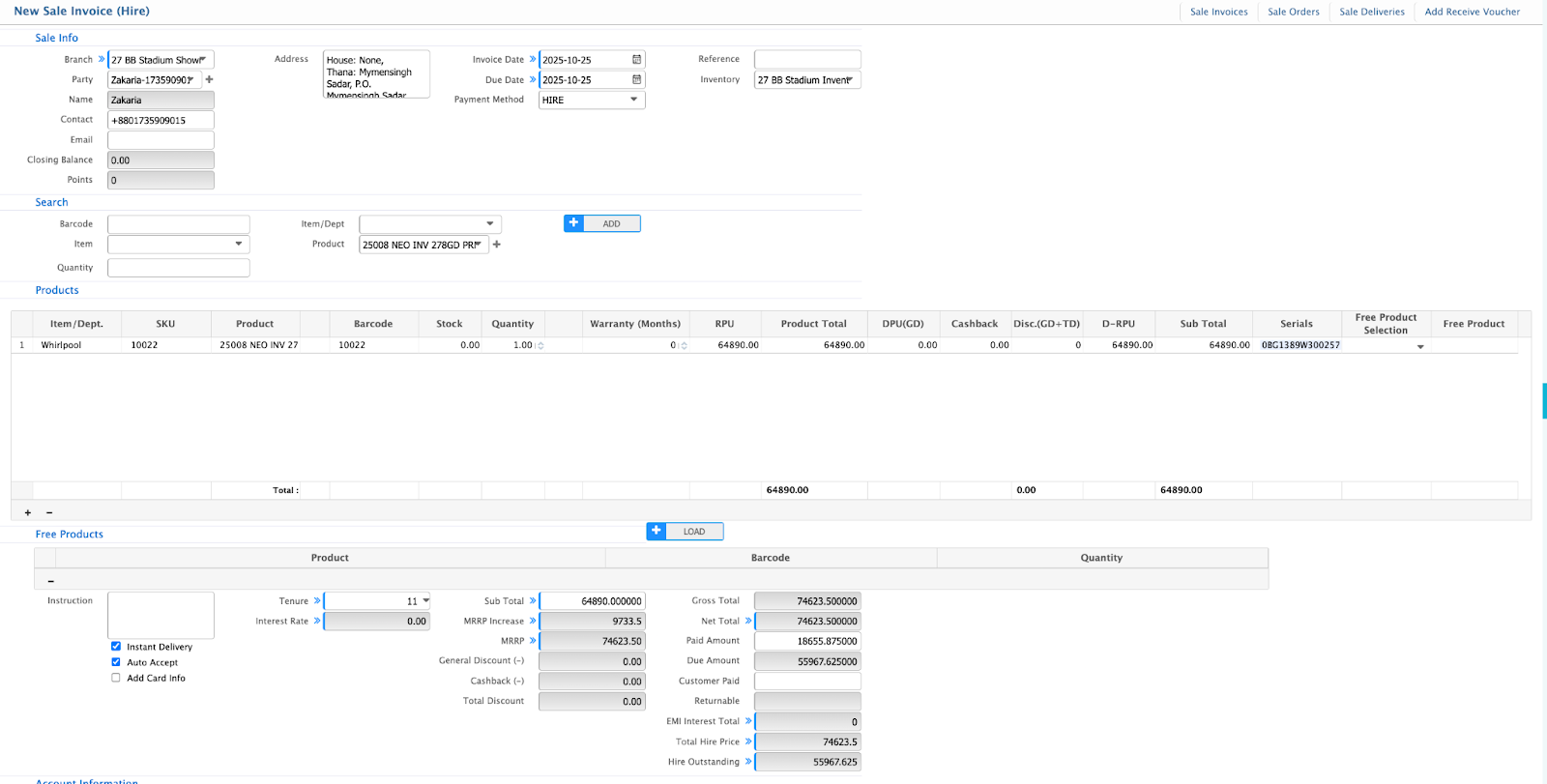
Creating a Hire Sale Invoice
Path: /sale_invoice/add/hire/
-
Payment Method: Hire (auto).
-
Select Tenure: Auto-fills Interest Rate.
-
MRRP Increase / Down Payment: Auto-calculated.
-
Save to create Hire Sales Invoice and generate Hire Account Number.
Sale Invoice List
Path: /sale_invoice/list/
-
View all invoices.
-
Filter by Invoice No., Customer, Hire Account, Date, or Method.

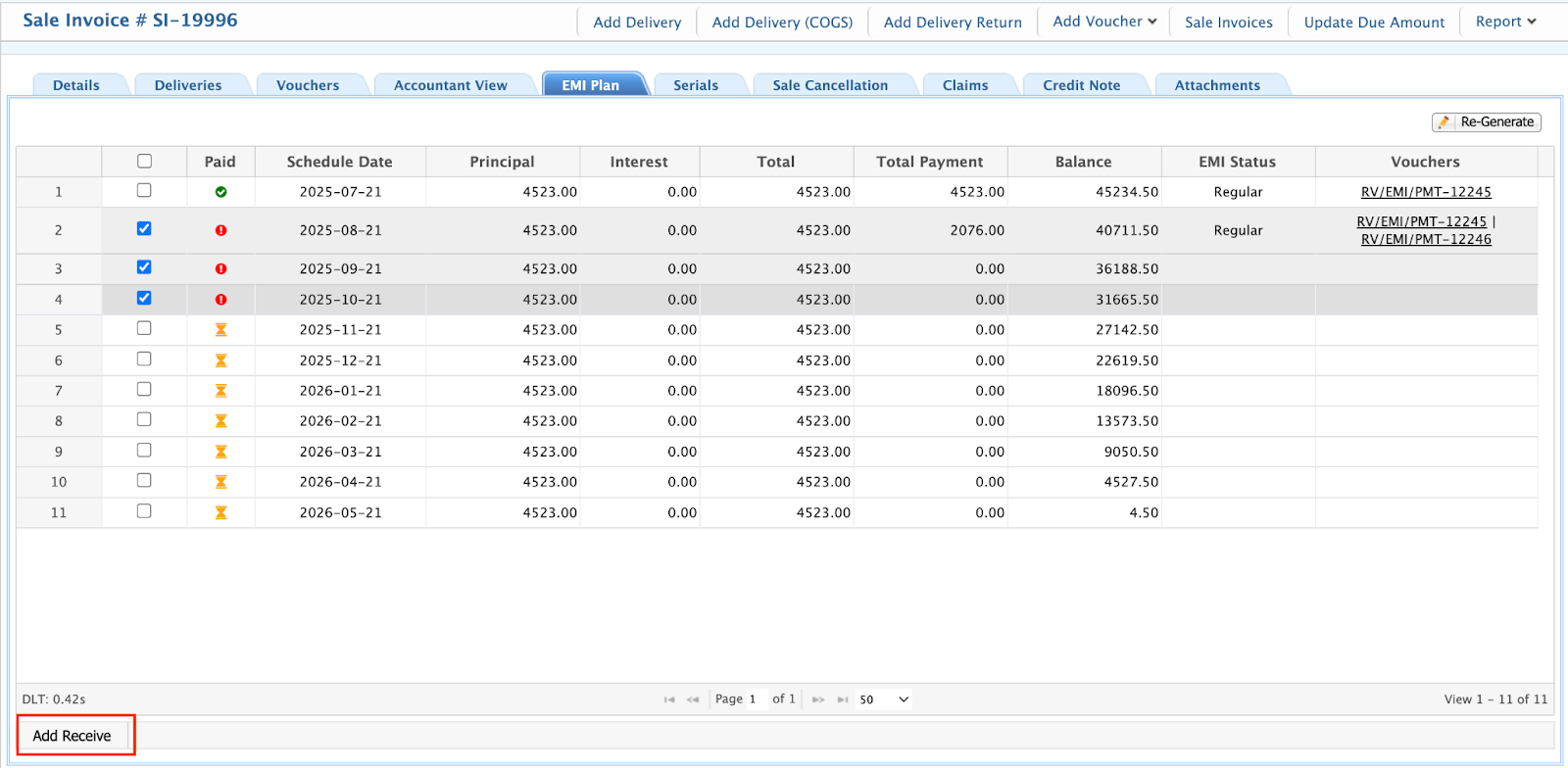
EMI Plan Generation
Path: /sale_invoice/[invoice_id]/details → EMI Plan Tab
-
Open invoice → Generate Plan.
-
System creates detailed EMI Schedule (Principal, Interest, Due Dates, Balance).

EMI Payment Collection
Path: EMI Plan Tab
-
Select installments → Receive EMI Payment.
-
System records payment, updates status to Paid, and posts accounting entries.
Last Updated: October 2025
Version: 2.0
Document Owner: PrismERP Product Team