Product & Branch Setup
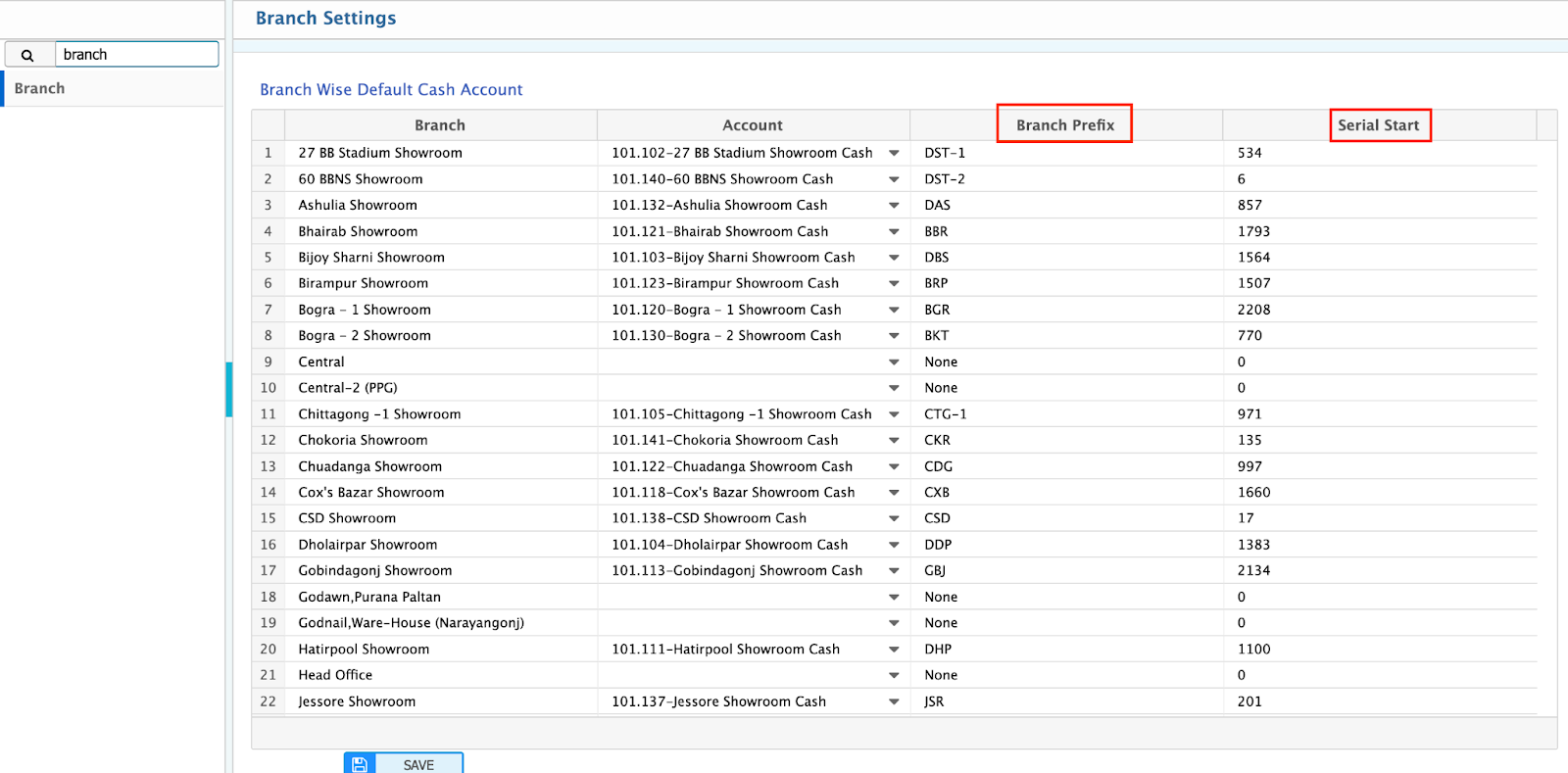
Branch Configuration
Path: /config/#config=branch
-
Define Branch Prefix and Serial Start Number.
-
Example: DHK + 1001 → Invoice: DHK-1001
Product EMI Availability
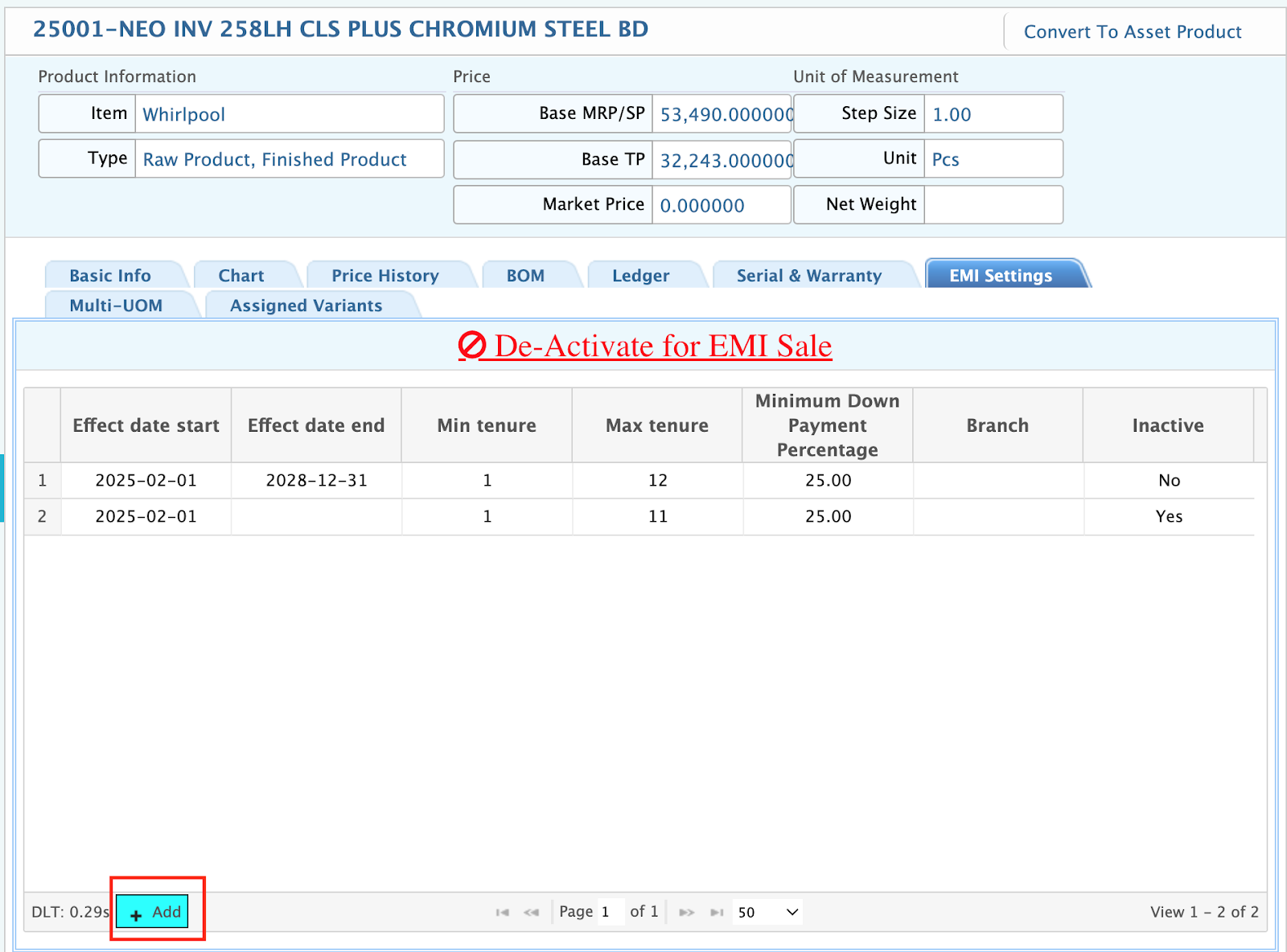
Path: /product/
- Open a product profile → Enable “Available in EMI Sale.”
- This unlocks the EMI Settings Tab.
Product-Level EMI Settings
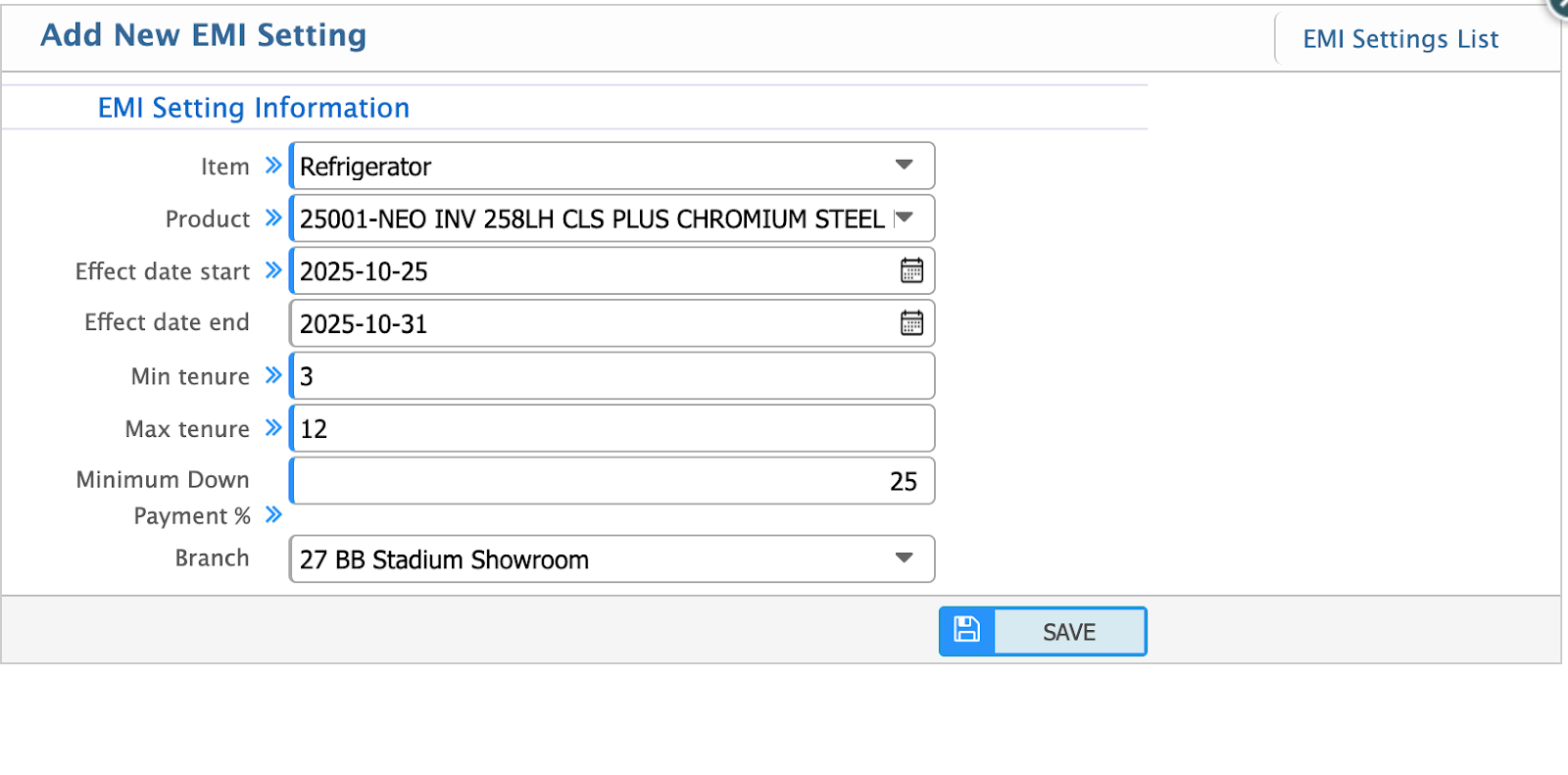
In the EMI Settings Tab:
- Define Effect Date Start / End
- Set Min / Max Tenure
- Set Minimum Down Payment %
- Assign Branch
- Save to apply EMI setup.
Last Updated: October 2025
Version: 2.0
Document Owner: PrismERP Product Team