Fund Transfer
Fund Transfer in PrismERP allows users to move funds between branches or accounts within the organization. Users can record transfers by selecting the origin branch and account, the destination branch and account, transfer amount, payment method, and date, along with any relevant description. Transfers are tracked through their lifecycle using the Fund Transfer Out List and Incoming Fund Transfer List, where users can search, filter, edit, and monitor transfers. Inter-branch transfers and regular fund movements follow the same process, and transfer execution enables updating the status from Pending to Accepted, and finally to Closed or Rejected. Comments and accountant-specific details can also be recorded for each transfer.
Add New Fund Transfer Out
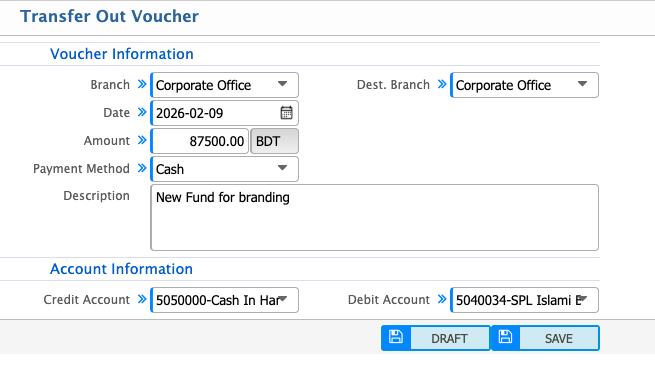
| Field | Action |
|---|---|
| Branch | Select the branch from which the fund is being transferred. |
| Date | Enter the date on which the fund transfer is recorded. |
| Amount | Enter the amount to be transferred. |
| Payment Method | Select the payment method (e.g., Cash, Cheque, Bank). |
| Dest. Branch | Select the destination branch receiving the funds. |
| Description | Enter any notes or description related to the fund transfer. |
| Credit Account | Select the account from which funds are credited. |
| Debit Account | Select the account where funds will be debited. |
Fund Transfer Out List
| Field | Action |
|---|---|
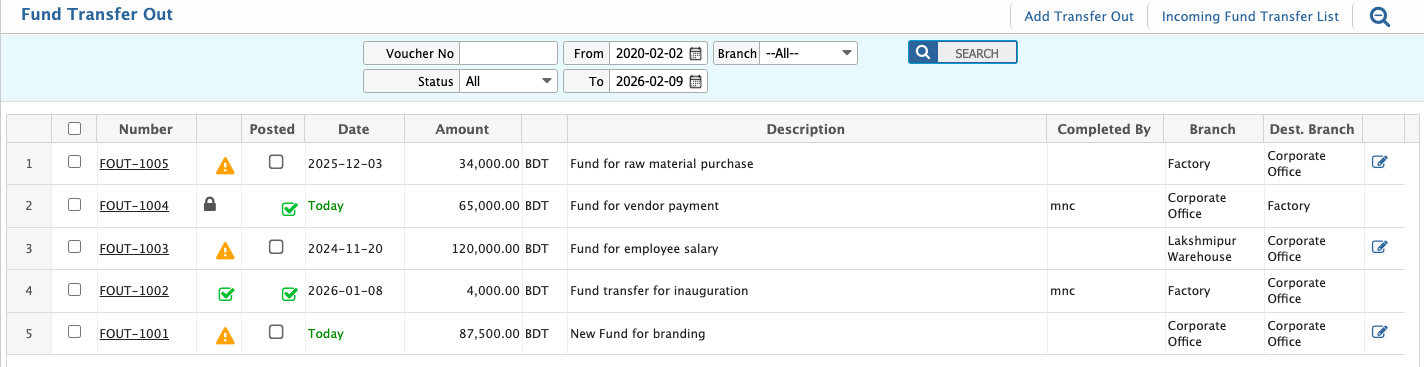
| Voucher No | Search by entering a specific voucher number to view its details. |
| Status | Filter by status to display records based on processing state and update status as required. |
| From Date | Filter by selecting the start date to display fund transfers from the selected date onward. |
| To Date | Filter by selecting the end date to display fund transfers up to the selected date. |
| Branch | Filter by selecting a branch to view branch-specific fund transfer records. |
| Add New | Add a new fund transfer record directly from the list. |
| Edit | Select a record to edit fund transfer details directly from the list. |
| Report | Generate, preview, and download fund transfer reports in multiple supported formats based on the applied filters. |
Fund Transfer Details View
| Field | Action |
|---|---|
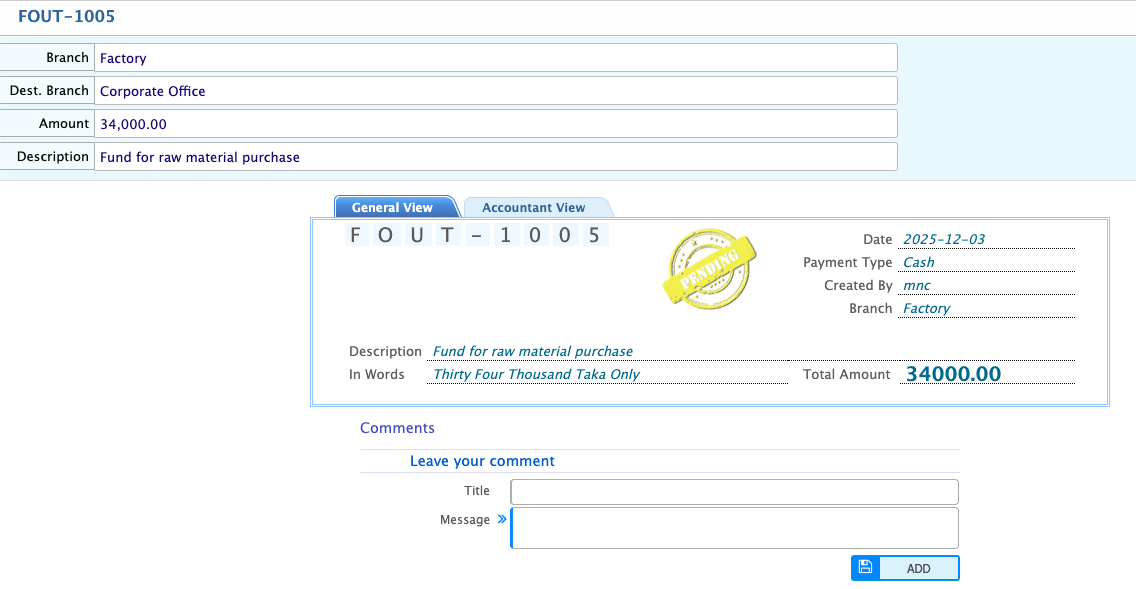
| General View | View all basic transfer details including origin branch, destination branch, transfer amount, payment method, date, and description. |
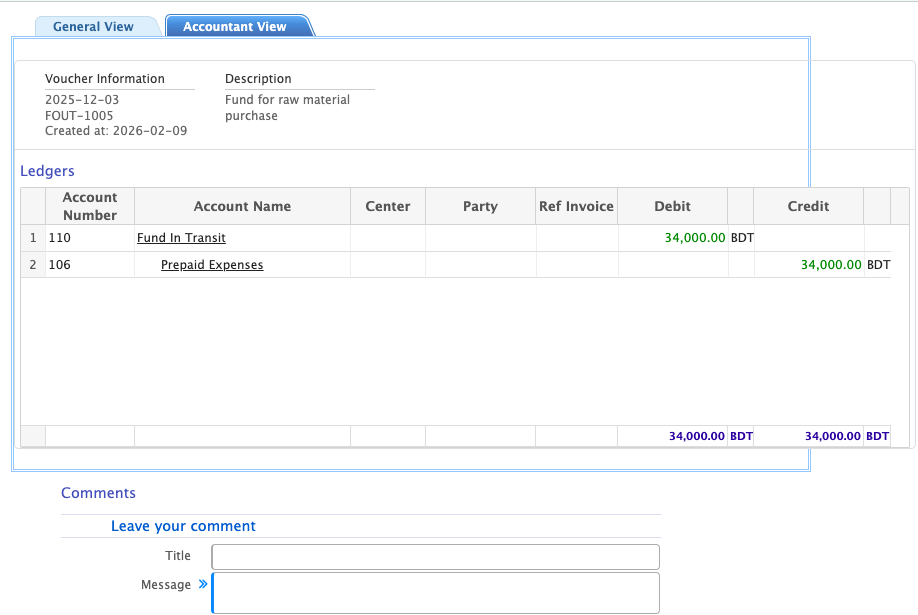
| Accountant View | View accounting-specific information such as credit and debit accounts, transaction IDs, and ledger references. |
| Comments | Add comments related to the transfer for notes, instructions, or communication between users. |
| Report | Generate, preview and download reports in multiple formats. |