Other Parties
Indentor
The PrismERP Indentor feature provides an organized way to manage all indentors efficiently. It allows users to add new indentors, maintain detailed personal and financial information, and track opening balances and credit limits. With clear fields for contact details, identification, and additional notes, PrismERP ensures accurate record-keeping. This feature streamlines indentor management and keeps all information easily accessible for smooth business operations.
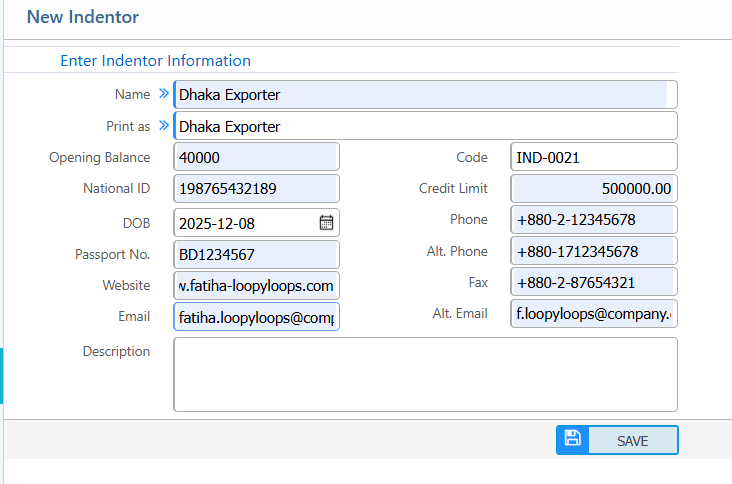
1. Add New Indentor
| Field | Description |
|---|---|
| Name | Enter the indentor’s full name. |
| Print As | Specify how the indentor name will appear in print documents. |
| Opening Balance | Enter the indentor’s opening balance. |
| National ID | Enter the indentor’s national ID number. |
| Code | Enter or review the indentor code (auto or manual). |
| Credit Limit | Enter the credit limit assigned to the indentor. |
| DOB | Enter the date of birth of the indentor. |
| Passport No. | Enter the indentor’s passport number (if applicable). |
| Website | Enter the indentor’s website URL (if any). |
| Enter the indentor’s primary email address. | |
| Phone | Enter the indentor’s phone number. |
| Alt. Phone | Enter an alternative phone number. |
| Fax | Enter the indentor’s fax number. |
| Alt. Email | Enter an alternative email address. |
| Description | Add any additional notes about the indentor. |
2. Indentor List
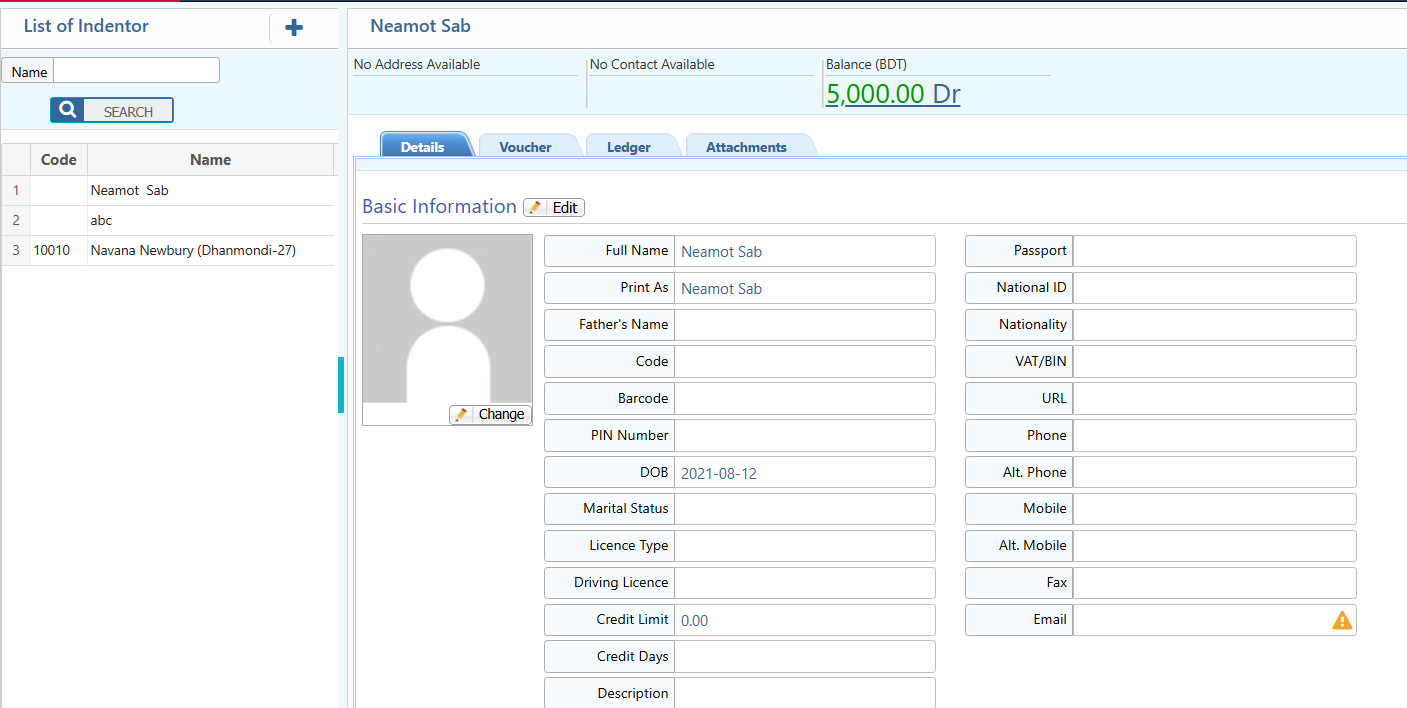
2.1 Indentor Search & Details View
| Field | Description |
|---|---|
| Name | Search indentors by full or partial name. |
| Details | View all basic and extended information about the indentor. |
| Voucher | Access all vouchers related to the indentor. |
| Ledger | View ledger and balance details for the indentor. |
| Attachments | Upload or view documents related to the indentor. |
2.2 Indentor Party Ledger
| Field | Description |
|---|---|
| Date Range (From – To) | Filter ledger data by a specific date range. |
| Project | Filter ledger entries based on project selection. |
| Account | Narrow down entries by account type or specific account. |
| Category | Filter ledger records by category. |
| Report | Preview and download the ledger report in multiple formats. |
2.3 Indentor Opening Balance
| Field | Description |
|---|---|
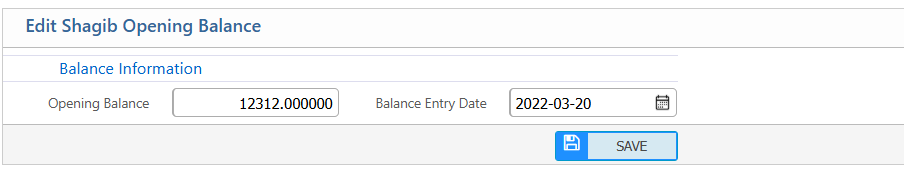
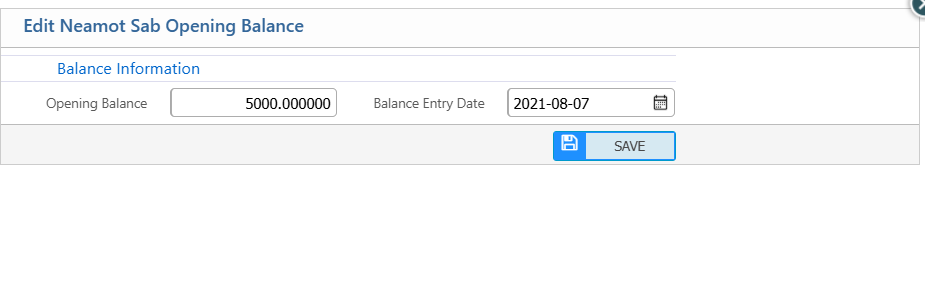
| Opening Balance | Update the indentor’s opening balance amount. |
| Balance Entry Date | Enter the date when the opening balance is recorded. |
Freight Forwarder
PrismERP Freight Forwarder feature makes managing freight forwarders simple and organized. It allows businesses to add new freight forwarders, keep all personal and financial details up to date, and monitor opening balances and credit limits. With quick access to vouchers, ledgers, attachments, and party ledger reports, users can easily track all freight forwarder activities. This feature ensures that all records are well-organized and always accessible when needed.
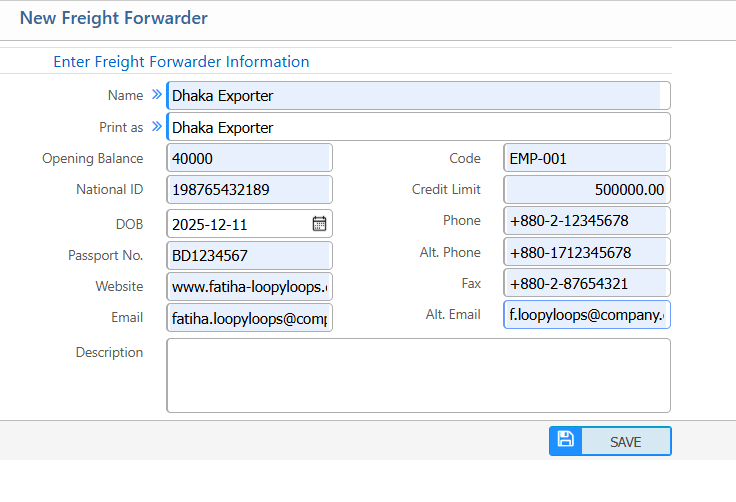
1.Add New Freight Forwarder
| Field | Description |
|---|---|
| Name | Enter the freight forwarder’s full name. |
| Print As | Specify how the name will appear in print documents. |
| Opening Balance | Enter the freight forwarder’s opening balance. |
| National ID | Enter the national ID number. |
| Code | Enter or review the freight forwarder code (auto or manual). |
| Credit Limit | Enter the assigned credit limit. |
| DOB | Enter the date of birth. |
| Passport No. | Enter the passport number (if applicable). |
| Website | Enter the website URL (if any). |
| Enter the primary email address. | |
| Phone | Enter the phone number. |
| Alt. Phone | Enter an alternative phone number. |
| Fax | Enter the fax number. |
| Alt. Email | Enter an alternative email address. |
| Description | Add any additional notes about the freight forwarder. |
2. Freight Forwarder List
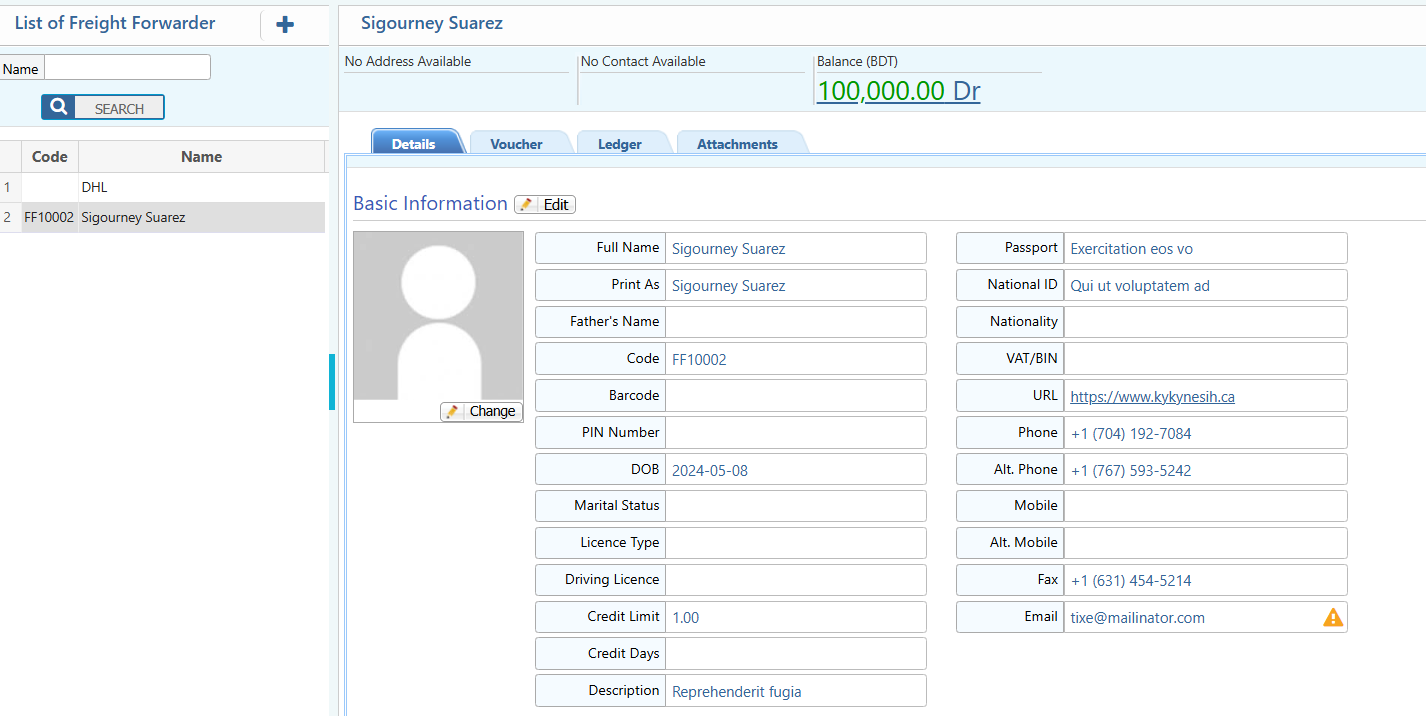
2.1 Freight Forwarder Search & Details View
| Field | Description |
|---|---|
| Name | Search freight forwarders by full or partial name. |
| Details | View and edit all basic and extended information about the freight forwarder. |
| Voucher | View all vouchers linked to the freight forwarder. |
| Ledger | View ledger summaries and balance details. |
| Attachments | Upload or view documents related to the freight forwarder. |
2.2 Freight Forwarder Party Ledger
| Field | Description |
|---|---|
| Date Range (From – To) | Filter ledger entries within a specific date range. |
| Project | Narrow ledger data by project selection. |
| Account | Filter by account type or specific account. |
| Category | Refine ledger records by category. |
| Report | Preview and download the ledger report in multiple formats. |

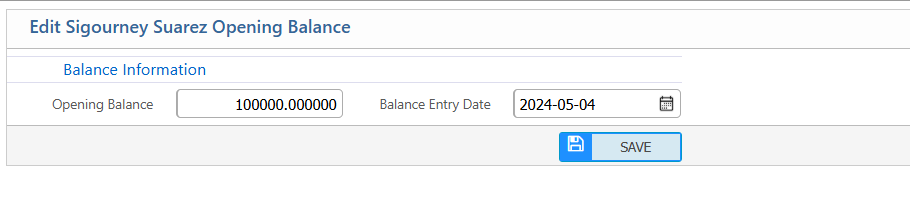
2.3 Freight Forwarder Opening Balance
| Field | Description |
|---|---|
| Opening Balance | Update the freight forwarder’s opening balance. |
| Balance Entry Date | Enter or modify the date the opening balance applies. |
Ad. Agent
The PrismERP Ad. Agent feature makes managing advertising agents simple and organized. It helps businesses add new agents, keep track of personal and financial details, and manage opening balances and credit limits with ease. With quick access to vouchers, ledgers, attachments, and party ledger reports, users can monitor agent activities efficiently. This feature keeps all agent information well-organized and easy to access whenever needed.
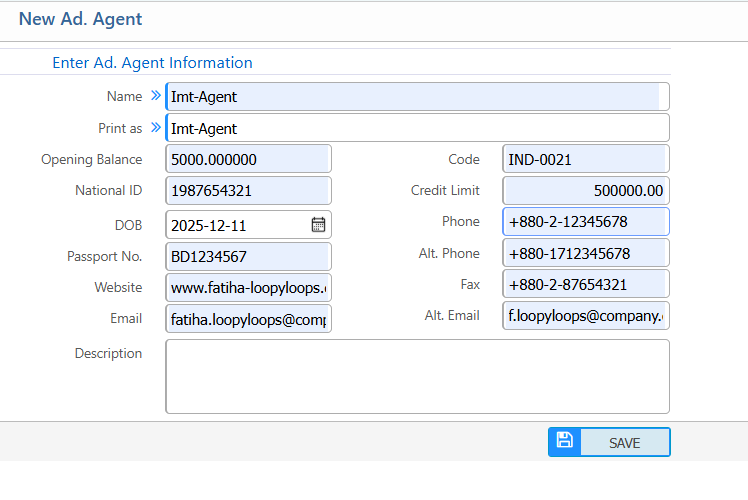
1. New Ad. Agent
| Field | Description |
|---|---|
| Name | Enter the ad. agent’s full name. |
| Print As | Specify how the agent name will appear in print documents. |
| Opening Balance | Enter the agent’s opening balance. |
| National ID | Enter the agent’s national ID number. |
| Code | Enter or review the agent code (auto or manual). |
| Credit Limit | Enter the credit limit assigned to the agent. |
| DOB | Enter the date of birth. |
| Passport No. | Enter the agent’s passport number (if applicable). |
| Website | Enter the agent’s website URL (if any). |
| Enter the agent’s primary email address. | |
| Phone | Enter the agent’s phone number. |
| Alt. Phone | Enter an alternative phone number. |
| Fax | Enter the agent’s fax number. |
| Alt. Email | Enter an alternative email address. |
| Description | Add any additional notes about the agent. |
2. Ad Agent List
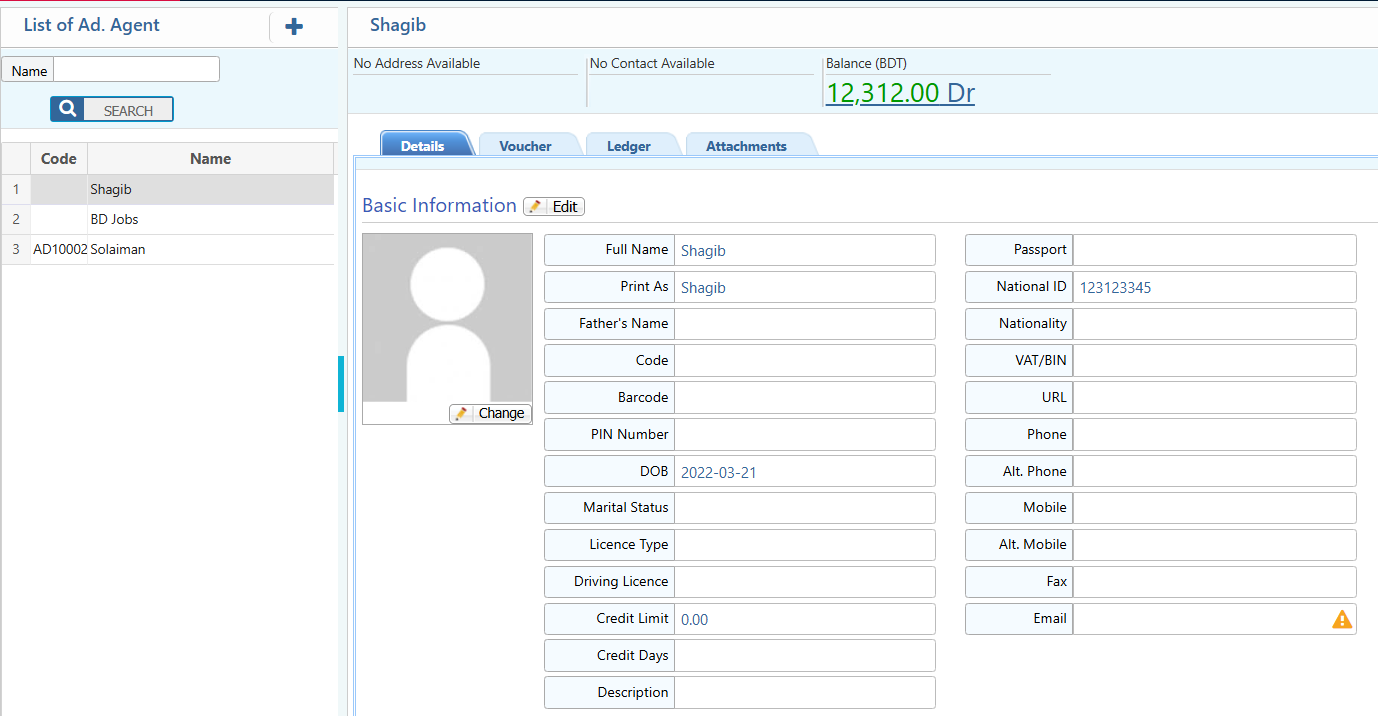
2.1 Ad Agent Search & Details View
| Field | Description |
|---|---|
| Name | Search ad. agents by full or partial name. |
| Details | View & edit all basic and extended information about the agent. |
| Voucher | Access all vouchers related to the agent. |
| Ledger | View ledger summaries and balance details. |
| Attachments | Upload or view documents related to the agent. |
2.2 Ad. Agent Party Ledger
| Field | Description |
|---|---|
| Date Range (From – To) | Filter ledger entries within a specific date range. |
| Project | Narrow ledger data by project selection. |
| Account | Filter by account type or specific account. |
| Category | Refine ledger records by category. |
| Report | Users can preview and download the ledger report in multiple formats. |

2.3 Ad agent opening balance
| Field | Description |
|---|---|
| Opening Balance | Update the advertising agent’s opening balance. |
| Balance Entry Date | Enter or modify the date the opening balance applies. |