Transport Agency
The Transport Agency section in PrismERP covers the process of adding and maintaining transport agency records. Users can enter agency details, including contact information, the owner's personal details, credit limits, and opening balances. After adding an agency, they can search the Transport Agency List, view and edit agency information, check related vouchers and ledger details, access attachments, filter ledger entries, and update the opening balance when required.
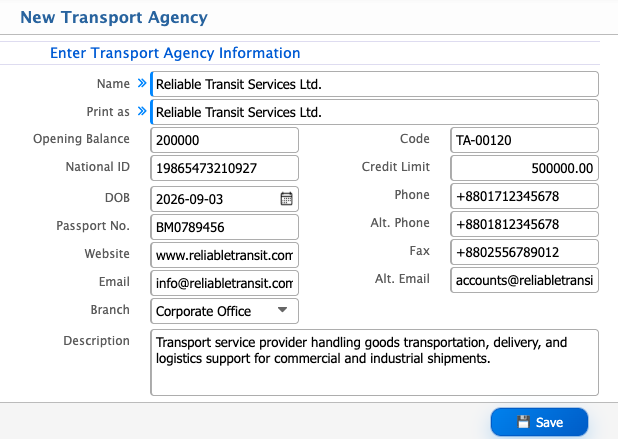
Add Transport Agency
| Field | Action |
|---|---|
| Name | Enter the transport agency’s full name. |
| Print As | Specify how the agency name will appear in print documents. |
| Opening Balance | Enter the agency’s opening balance. |
| National ID | Enter the national ID number of the agency owner. |
| Code | Enter or review the transport agency code (auto or manual). |
| Credit Limit | Enter the credit limit assigned to the agency. |
| DOB | Enter the date of birth of the agency owner. |
| Passport No. | Enter the passport number (if applicable). |
| Website | Enter the agency’s website URL (if any). |
| Enter the agency’s primary email address. | |
| Phone | Enter the agency’s phone number. |
| Alt. Phone | Enter an alternative phone number. |
| Fax | Enter the agency’s fax number. |
| Alt. Email | Enter an alternative email address. |
| Description | Add any additional notes about the transport agency. |
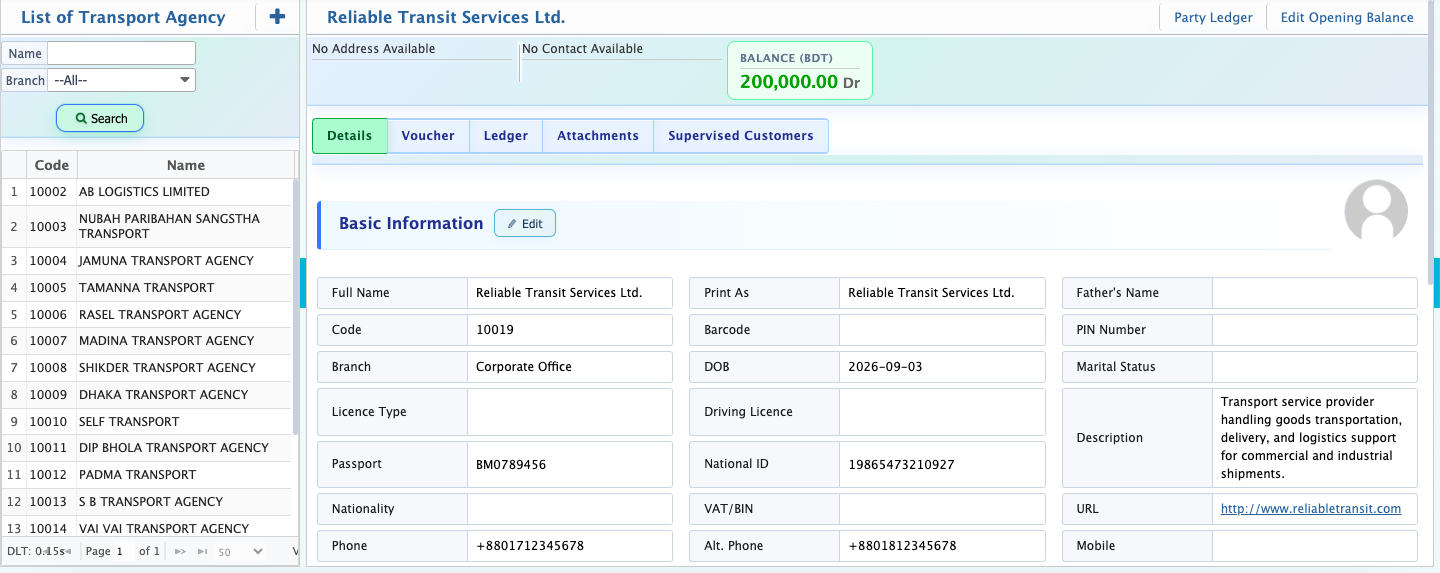
After adding a transport agency, users can search for the record by entering its full or partial name. By opening a transport agency's record, they can view and edit basic and extended information, check related vouchers, view ledger summaries and balance details, and upload or access attached documents.
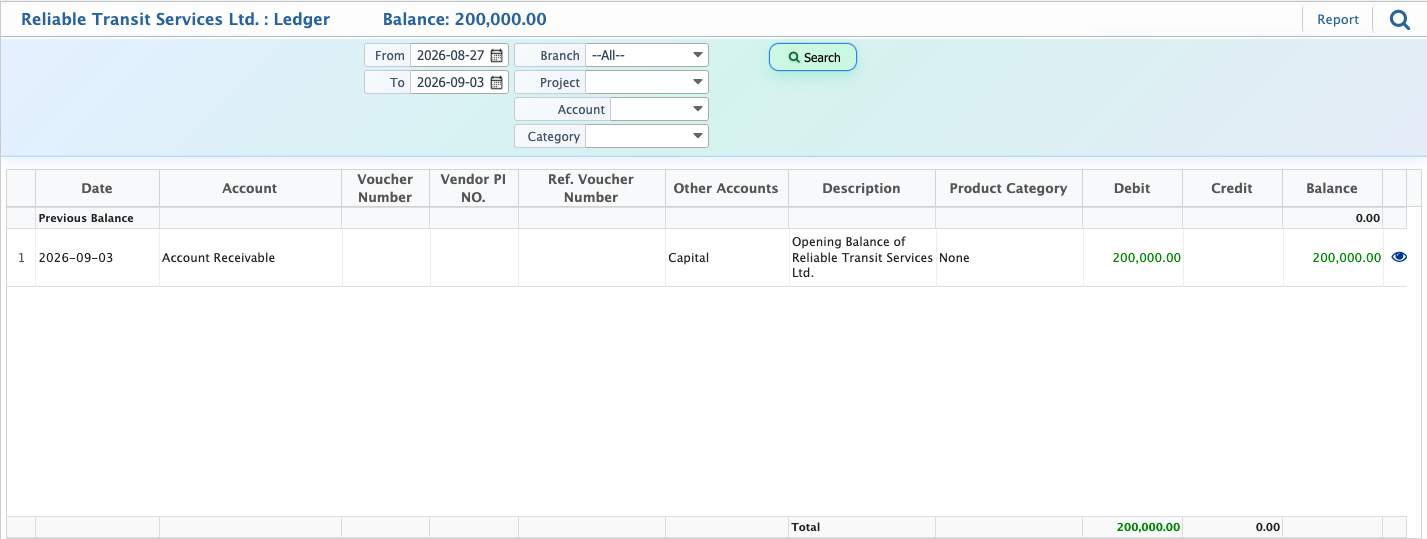
Users can filter ledger records by selecting a date range, project, account, or category to find specific entries. They can also preview the ledger report and download it in different formats.
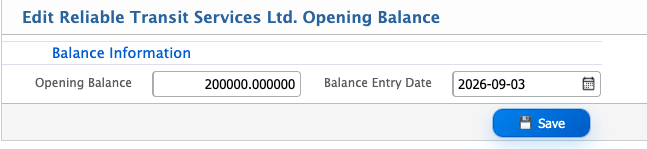
Update Opening Balance
| Field | Action |
|---|---|
| Opening Balance | Update the transport agency’s opening balance. |
| Balance Entry Date | Enter or modify the date the opening balance applies. |