Employee Salary Tax
Employee Salary Tax in PrismERP is used to manage and apply income tax rules for employees based on defined conditions such as country, gender, age, and income range. It allows users to configure tax rules, assign tax settings to individual employees through their pay scale, and ensure accurate deduction during salary processing. The system automatically applies the configured tax during payroll calculation, providing a clear breakdown of deductions and ensuring consistent salary processing based on defined tax structures.
Add Tax Rule
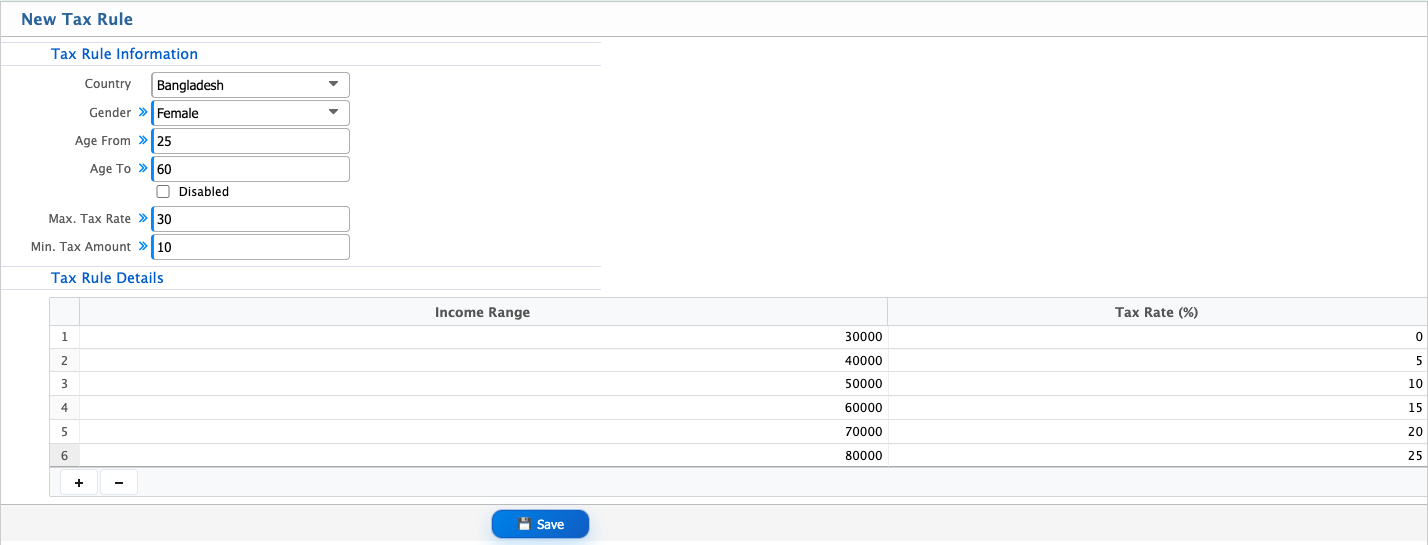
| Field | Action |
|---|---|
| Country | Select the country for which the tax rule will be applicable. |
| Gender | Select the gender category applicable for this tax rule. |
| Age From | Enter the minimum age limit for this tax rule. |
| Age To | Enter the maximum age limit for this tax rule. |
| Max. Tax Rate | Enter the maximum tax rate applicable for individuals. |
| Min. Tax Amount | Enter the minimum tax amount applicable under this rule. |
| Income Range | Enter the income range for applying the tax rate. |
| Tax Rate (%) | Enter the tax percentage applicable for the defined income range. |
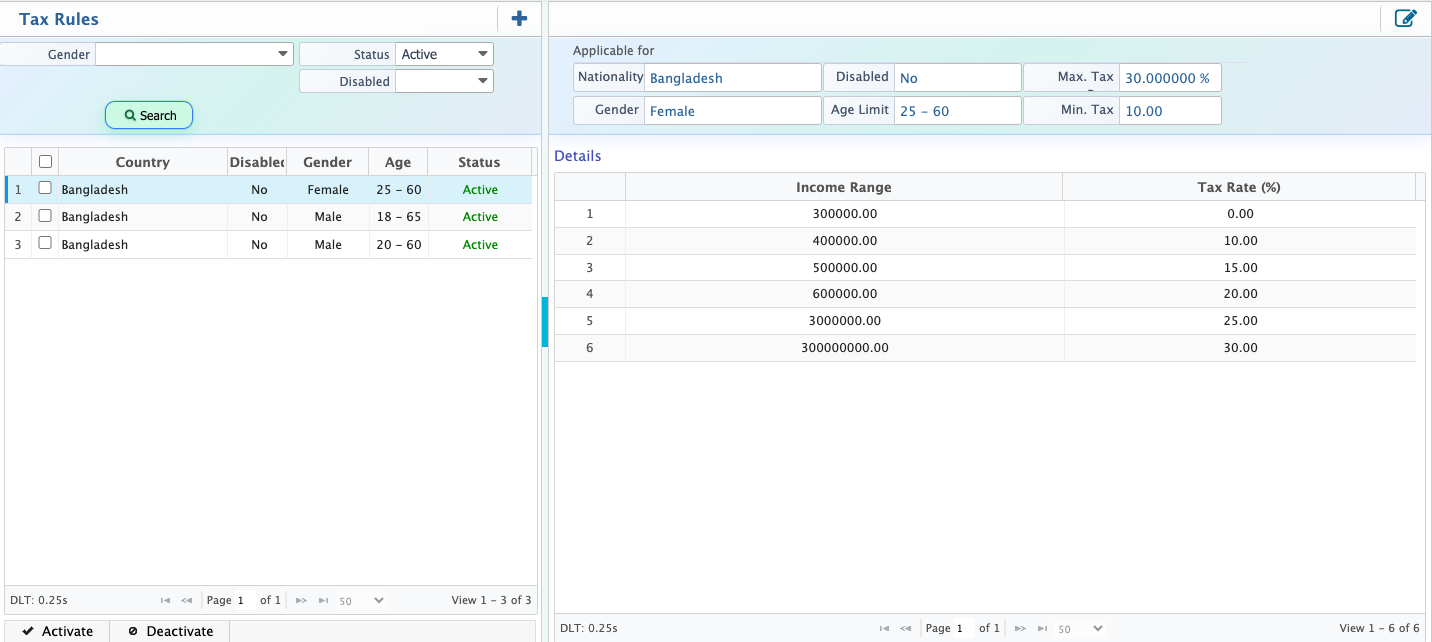
After adding a tax rule, users can view it in the Tax Rule List along with a complete breakdown of all configured details. From the list, users can use the search panel to quickly find specific tax rules based on different criteria. Users also have the option to activate or deactivate tax rules as required, depending on their applicability. Additionally, tax rule configurations can be edited at any time to update or adjust the defined settings.
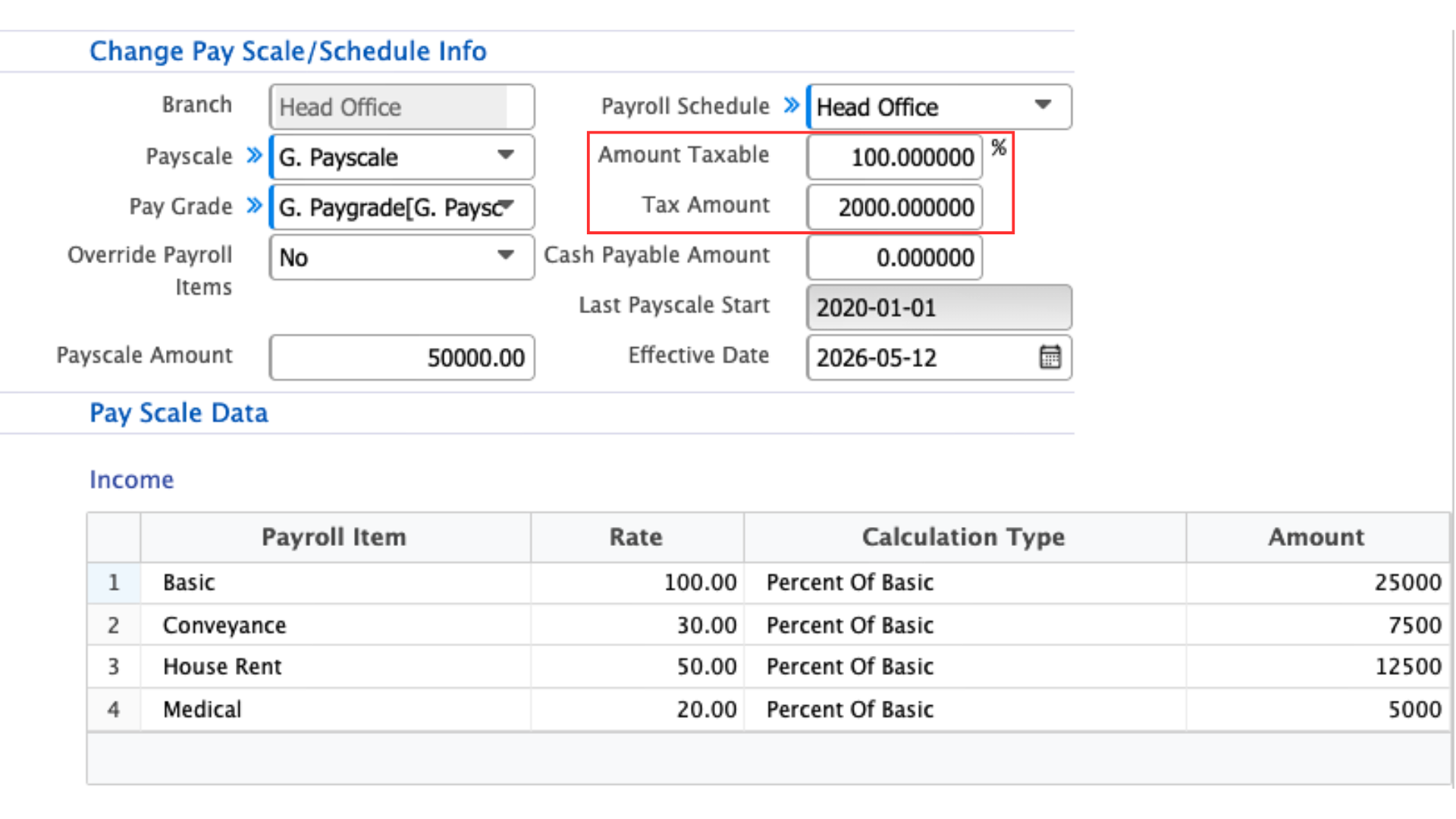
For employee tax configuration, users need to navigate to the Employee List and go to the Payment tab. From there, they can update the tax amount and percentage within the pay scale. Once updated, the tax amount is added to the employee’s pay scale setup. It will then be automatically deducted from future salary payments.
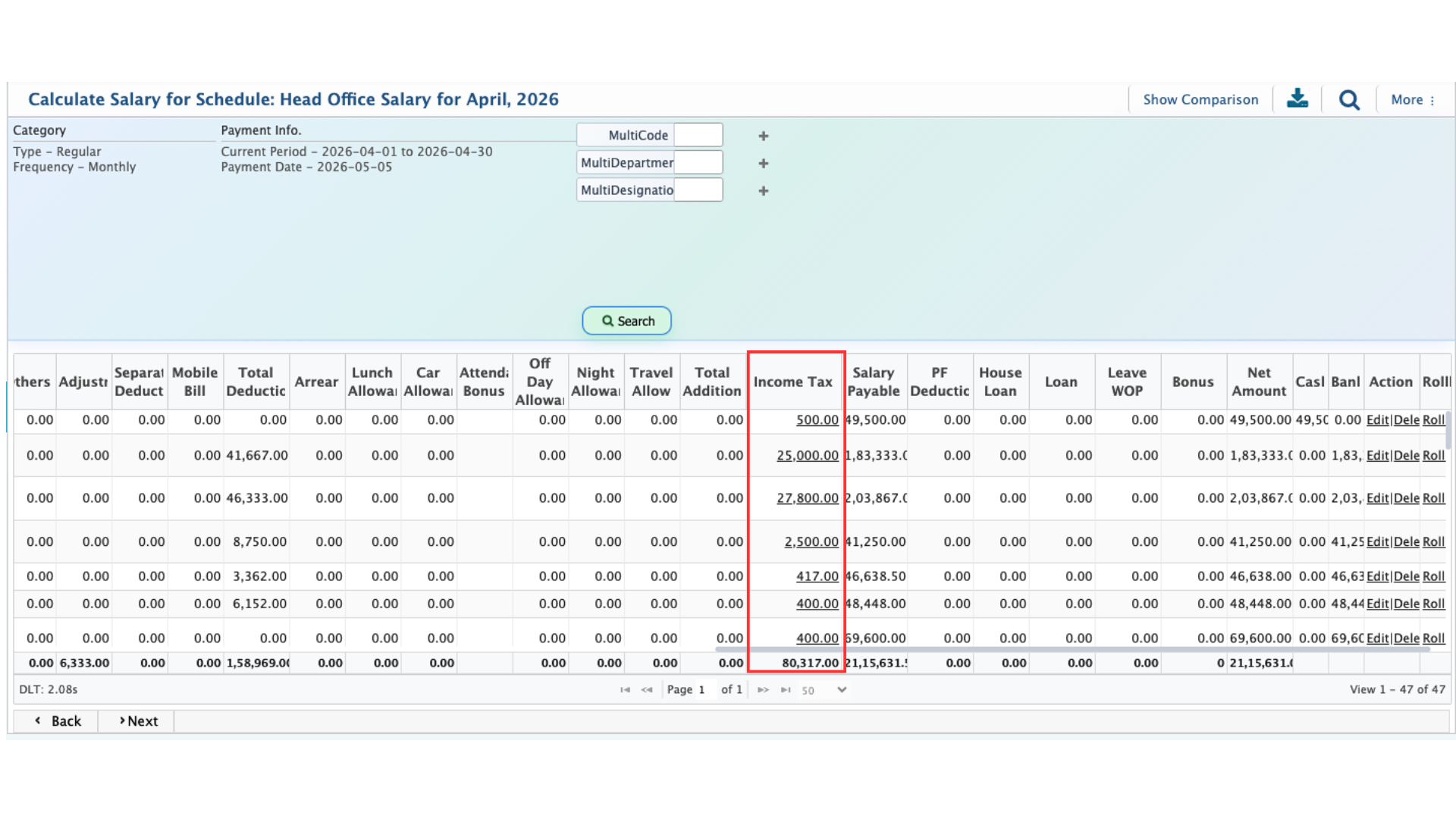
After configuring tax for each employee, users need to follow the usual salary processing steps. When the payroll schedule is posted and salary is calculated, the system automatically applies the configured employee tax during the process. The total salary list will then show a clear breakdown of all deductions, including the income tax amount. Finally, the salary is processed after deducting the configured tax along with other applicable deductions from the gross salary.