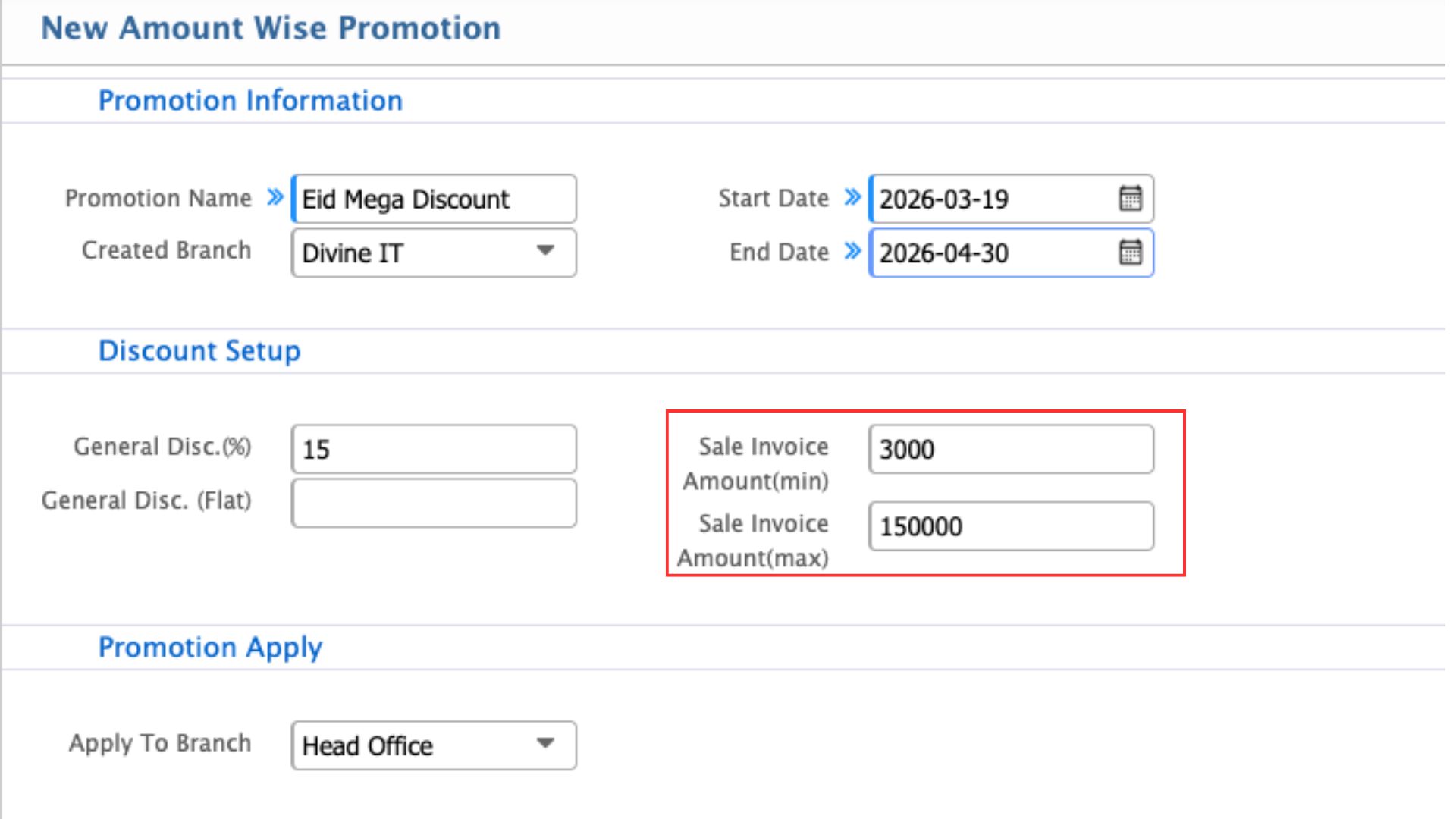
Amount Wise Promotion
Amount Wise Promotion in PrismERP lets users create promotions that apply when a customer’s invoice falls within a specified range. Users can set the minimum and maximum invoice amounts required for the promotion to apply, define the promotion period, select eligible branches, and configure discounts as a percentage or fixed amount.
| Field | Action |
|---|---|
| Promotion Name | Enter a descriptive name for the promotion. |
| Start Date | Select the date when the promotion will become active. |
| End Date | Select the date when the promotion will expire. |
| Created Branch | Select the branch where the promotion was created. |
| General Disc. (%) | Enter a percentage discount applicable when the invoice amount falls within the specified range. |
| General Disc. (Flat) | Enter a fixed flat discount amount applicable when the invoice amount falls within the specified range. |
| Sale Invoice Amount (min) | Enter the minimum invoice amount required for the promotion to apply. |
| Sale Invoice Amount (max) | Enter the maximum invoice amount allowed for the promotion to apply. |
| Promotion Apply | Section header. Determines where the promotion is applied. |
| Apply To Branch | Select the branch or branches where the promotion will be applied. |
AmountWisePromotion.jpg