Free Product Promotion
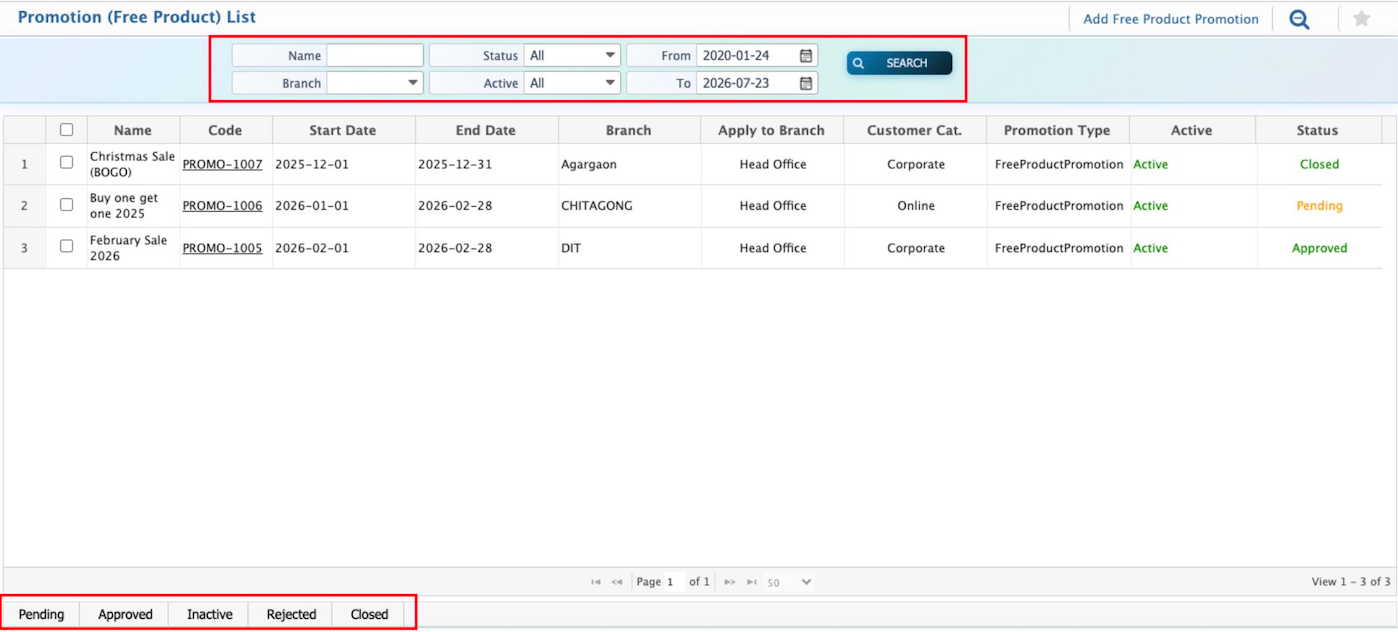
Free Product Promotion in PrismERP lets users reward customers with free products when they purchase a specific quantity of a base product. Users can define the promotion period, applicable branches, customer categories, and the base and free products along with their SKUs and quantities. Promotions can also be created specifically for customer categories, where selecting a category is mandatory, or left blank to apply to all customers. The Free Product Promotion list can be searched and filtered by Name, Branch, Status, and dates, and users can update the status to Pending, Approved, Rejected, Inactive, or Closed as needed.
| Field | Action |
|---|---|
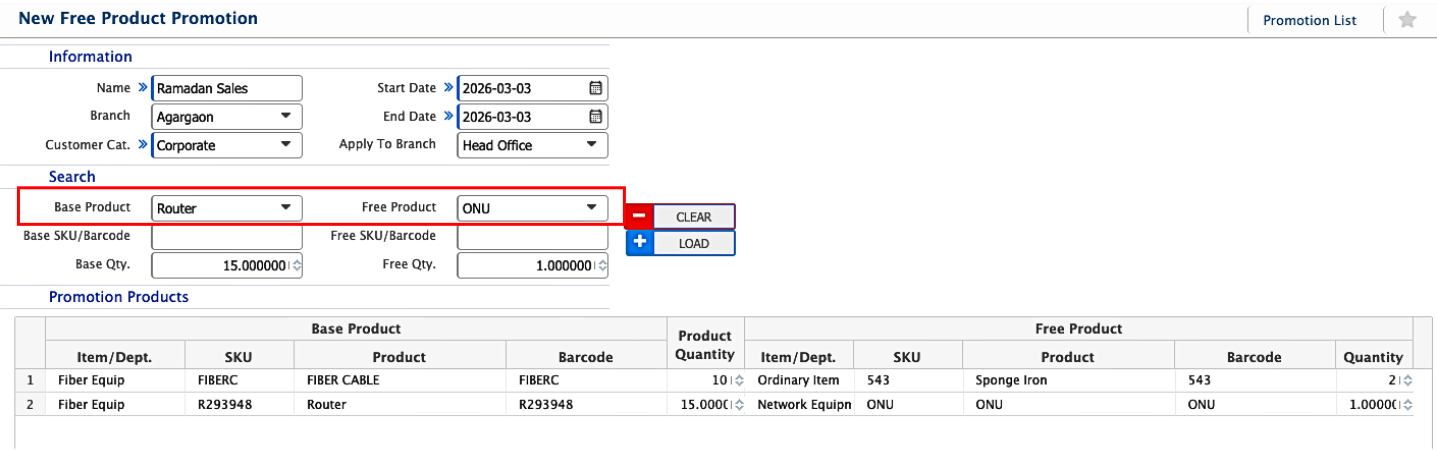
| Name | Enter a descriptive name for the promotion. |
| Branch | Select the branch where the promotion is created or applicable. “All” applies to all branches. |
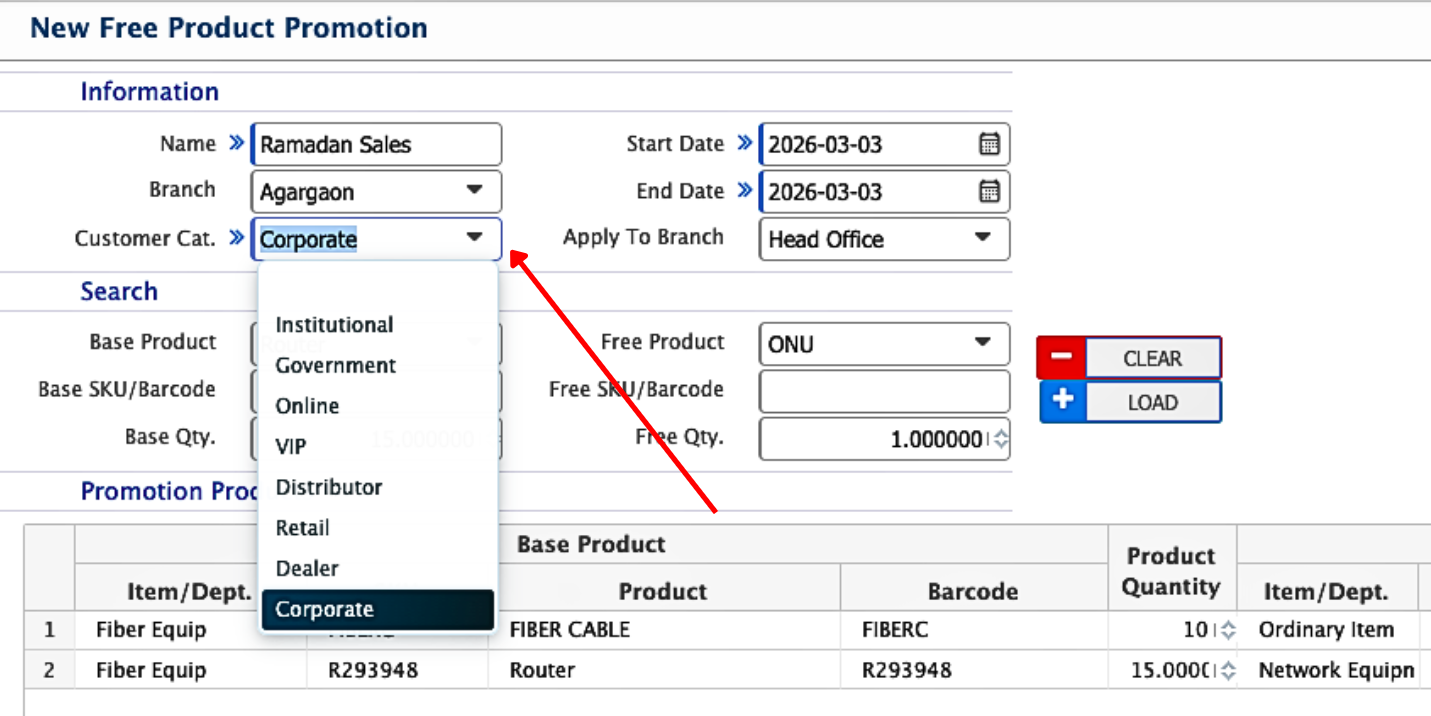
| Customer Cat. | Select the customer categories eligible for the promotion (e.g., Retail, Dealer, Corporate). |
| Start Date | Select the date when the promotion will become active. |
| End Date | Select the date when the promotion will expire. |
| Apply To Branch | Select the branch or branches where the promotion will be applied. |
| Search Base Product | Search and select the base product that triggers the free product promotion. |
| Base SKU/Barcode | Enter the SKU or barcode of the base product. |
| Base Qty. | Enter the minimum quantity of the base product required to qualify for the free product. |
| Free Product | Select the product that will be given for free when the base quantity is purchased. |
| Free SKU/Barcode | Enter the SKU or barcode of the free product. |
| Free Qty. | Enter the quantity of the free product that will be provided. |
Free Product Promotion by Category
Users can also create Free Product Promotions by Customer Category, where it is mandatory to select a customer category for the promotion to apply. In contrast, for a normal free product promotion, the customer category can be left blank, allowing the promotion to apply to all customers regardless of category.
Users can search and filter the Free Product Promotion list based on Name, Branch, Status, From date, and To date to quickly locate specific promotions. They can also change the status of a promotion to Pending, Approved, Rejected, Inactive, or Closed as required.