Sale Type Wise Promotion
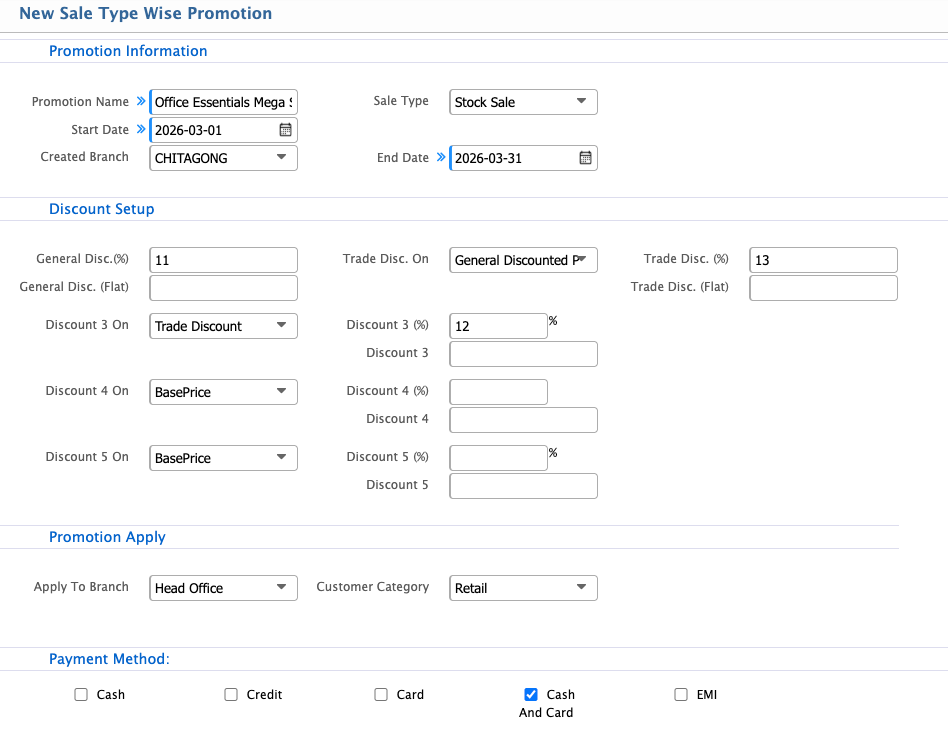
Sale Type Wise Promotion in PrismERP allows users to create promotions based on specific sale types, ensuring the right discounts reach the right customers. Users can set the promotion period, select eligible branches and customer categories, and configure multiple discount layers for precise control. Payment methods can also be specified to target promotions effectively.
| Field | Action |
|---|---|
| Promotion Name | Enter a descriptive name for the promotion. |
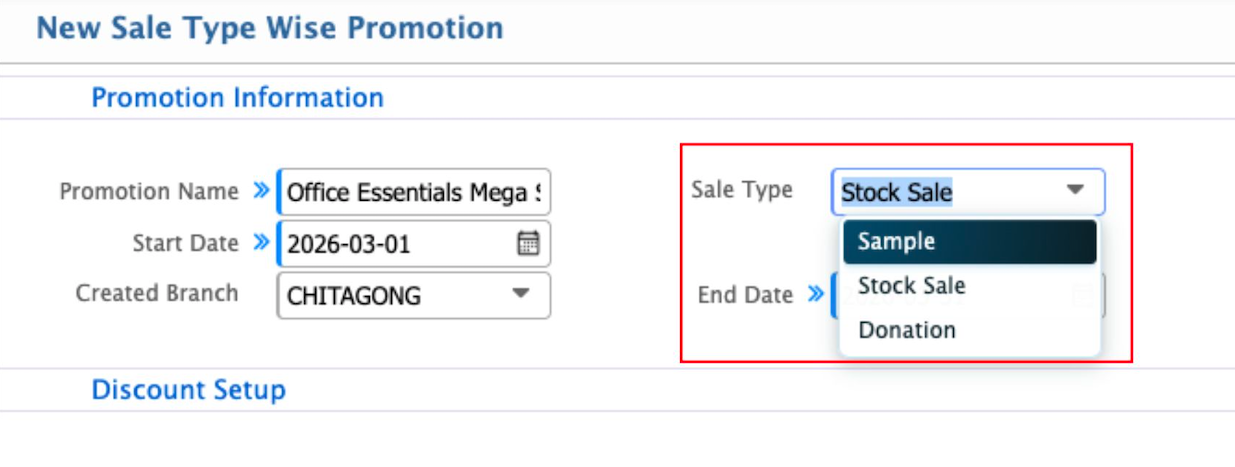
| Sale Type | Select the type of sale to which the promotion applies. |
| Start Date | Select the date when the promotion will become active. |
| End Date | Select the date when the promotion will expire. |
| Created Branch | Select the branch where the promotion was created. |
| General Disc. (%) | Enter a percentage discount applicable to the promotion as a general discount. |
| General Disc. (Flat) | Enter a fixed flat discount amount applicable to all products in the selected categories. |
| Trade Disc. On | Select the base price on which the trade discount will be calculated. |
| Trade Disc. (%) | Enter the trade discount percentage for the promotion. |
| Trade Disc. (Flat) | Enter a flat trade discount amount. |
| Discount 3 On | Select the base price for applying the third discount layer. |
| Discount 3 (%) | Enter the percentage for the third discount. |
| Discount 4 On | Select the base price for applying the fourth discount layer. |
| Discount 4 (%) | Enter the percentage for the fourth discount. |
| Discount 5 On | Select the base price for applying the fifth discount layer. |
| Discount 5 (%) | Enter the percentage for the fifth discount. |
| Apply To Branch | Select the branch or branches where the promotion will be applied. |
| Customer Category | Select the customer categories eligible for the promotion (e.g., Dealer, Corporate, Retail). |
| Payment Method | Select applicable payment methods for the promotion (Cash, Credit, Card, Cash and Card, EMI). |