Chart of Accounts
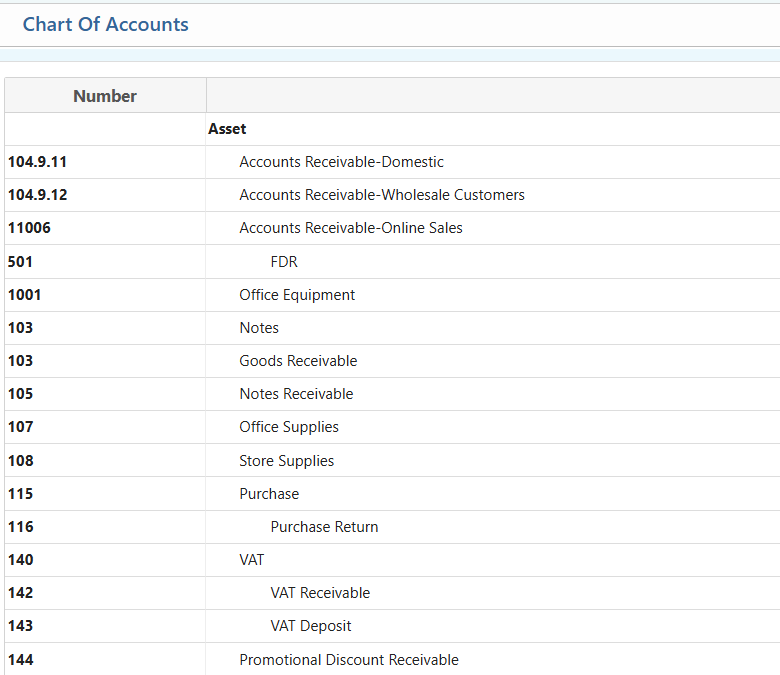
The Chart of Accounts in PrismERP provides a structured framework to manage all company accounts efficiently. It allows users to create and categorize new accounts including cash, bank, and short-term liabilities—directly from the account list. Account groups can be organized under headers with defined liquidity order, cash flow, and equity classifications. Users can generate, preview, and download reports for detailed analysis, manage account access for individual users, and perform financial closing by month and year. This ensures organized financial tracking, controlled access, and accurate reporting across all branches and account types.
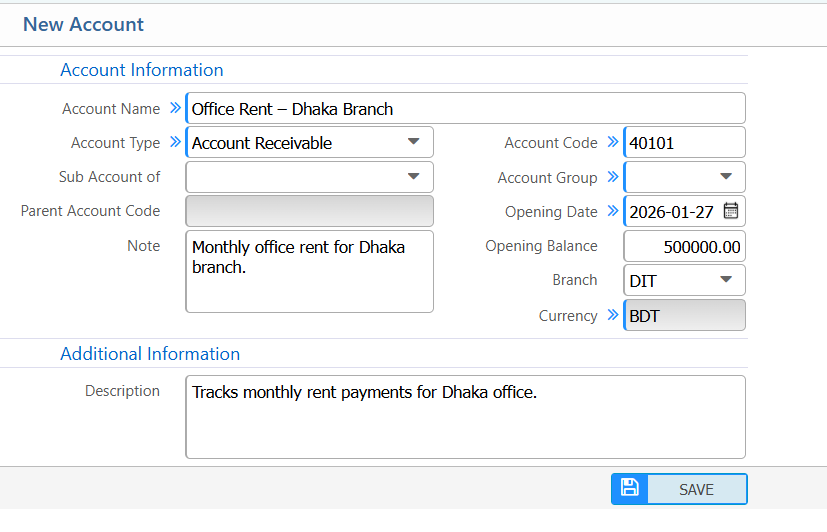
Add New Account
| Field | Action |
|---|---|
| Account Name | Enter the name of the account to identify it clearly in the system. |
| Account Type | Select the type of account to classify it correctly. |
| Sub Account of | Specify the parent account under which this account falls, if applicable. |
| Note | Add any notes or remarks about the account for internal reference. |
| Account Code | Enter a unique code for the account to identify it in reports and transactions. |
| Account Group | Select the account group this account belongs to, for organized reporting and grouping. |
| Opening Date | Enter the date when the account is activated or starts operating. |
| Opening Balance | Enter the opening balance for the account to reflect initial financial standing. |
| Branch | Select the branch under which this account will operate. |
| Currency | Select the currency for this account to ensure correct financial calculations. |
| Description | Provide additional information or description about the account to clarify its purpose. |
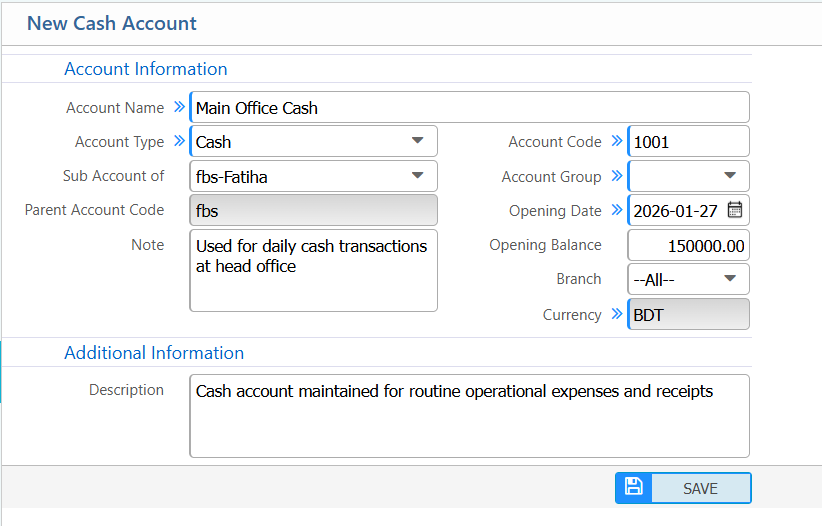
Add Cash Account
| Field | Action |
|---|---|
| Account Name | Enter the name of the account to identify it clearly in the system. |
| Sub Account of | Specify the parent account under which this cash account falls, if applicable. |
| Note | Add any notes or remarks about the account for internal reference. |
| Account Code | Enter a unique code for the account to identify it in reports and transactions. |
| Account Group | Select the appropriate account group for organized reporting and grouping. |
| Opening Date | Enter the date when the cash account becomes active or starts operating. |
| Opening Balance | Enter the opening cash balance to reflect the initial financial position. |
| Branch | Select the branch for which the cash account is created. |
| Currency | Select the currency to ensure correct financial calculations. |
| Description | Provide additional information or a brief description to clarify the purpose of the cash account (if applicable). |
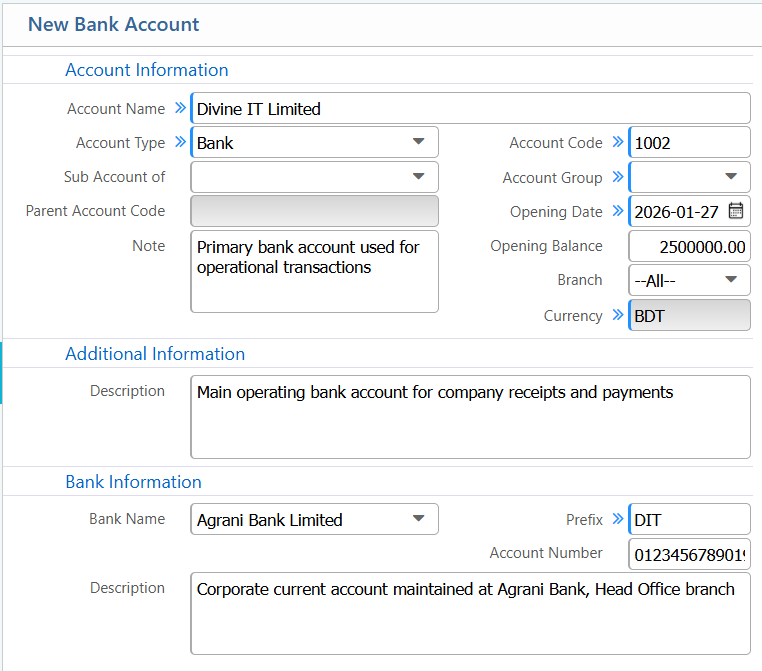
Add Bank Account
| Field | Action |
|---|---|
| Account Name | Enter the name of the bank account to identify it clearly in the system. |
| Sub Account of | Specify the parent account under which this bank account falls, if applicable. |
| Note | Add internal notes or remarks related to the bank account for reference purposes. |
| Account Code | Enter a unique account code used for identification in reports and transactions. |
| Account Group | Select the appropriate account group for proper financial categorization and reporting. |
| Opening Date | Enter the date when the bank account becomes active. |
| Opening Balance | Enter the opening balance to reflect the initial bank balance. |
| Branch | Select the branch under which this bank account will operate. |
| Currency | Select the currency to ensure accurate financial calculations. |
| Description | Provide additional information or a brief description to clarify the purpose of the bank account. |
| Bank Name | Select a bank name from the list to associate the account with a specific bank. |
| Prefix | Enter a prefix if required for cheque numbers or bank-related references. |
| Account Number | Enter the official bank account number exactly as provided by the bank. |
| Bank Description | Add any additional bank-specific details or notes for internal reference. |
Add Short Term Liabilities Account
| Field | Action |
|---|---|
| Account Name | Enter the name of the short-term liabilities account to identify it clearly in the system. |
| Sub Account of | Specify the parent account under which this account falls, if applicable. |
| Note | Add internal notes or remarks related to the account for reference purposes. |
| Account Code | Enter a unique account code used for identification in reports and transactions. |
| Account Group | Select the account group for proper financial categorization and reporting. |
| Opening Date | Enter the date when the account becomes active. |
| Opening Balance | Enter the opening balance to reflect initial liabilities. |
| Branch | Select the branch under which this account will operate. |
| Currency | Select the currency to ensure accurate financial calculations. |
| Description | Provide additional information or a brief description to clarify the purpose of the account (if applicable). |
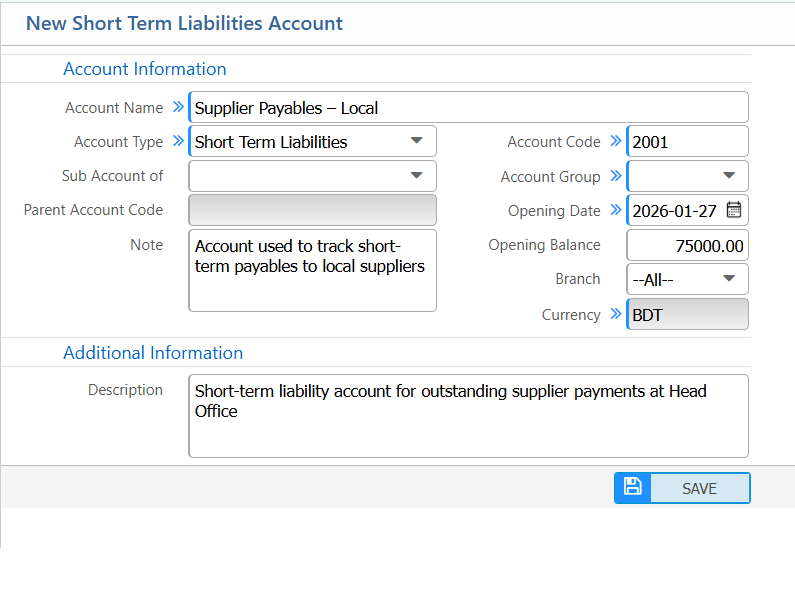
Chart of Accounts
| Field | Action |
|---|---|
| Add New Account | Add a new account directly from the account list. |
| Report | Generate reports, preview them on-screen, and download in multiple formats (PDF, Excel, CSV) for analysis or record-keeping. |
Add Account Group
| Field | Action |
|---|---|
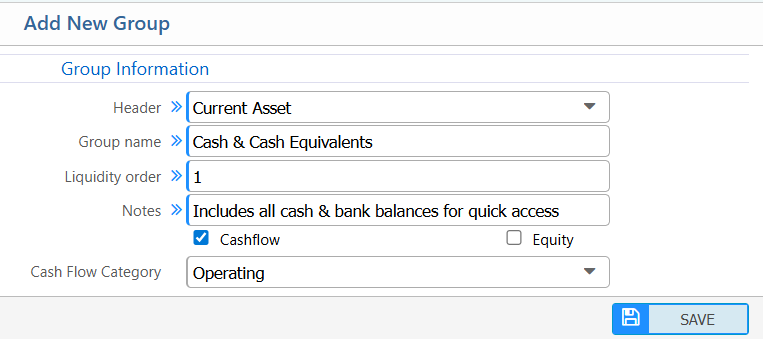
| Header | Select a header under which the new group will be categorized. |
| Group Name | Enter a unique name to identify the account group clearly in the system. |
| Liquidity Order | Specify the order of the group in financial statements to reflect liquidity or priority. |
| Notes | Add any internal notes or remarks about the group for reference. |
| Cashflow | Check this box if the group should be included in cash flow reporting. Select the cashflow category if marked yes. |
| Equity | Check this box if the group is classified under equity in financial statements. |
Account Access Management
| Field | Action |
|---|---|
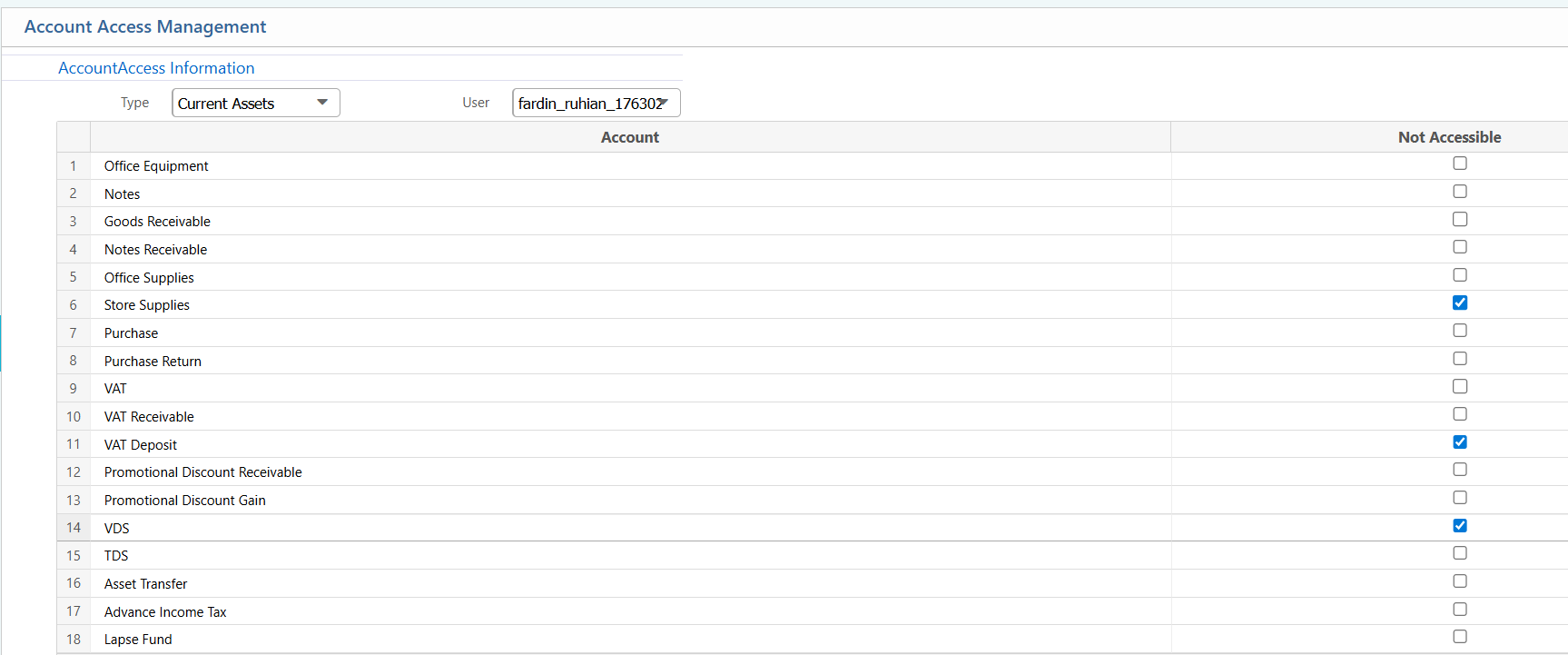
| Type | Select the account type to filter accounts for access management. |
| User | Select the user for whom access will be managed. |
| Account List | After selecting Type and User, a list of accounts appears with checkboxes. Mark a checkbox to make the corresponding account inaccessible for the selected user. |
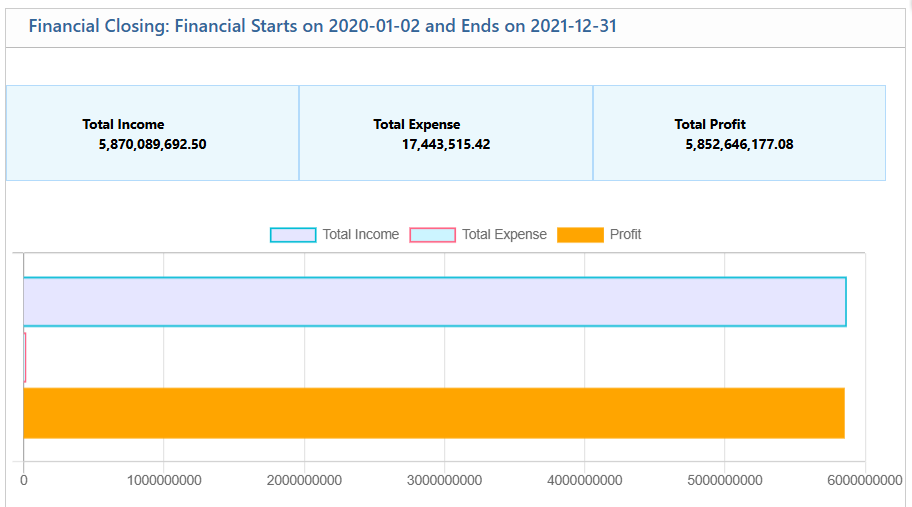
Financial Closing
| Field | Action |
|---|---|
| Closing Year | Select the year for which the financial closing should be performed. |
| Month | Select the month to close accounts for that specific period. |