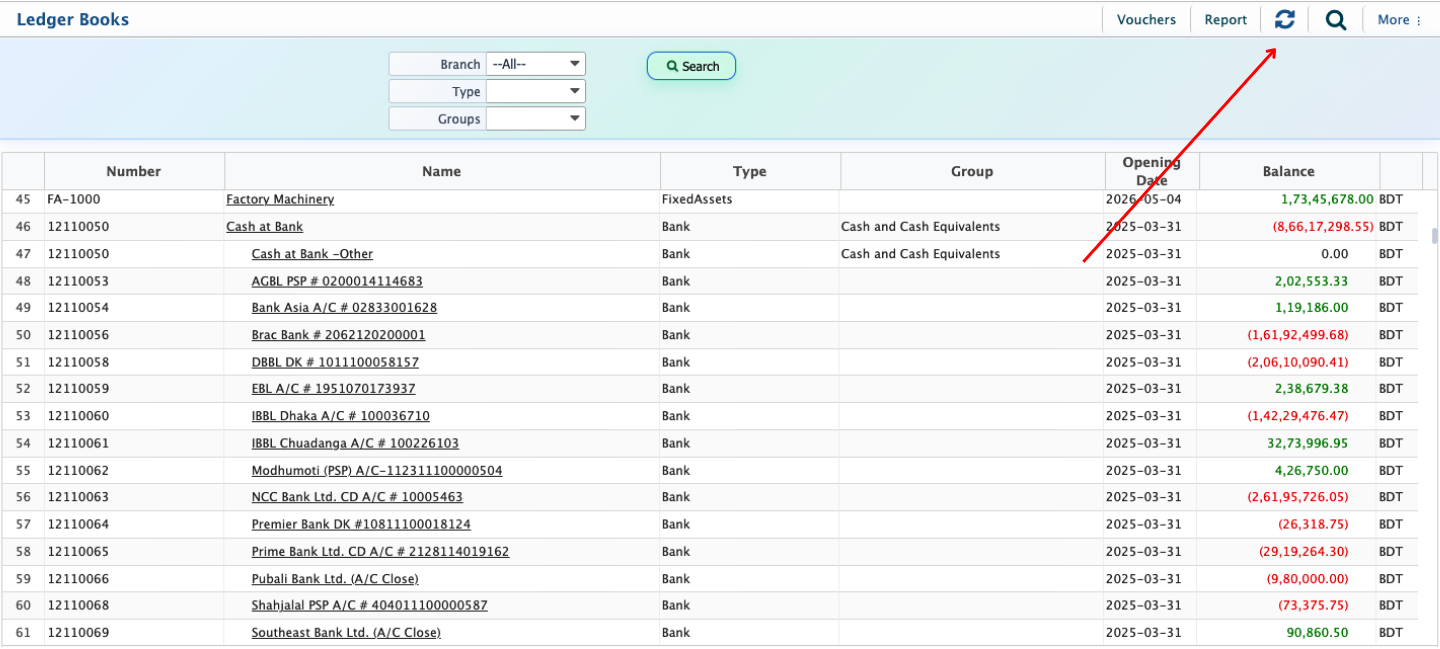
Account Balance Recalculation
Account Balance Recalculation in PrismERP is used to verify and rebuild ledger account balances based on recorded accounting transactions within the system. This feature is mainly used when balances become inconsistent due to transaction updates, deletions, bulk imports, migration activities, adjustment entries, or manual accounting corrections. In such cases, the stored ledger balance may no longer fully match the actual debit and credit entries recorded against the account.The feature is accessible from the Ledger Books section and works by scanning all accounting transactions associated with each ledger account. During the recalculation process, the system reviews debit amounts, credit amounts, opening balances, adjustment entries, and transaction references to generate updated account balances based on the actual transaction history available in the database.
Account Balance Recalculation is commonly used after importing large volumes of accounting data from external systems, restoring backup data, correcting accounting entries, or modifying historical transactions. It helps ensure that balances displayed in ledger accounts remain synchronized with the underlying accounting records stored in the ERP system.The recalculated balances are then reflected across different accounting reports and financial statements, including Trial Balance, Balance Sheet, Profit & Loss Statement, Account Ledger, and other financial summaries. The feature does not create, edit, or remove accounting transactions. Instead, it updates the calculated balance values of ledger accounts according to the existing debit and credit entries already recorded within the system environment.