Credit Note
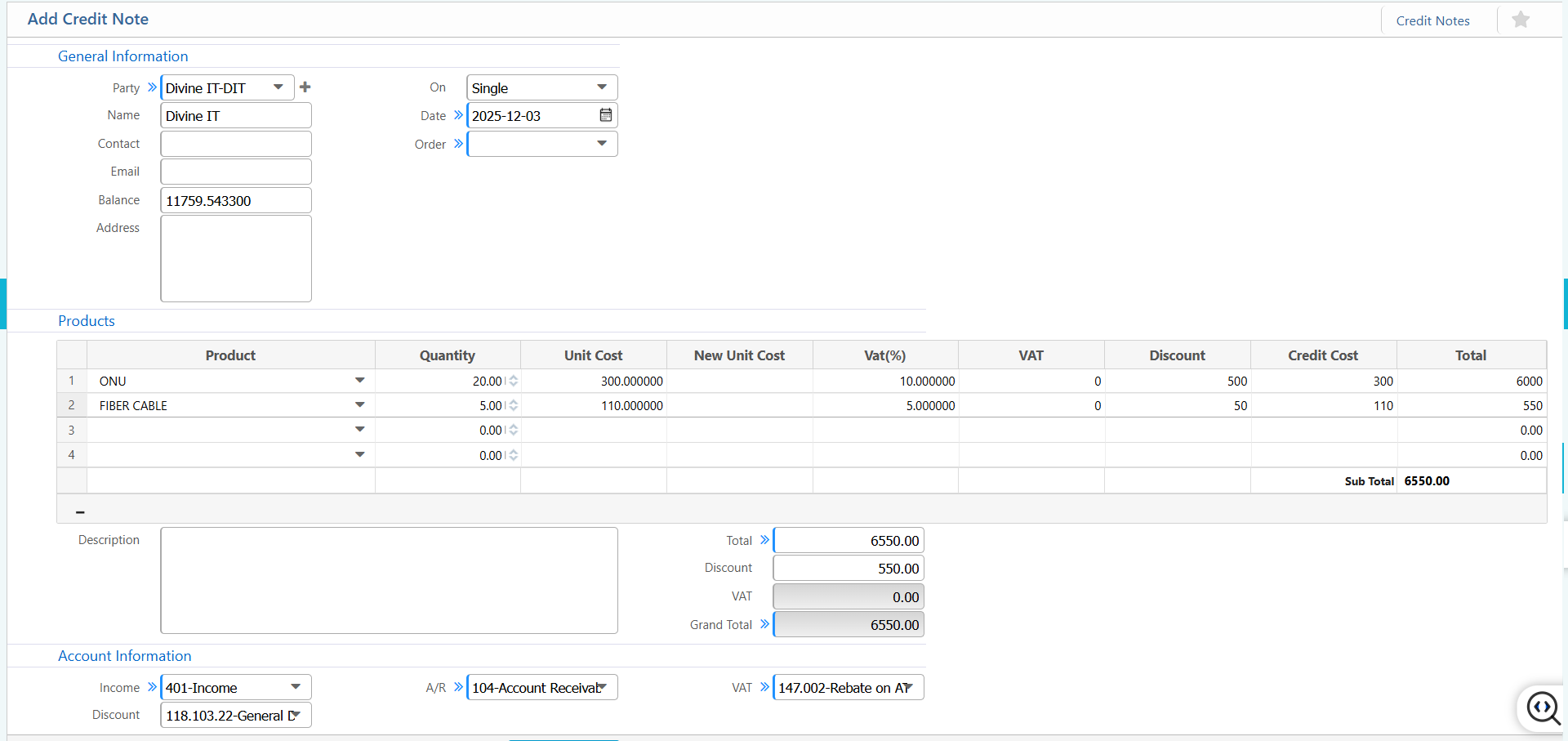
The Credit Note feature in PrismERP records sales returns, price adjustments, and corrections against issued invoices. It updates receivables whenever products are returned, prices are revised, or discounts are applied. This screen allows selection of the related party and invoice, adjustment of product quantities and unit costs, and application of VAT or discounts. All financial impacts—Income, Discount, Accounts Receivable, and VAT are automatically captured to maintain accurate and compliant ledger entries.
| Field | Action |
|---|---|
| Party | Select the party linked to this credit note. |
| On | Select whether the credit note is applied on a single invoice or multiple invoices. |
| Date | Enter the credit note date. |
| Order | Select the relevant order (optional, if linked to a sales order). |
| Product | Select the product for which the credit note is applied. |
| Products – Quantity | Enter the quantity being credited. |
| Products – Unit Cost | Enter the original unit cost of the product. |
| Products – New Unit Cost | Enter the adjusted unit cost (if applicable). |
| Products – VAT(%) | Enter VAT percentage (if applicable). |
| Products – VAT | Shows the VAT amount. |
| Products – Discount | Enter discount applied to this product line. |
| Products – Credit Cost | Enter the amount to credit for this line. |
| Account Information – Income | Select the income account impacted by the credit note. |
| Account Information – Discount | Select the discount account (if discount applied). |
| Account Information – A/R | Select the Accounts Receivable account affected. |
| Account Information – VAT | Select the VAT account (if VAT applied). |