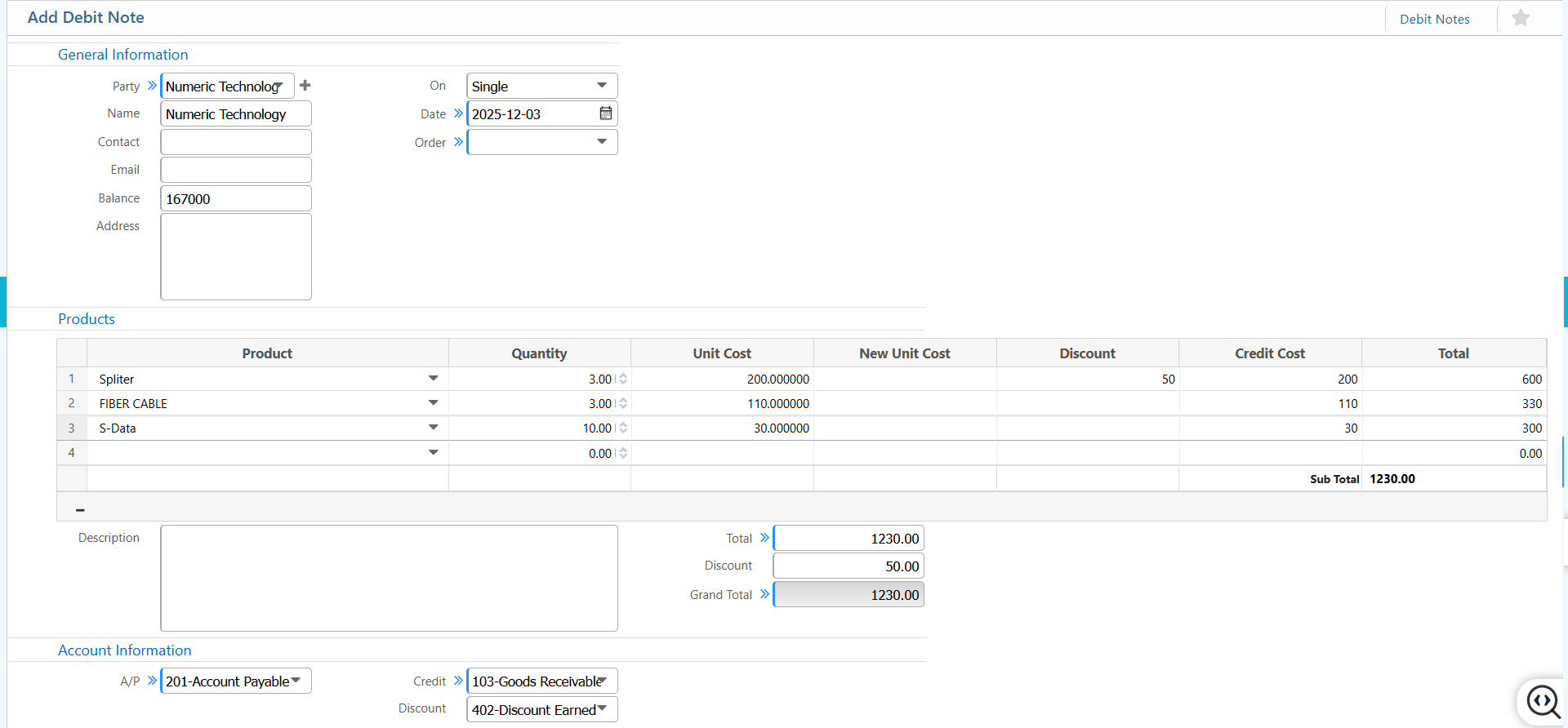
Debit Note
The Debit Note in PrismERP records vendor or customer adjustments, such as purchase returns, price corrections, or applied discounts. It tracks any increase in payables and ensures all financial impacts are accurately reflected. This includes linking the relevant party, specifying whether the note applies to a single or multiple invoices, adjusting product quantities and unit costs, and applying discounts if needed. All affected accounts Accounts Payable, Credit, and Discount are automatically captured to maintain a consistent and compliant ledger
| Field | Action |
|---|---|
| Party | Select the party (vendor/customer) linked to this debit note. |
| On | Select whether the debit note is applied on a single invoice or multiple invoices. |
| Date | Enter the debit note date. |
| Order | Select the relevant order (optional, if linked to a purchase order). |
| Product | Select the product for which the debit note is applied. |
| Products – Quantity | Enter the quantity being debited. |
| Products – Unit Cost | Enter the original unit cost of the product. |
| Products – New Unit Cost | Enter the adjusted unit cost (if applicable). |
| Products – Discount | Enter a discount applied to this product line. |
| Products – Credit Cost | Enter the amount |
| Account Information – A/P | Select the Accounts Payable account affected by this debit note. |
| Account Information – Credit | Select the account being credited |
| Account Information – Discount | Select the discount account (if discount applied). |