📚 General Ledger
In PrismERP, Ledger provides a complete solution for managing and tracking all financial transactions. Users can filter and view ledger books, general ledger entries, and ledger tags by branch, project, party, cost center, or account type to gain organized and accurate financial insights. All vouchers, ledger details, balances, and account hierarchies can be tracked, updated, and reconciled with ease. Detailed reports and summaries can be previewed and downloaded in multiple formats, enabling thorough analysis and informed decision-making. It ensures streamlined financial management and full transparency across the organization.
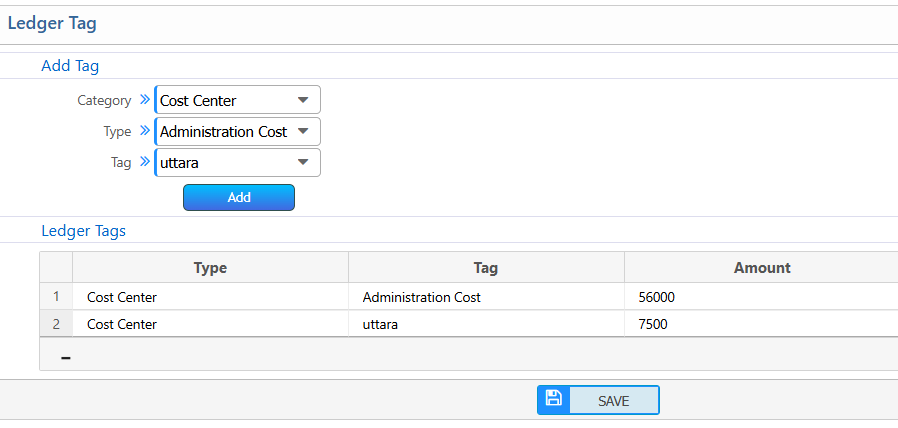
Ledger Books
| Field | Action |
|---|---|
| Branch | Filter the ledger books and vouchers to show only those recorded under a specific branch, making branch-wise analysis easier. |
| Type | Filter ledger books and vouchers by type to focus on particular categories of accounts or transactions. |
| Groups | Filter ledger books and vouchers by account groups, allowing for organized and grouped financial insights. |
| Vouchers | View the list of voucher records based on the selected filters to examine individual transactions in detail. |
| Recalculate Account Balance | Recalculate ledger account balances to ensure all totals are up-to-date with the latest transactions. |
| Rebuild Account Tree | Rebuild the account hierarchy to maintain the correct structure of parent and child accounts. |
| Reports | Generate the ledger books and vouchers report, which can be previewed on-screen and downloaded in multiple formats for easy review or sharing. |
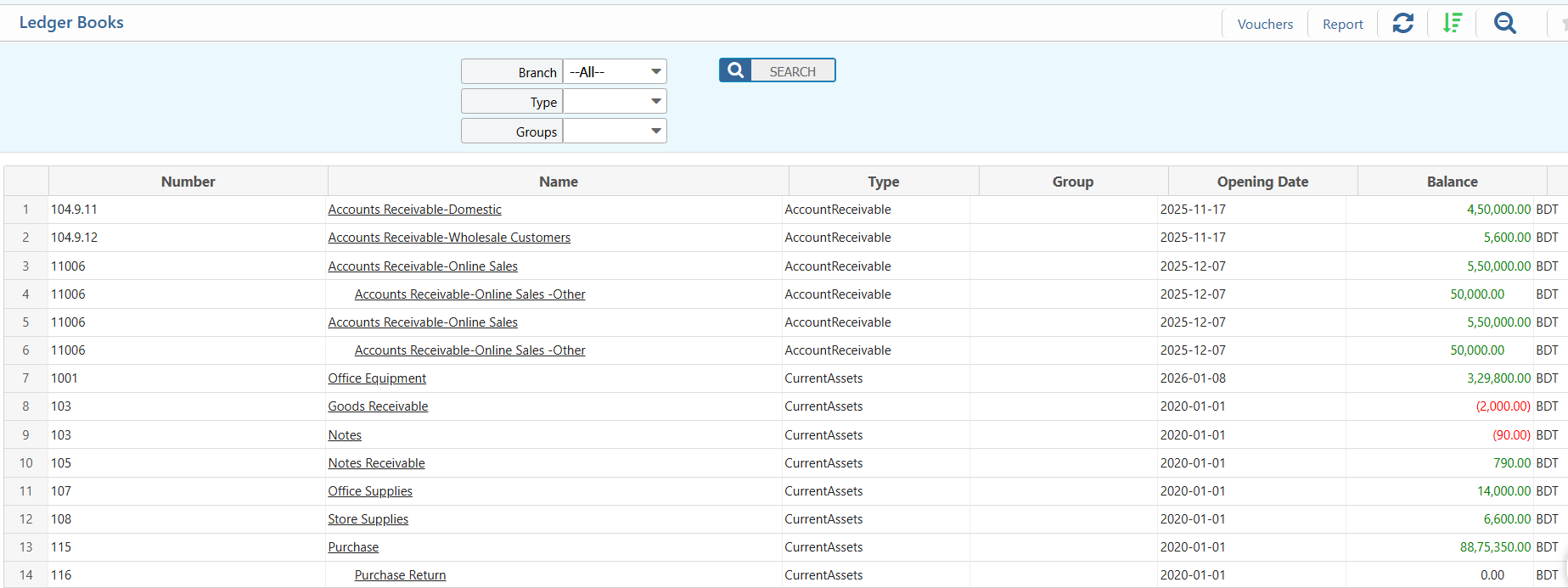
Ledger Books Details View & Action
| Field | Action |
|---|---|
| Project | Filter ledger entries by selecting a specific project to focus on its financial details. |
| From | Filter ledger entries starting from a particular date to narrow down the period of interest. |
| To | Filter ledger entries up to a selected date to define the reporting period. |
| Branch | Filter ledger data for a specific branch to view branch-wise transactions. |
| Party | Filter ledger entries for a particular party or vendor to track their financial activity. |
| Cost Center | Filter ledger entries linked to a specific cost center to monitor expenses and allocations. |
| Ledger | View and track detailed ledger information, including all vouchers, transactions, and current balance. |
| Party Ledger Summary | Access a comprehensive summary of the party ledger, showing total debits, credits, and outstanding amounts. |
| Sub Account | View and manage associated sub-accounts under the selected ledger account to maintain hierarchical account structures. |
| Edit | Modify ledger details, including account information, voucher entries, and associated metadata, while ensuring data integrity. |
| Close Account | Close the ledger account to prevent further postings, ensuring finalized financial data. |
| Reports | Preview and download detailed ledger reports in multiple formats such as PDF, Excel, or CSV for analysis or record-keeping. |
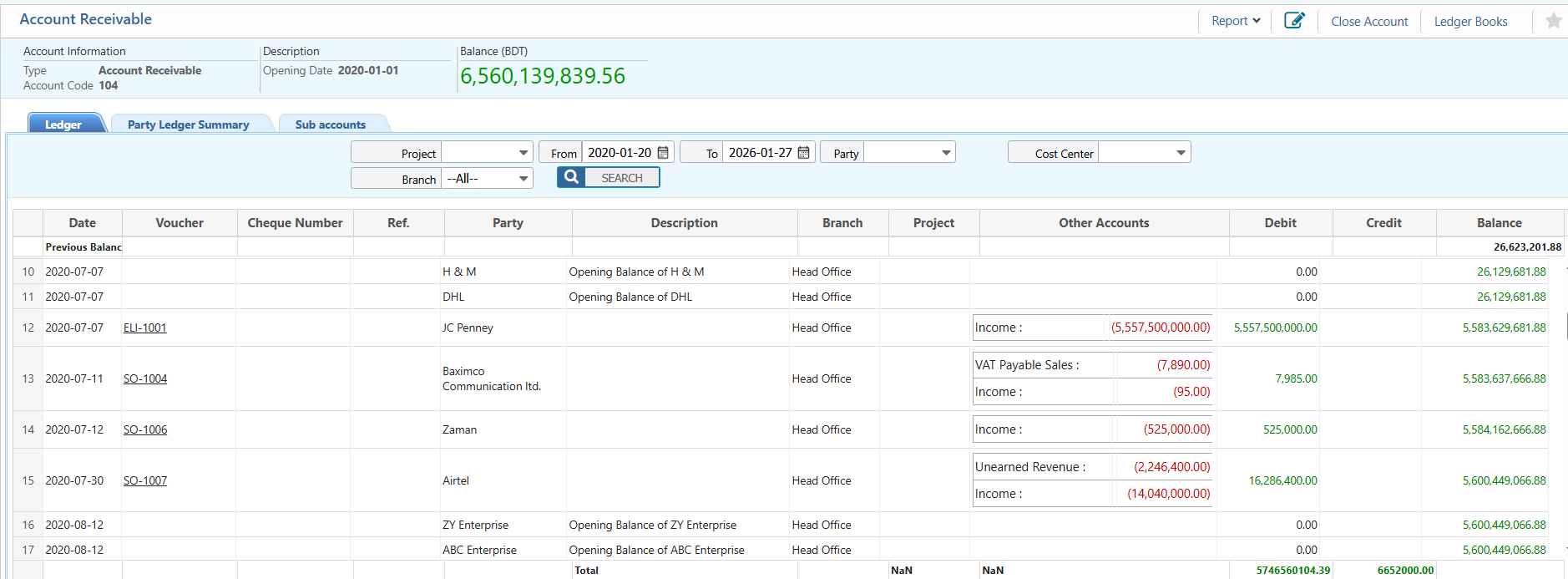
General Ledger
| Field | Action |
|---|---|
| Basic Type | Filter accounts by their basic type, such as Asset, Liability, Income, or Expense. |
| Type | Filter by specific account type within the basic type. Selecting “All” shows all account types. |
| From | Filter ledger entries starting from a specific date to focus on the desired period. |
| To | Filter ledger entries up to a specific date to complete the reporting range. |
| Voucher | View vouchers associated with each ledger entry to see supporting transaction details. |
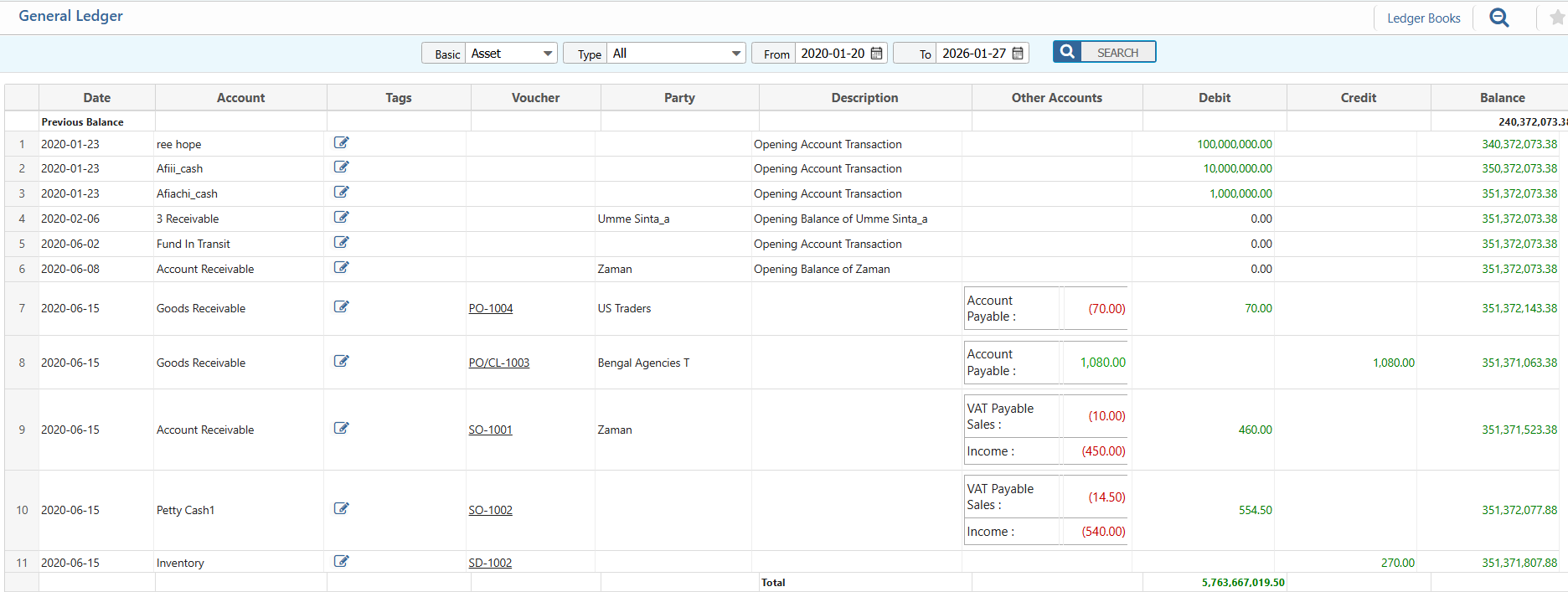
Add Ledger Tag
| Field | Action |
|---|---|
| Add Tag Category | Select a tag category to organize ledger tags effectively. |
| Type | Select the type of the ledger tag (e.g., Asset, Liability, Income, Expense). |
| Tag | Select a ledger tag name under the chosen category. |
| Amount | Enter the amount or value associated with the selected ledger tag. |