Party Ledger
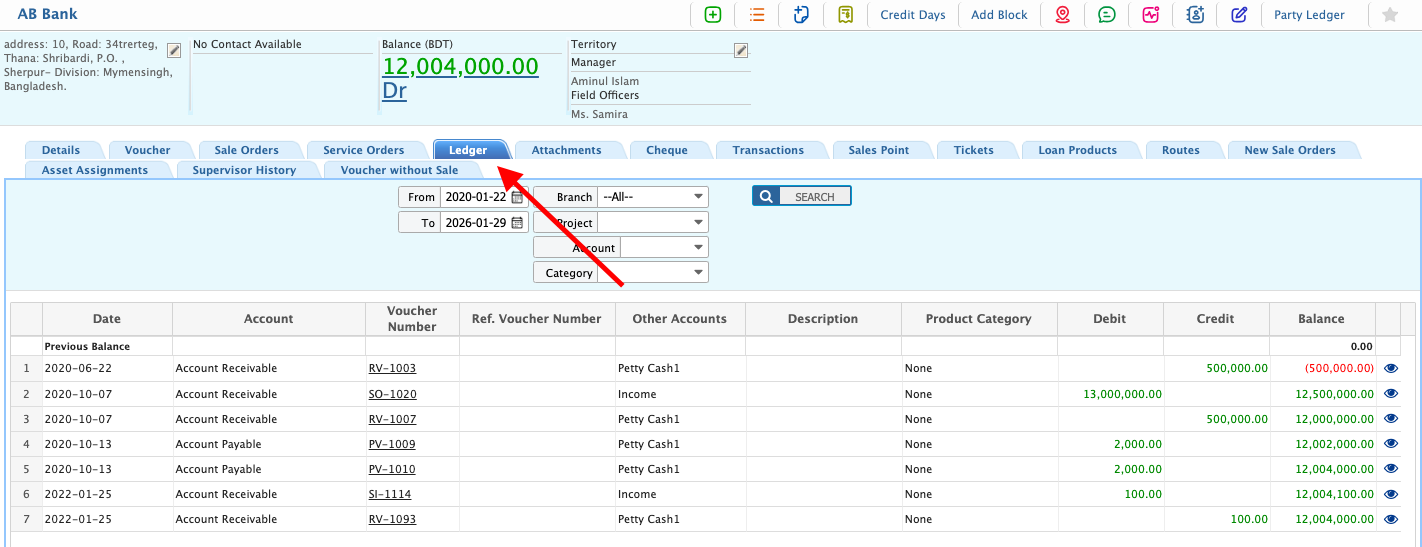
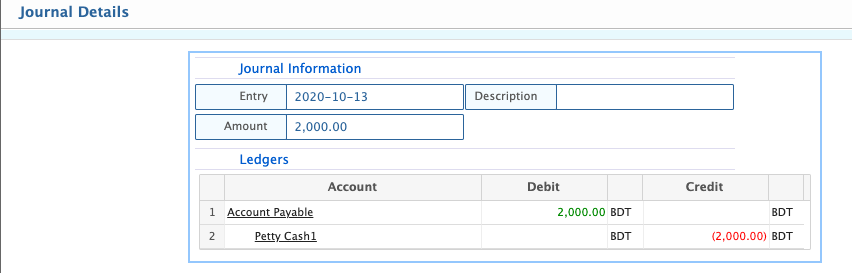
In PrismERP, there are different types of parties, including customers, vendors, banks, insurance companies, and agents. The Party Ledger displays all financial transactions recorded for a selected party, showing details such as Date, Account, Voucher Number, Reference Voucher Number, Other Accounts, Description, Product Category, Debit, Credit, Balance, and Previous Balance. Users can open any party from the party list to view its ledger. The page allows filtering transactions by date range, branch, project, account, or category, making it easier to locate specific entries. The ledger also provides access to the full journal of transactions for the party, supporting reconciliation, verification, and detailed review of all party-related financial activity.
| Field | Action |
|---|---|
| From | Select the start date to filter ledger entries from a specific date. |
| To | Select the end date to filter ledger entries up to a specific date. |
| Branch | Select a branch to view entries for that particular branch. |
| Project | Select a project to filter ledger entries associated with that project. |
| Account | Select an account to filter ledger entries for a specific ledger account. |
| Category | Select a category to view ledger entries of a particular type or purpose. |