Cash Book
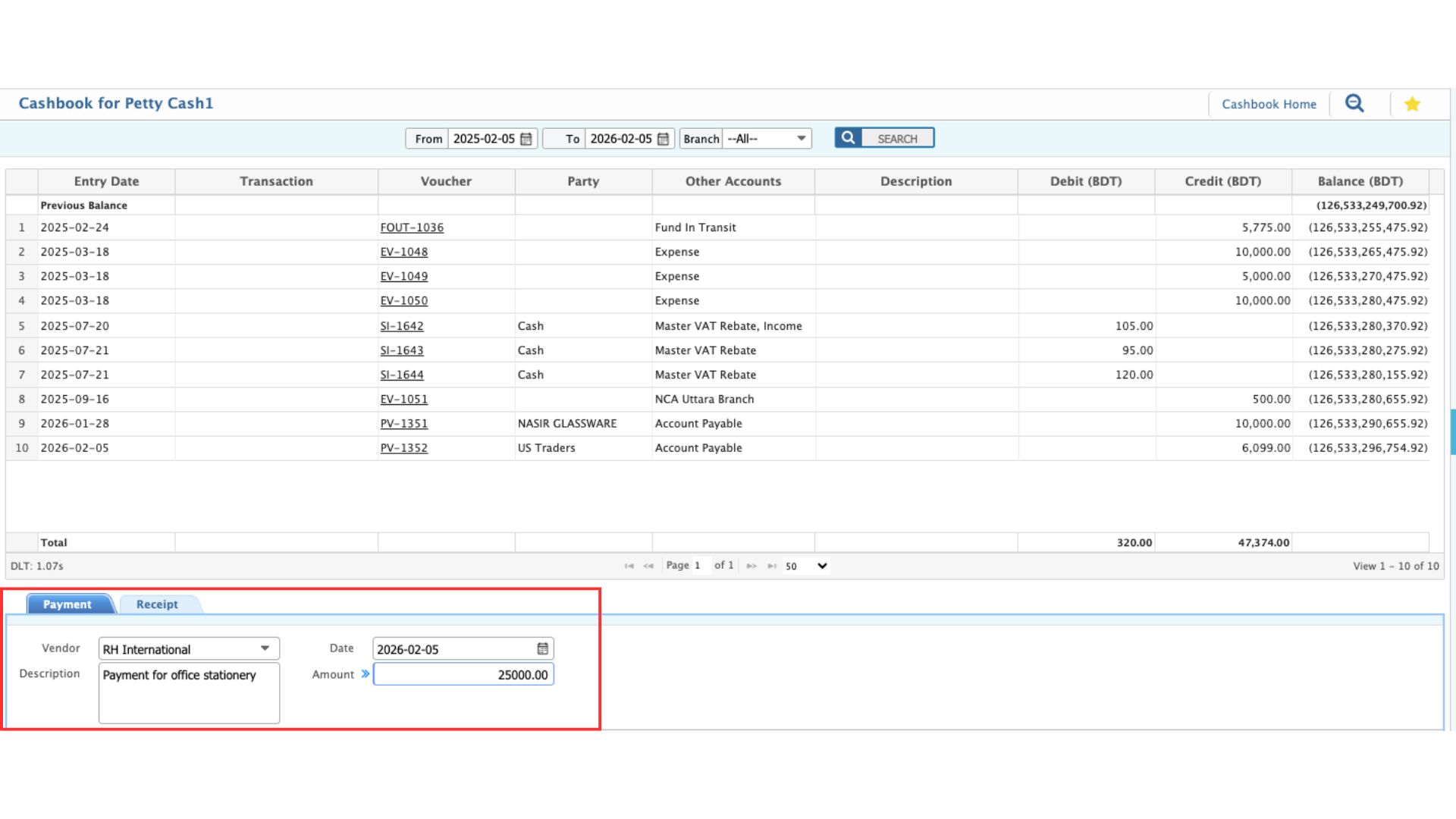
The Cashbook records all day-to-day cash and bank transactions in a clear, practical way. It captures money coming in and going out through receipts and payments, with each entry tied to the relevant party, date, and amount. Cashbook Home provides an overview of all cash and bank accounts with current balances and recent activity. In PrismERP, users can move from this overview into individual cashbooks to review detailed entries and record new transactions as real cash movements take place.
Field
| Field | Action |
|---|---|
| Transaction Type | Select whether this is a Payment (money going out) or a Receipt (money coming in). |
| Vendor | Select the vendor, customer, or party involved in the transaction. |
| Description | Enter a brief description of the payment or receipt for reference. |
| Date | Enter the date of the transaction. |
| Amount | Enter the total amount of the payment or receipt. |
Cashbook Home
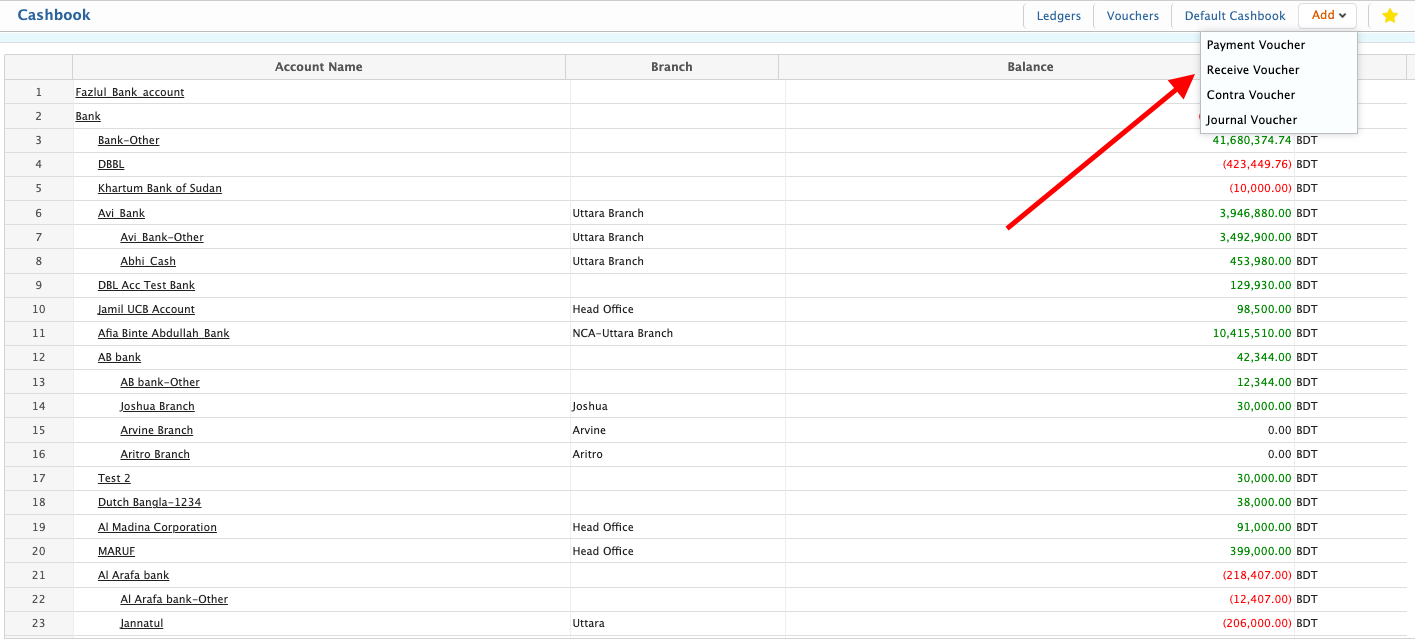
The Cashbook Home serves as the central dashboard for managing all cash and bank accounts. Here, users can view the complete list of cashbooks with balances and recent transactions for each account. Also, there is an option to quickly create different types of transactions:
- Payment Voucher – Add a payment from the selected cash or bank account.
- Receive Voucher – Add a receipt into the selected cash or bank account.
- Contra Voucher – Record transfers between cash or bank accounts.
- Journal Voucher – Record general accounting entries affecting cash or bank accounts.
Clicking on any account in the list will navigate the user to the Cashbook page, where they can view detailed entries and use the Add Payment / Receipt section at the bottom to create new vouchers.