Loan Amendment
Loan Amendment in PrismERP is used to update an existing approved loan through a structured request and approval process. Users create an amendment by selecting a loan and specifying the type of change required, such as loan amount, installment structure, repayment terms, or interest settings, then submit the updated details for processing. The amendment is reviewed from the Amendment List, where it can be searched, filtered, and approved before applying the changes to the loan.
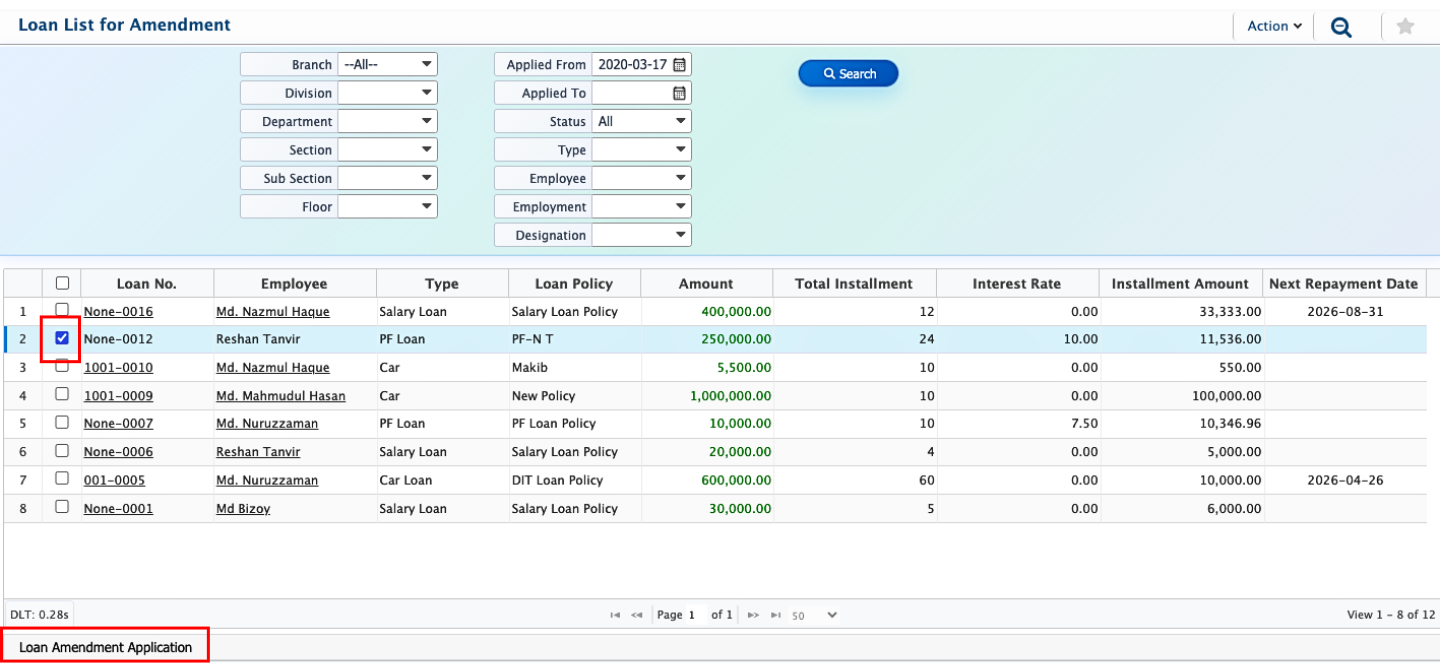
Users start by picking the loan from the loan list that needs to be updated and then create an amendment request for that specific loan so the changes stay linked to the original record.
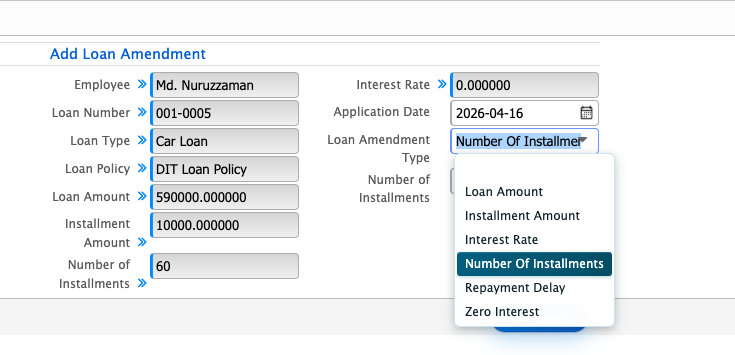
After that, they choose the type of amendment based on what needs to be updated, such as loan amount, number of installments, installment amount, repayment details, or interest settings like zero interest. Based on the selected amendment type, the user has to enter the required updated information, which is then applied to the loan after processing.
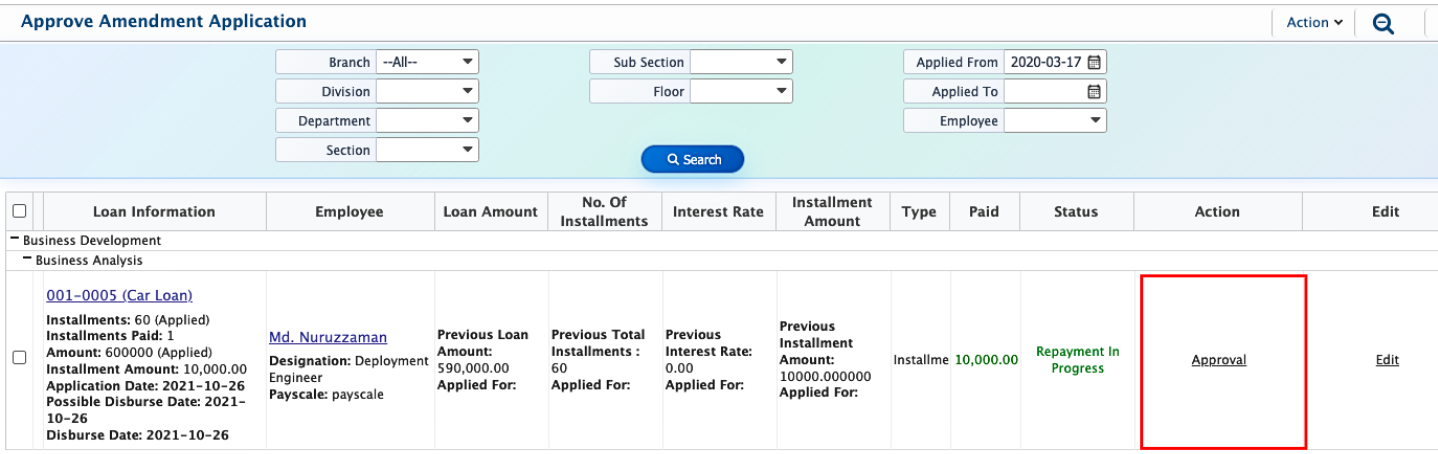
Once the amendment application is submitted, it appears in the Amendment List. From this list, users can search and filter to locate specific amendment requests. After reviewing the details, the amendment can be approved, and the updated changes are applied to the selected loan.