Loan Repayment
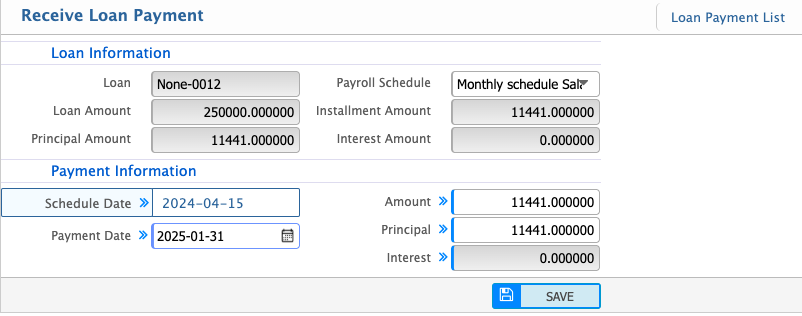
Loan Repayment in PrismERP is used to record and track loan installment payments against employee loans. Users can select a loan and enter the payment amount, payment date, and payroll schedule to post a repayment. The system updates the principal and interest automatically based on the entered values.
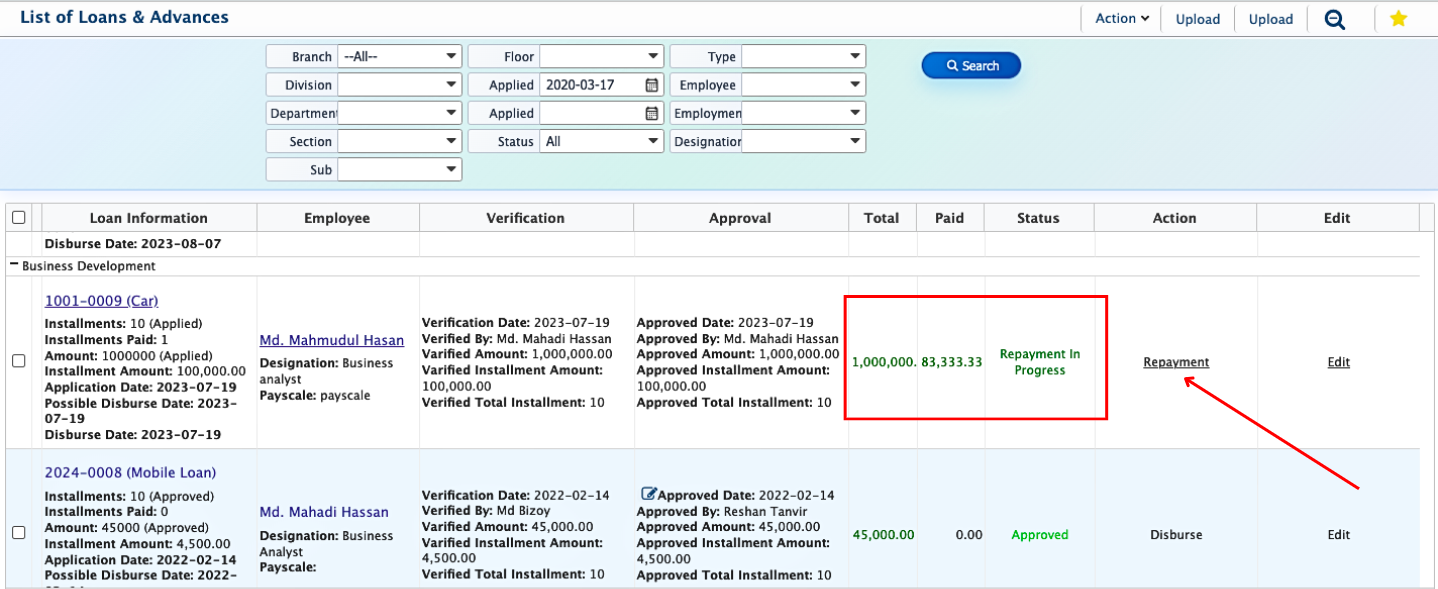
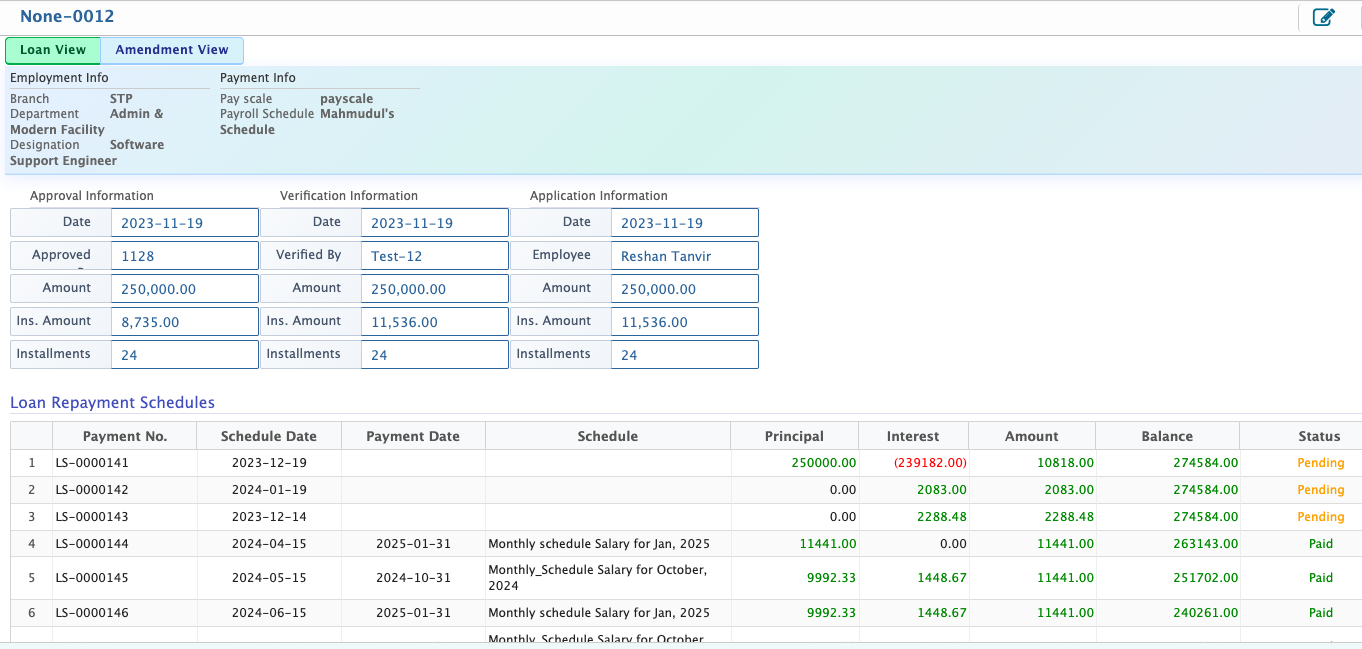
From the loan view, users can monitor the repayment status, including paid and due amounts. The details view shows the full loan record along with the complete repayment schedule and transaction history.
Users can add loan repayments by selecting the relevant loan and entering simple details like the payment amount, payment date, and payroll schedule. The system then automatically records the repayment against the loan, updating the principal and interest amounts for accurate tracking of each installment.
Users can quickly see how a loan is progressing, including how much has already been paid and how much is still due, all from the main loan view.
If users open the details view, they can explore the complete loan information in one place starting from employee details and approval history to the full repayment schedule. Every installment is clearly shown with its schedule, payment date, principal, interest, remaining balance, and status, so the entire loan journey is easy to understand and track.