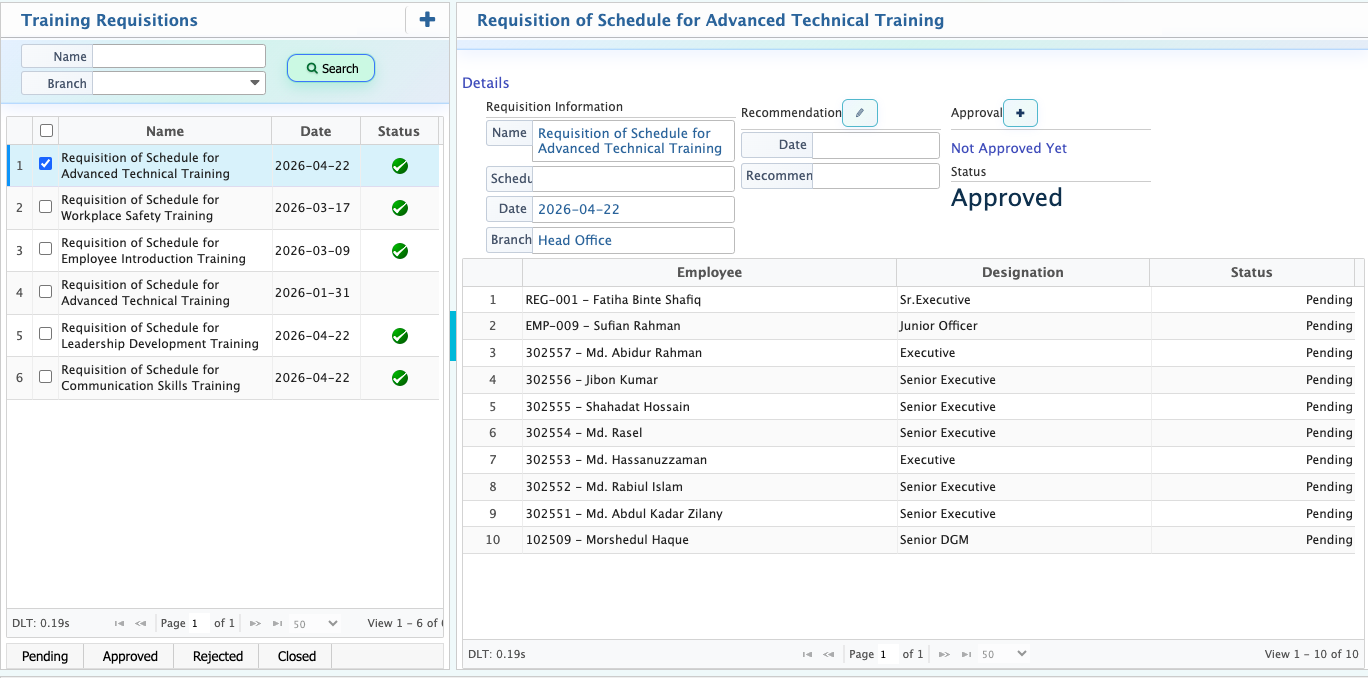
Training Requisition
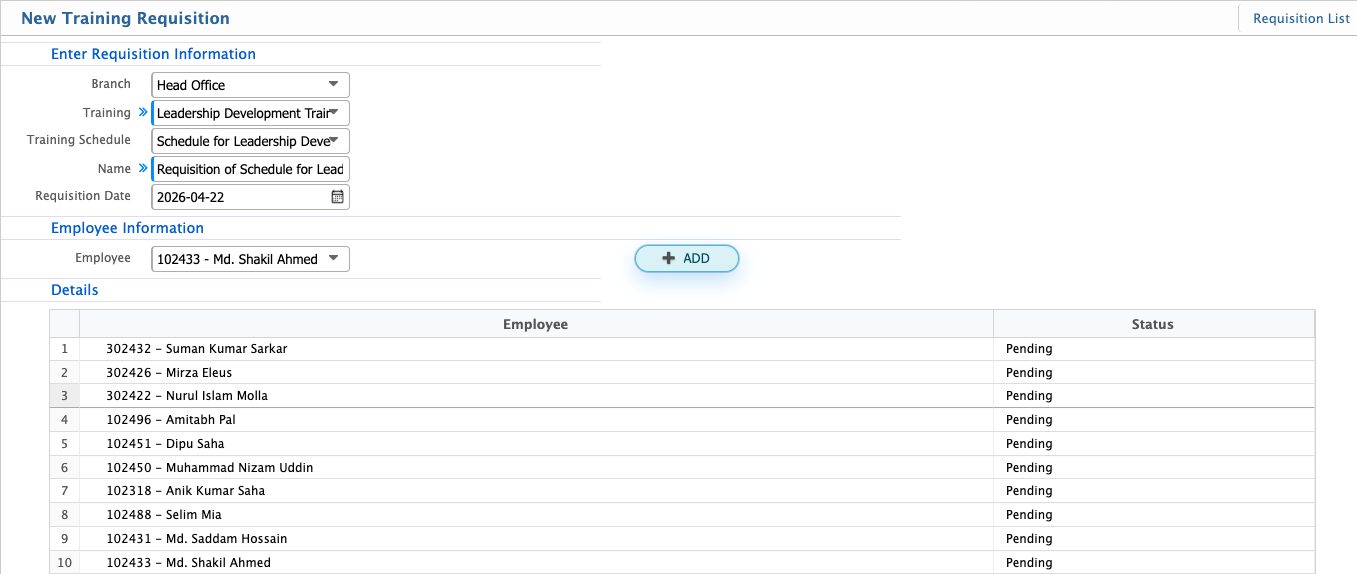
Training Requisition in PrismERP is used to raise training requests for employees based on organizational needs. It allows users to select the branch, training, and related schedule, along with the employee for whom the training is being requested. Each requisition is identified with a name and date for tracking purposes.
After creation, the requisition appears in the Requisition List where it can be managed through different statuses such as Pending, Approved, Rejected, and Closed based on the review process. Users can also add recommendations and approvals by selecting an employee and date before submitting the action.
Add Training Requisition
| Field | Action |
|---|---|
| Branch | Select the branch where the training requisition is being created. |
| Training | Select the training required for the employee. |
| Training Schedule | Select the relevant training schedule for the requisition. |
| Name | Enter the name/title of the training requisition. |
| Requisition Date | Select the date when the requisition is created. |
| Employee | Select the employee for whom the training is being requested. |
After creating a training requisition, it will be available in the Requisition List where users can view and manage it. From there, the requisition status can be updated to Pending, Approved, Rejected, or Closed based on the review process. Users can also add recommendations and approvals during the workflow by selecting an employee from the dropdown and choosing the relevant date before submitting the action.