Training Survey
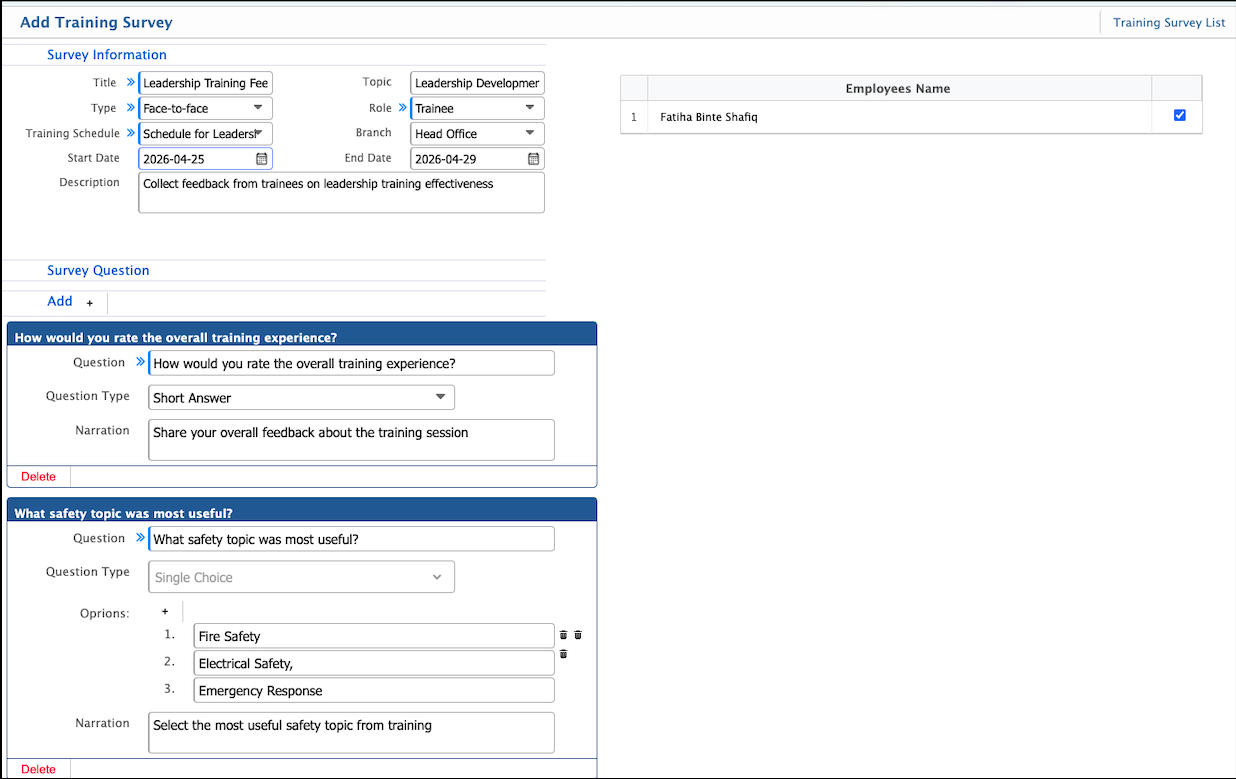
Training Survey in PrismERP is used to collect feedback and responses related to training sessions. It allows users to define survey details such as title, topic, type, role of respondents, training schedule, and applicable branch, along with start and end dates. Each survey can include multiple questions with different formats such as short answer or multiple choice.
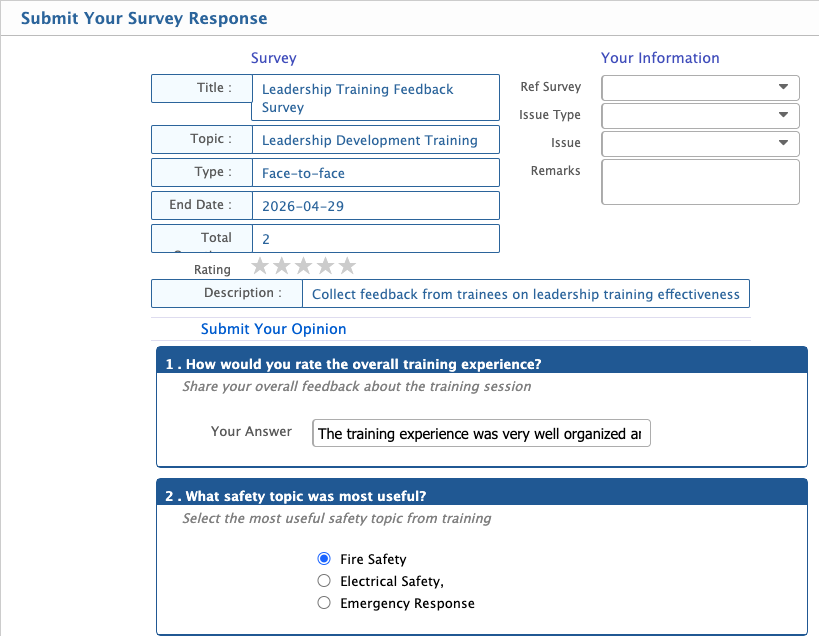
After creation, the survey appears in the Survey List where its status can be managed as Planning or Postponed. In the Planning stage, the survey can be edited to update questions or details. Users can also attend the survey from the list by selecting it and submitting their responses and required information.
Add Training Survey
| Field | Action |
|---|---|
| Title | Enter the title of the training survey for identification. |
| Topic | Enter the main topic of the survey related to the training. |
| Type | Select the survey type (e.g., feedback, evaluation, assessment). |
| Role | Select the role of respondents who will participate in the survey. |
| Training Schedule | Select the related training schedule for which the survey is created. |
| Branch | Select the branch where the survey is applicable. “All” indicates all branches. |
| Start Date | Select the survey start date. |
| End Date | Select the survey end date. |
| Description | Enter a brief description of the survey purpose. |
| Question | Enter the survey question. |
| Question Type | Select the type of question (e.g., Short Answer, Multiple Choice, Rating). |
| Narration | Enter additional explanation or guidance for the question if required. |
After adding a training survey, it will appear in the Survey List where the user can manage its status. The status can be updated to Planning or Postponed based on requirement. When the survey is in the Planning stage, it can still be edited to update questions, schedule, or related details. From the list, users can also attend the survey by selecting it and submitting their answers and required information.