Appraisal Assignment
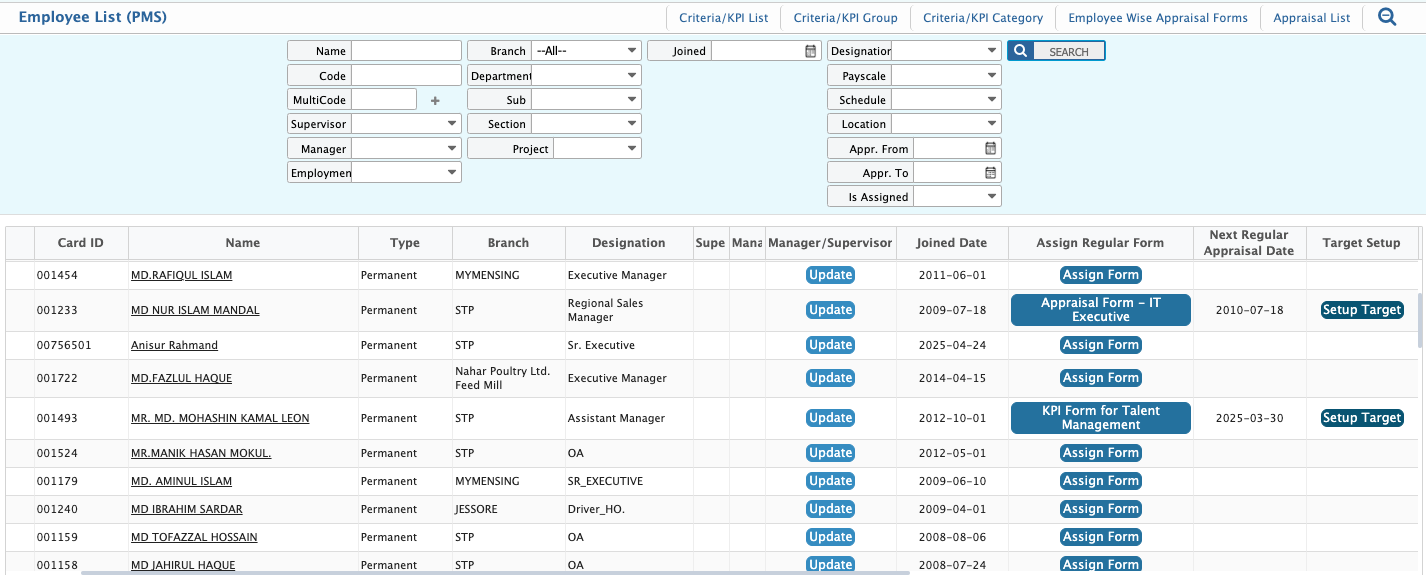
In PrismERP, users can assign configured appraisal forms to employees from the Employee List by selecting the appropriate appraisal type and form. Users can define the appraisal frequency and time interval, and the system automatically manages the appraisal cycle and next appraisal date.Users can also assign appraisers and set performance targets as part of the setup. Once completed, users can create and save the employee appraisal for evaluation.After configuring the appraisal form, users need to assign it to employees from the Employee List.From the Employee List, users can select employees and choose the type of appraisal form to assign. Three appraisal types are available: Regular, 360 Degree, and Functional. Users can select any type based on evaluation requirements.
Employee Selection & Form Assignment
| Field | Action |
|---|---|
| Appraisal Form | Select the appraisal form to be assigned to the employee. |
| Appraisal Type | Select the appraisal type (Regular, 360 Degree, Functional). |
| Employees | Select one or multiple employees from the employee list. |
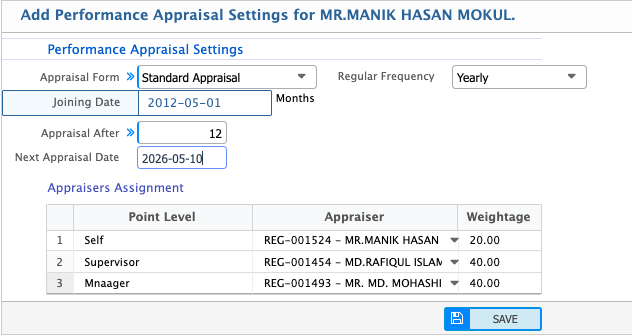
In the form assignment process, users must first select the appraisal form. After selecting the form, users choose the appraisal frequency based on how often the evaluation will take place.Users can then set the appraisal time interval, such as 4 months, 6 months, or 12 months. This defines how frequently the appraisal cycle repeats for the employee.Based on the selected frequency and time interval, the system automatically calculates and sets the next appraisal date for each employee.Users can also assign appraisers previously configured in the appraisal setup. Multiple appraisers can be selected, and the system applies the predefined weightage automatically.
Set Performance Targets
| Field | Action |
|---|---|
| KPI / Criteria | Select the KPI or performance criteria to define the target. |
| Target Value | Enter the target value for the selected KPI. |
| KPI Type | Select whether the KPI is Incremental or Decremental. |
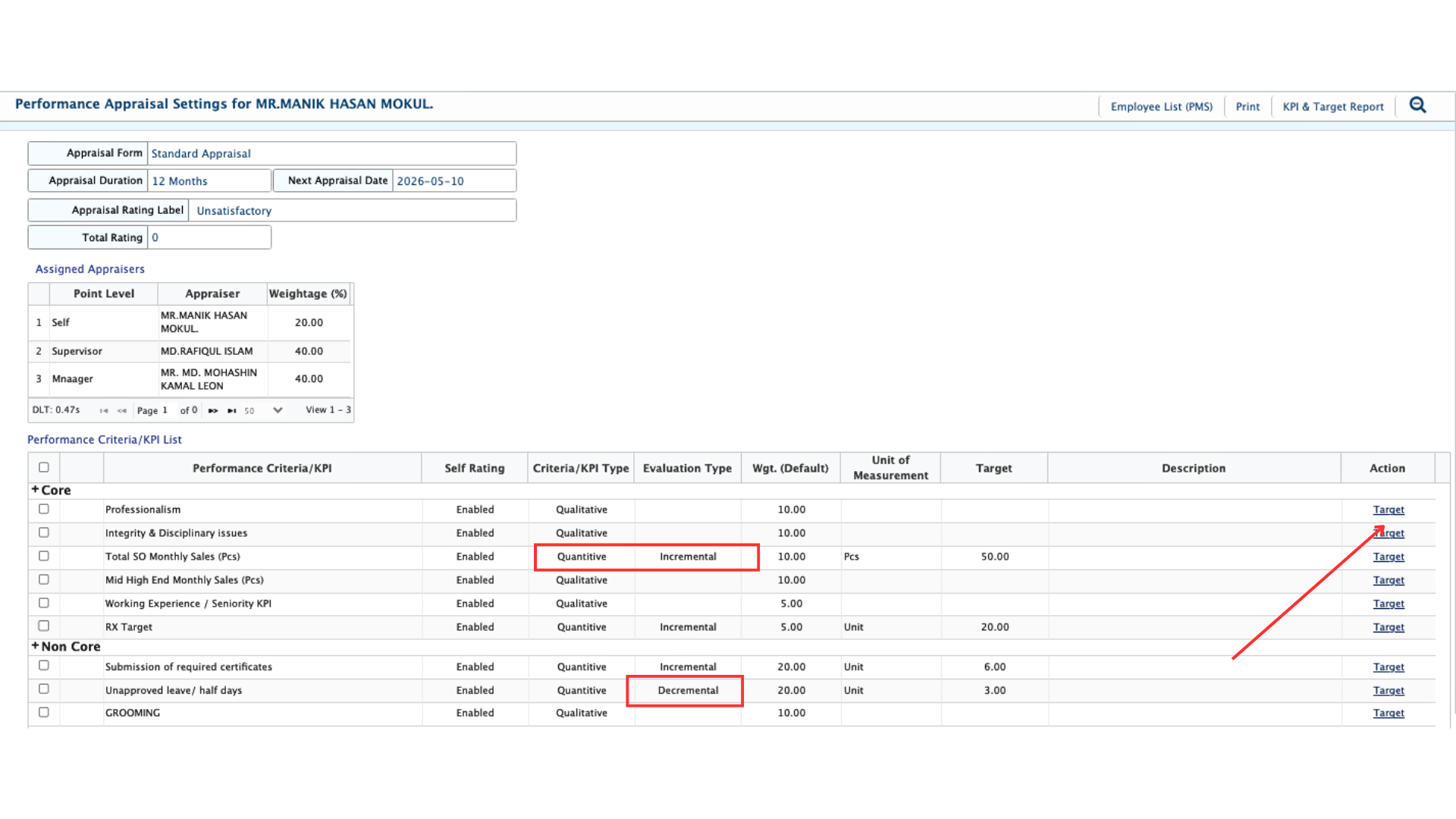
After assigning the appraisal form, users must define performance targets for employees. If a KPI has a quantitative value, a target must be set for proper evaluation.Targets can be defined for both incremental and decremental KPIs depending on the evaluation requirement. These targets are used to measure employee performance during the appraisal period.
Create Employee Appraisal
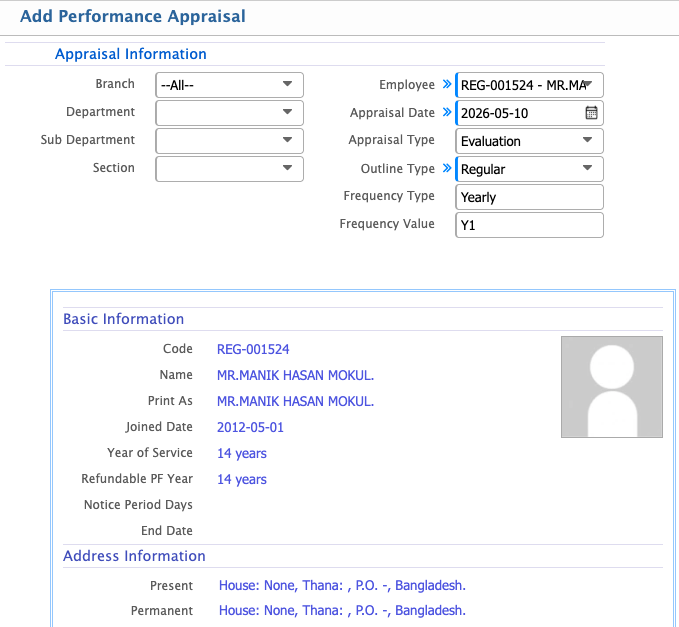
After setting targets, users need to create the appraisal for the employee. For this, users go to the Add Performance Appraisal / Employee Appraisal List.In the Appraisal Information section, users select Branch, Department, Sub Department, Section, and Employee. Then users define Appraisal Date, Appraisal Type, Outline Type, Frequency Type, and Frequency Value.After completing all required selections, users can save the appraisal.