Rating System Setup
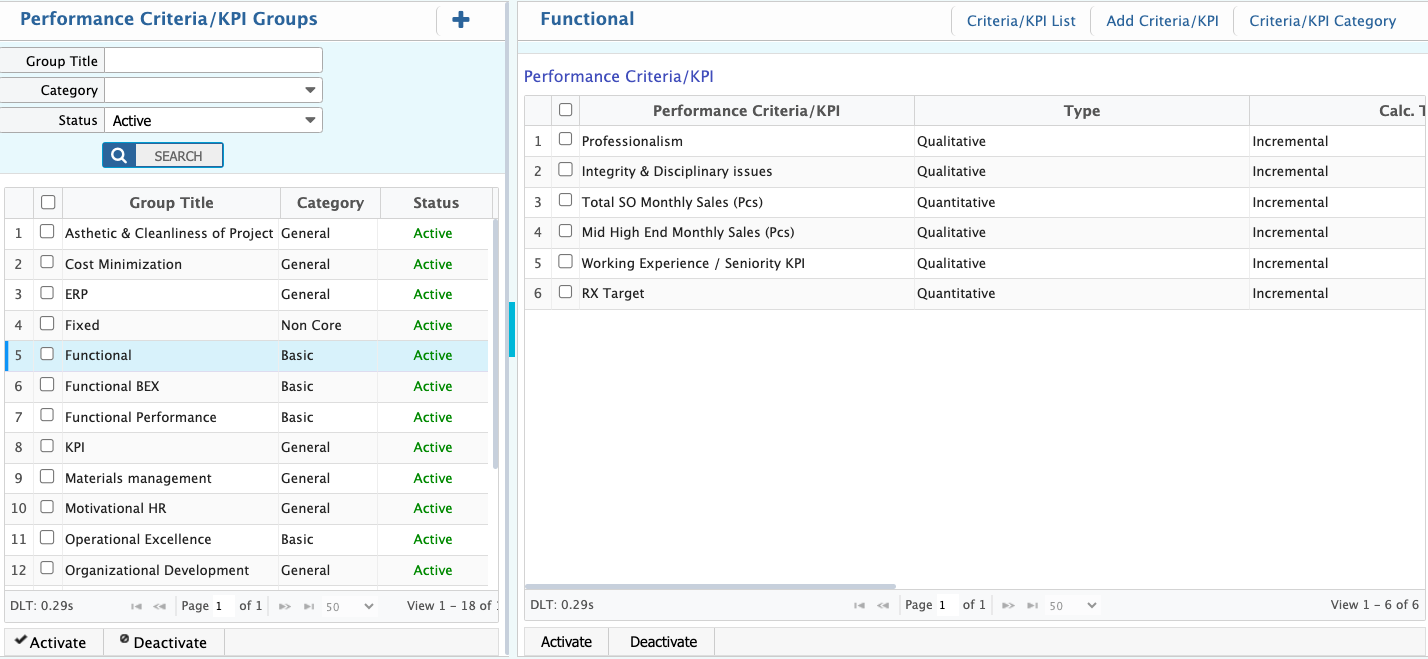
In PrismERP, users can set up the rating system and KPI structure used for employee performance evaluation. This includes defining rating levels, scoring rules, and performance ranges that are used to categorize final appraisal results.Users can also create performance criteria (KPIs), define measurement logic, and organize them into categories and groups with weightage distribution for structured evaluation.
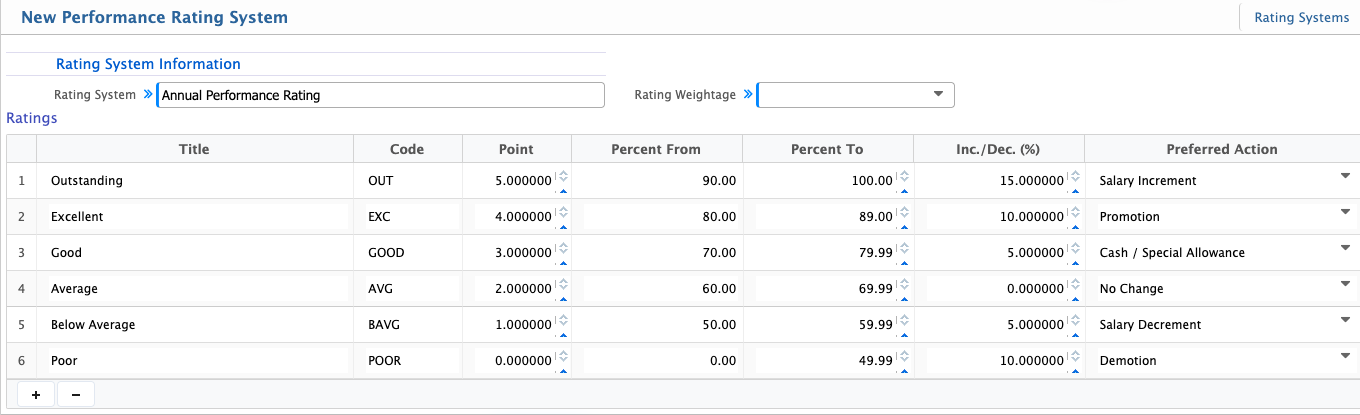
Add Rating System
| Field | Action |
|---|---|
| Rating System | Enter the name of the performance rating system to define its purpose. |
| Rating Weightage | Enter the overall weightage assigned to this rating system for evaluation calculation. |
| Title | Enter the name of the rating level used for performance categorization. |
| Code | Enter a unique identifier for each rating level. |
| Point | Enter the numerical score assigned to the rating level. |
| Percent From | Enter the minimum percentage range for this rating level. |
| Percent To | Enter the maximum percentage range for this rating level. |
| Inc./Dec. (%) | Enter the percentage of increment or decrement for this rating level. |
| Preferred Action | Select the action linked with this rating (e.g., Salary Increment, No Change, Warning). |
Add Performance Criteria
| Field | Action |
|---|---|
| Name | Enter a unique name for the KPI or performance criteria. |
| Calculation Type | Select how the KPI is calculated (Incremental or Decremental). |
| Criteria Type | Select KPI type (Qualitative or Quantitative). |
| Unit | Define the measurement unit for the KPI. |
| KRA | Select the Key Result Area linked to the KPI. |
| Description | Enter detailed information about what the KPI measures. |
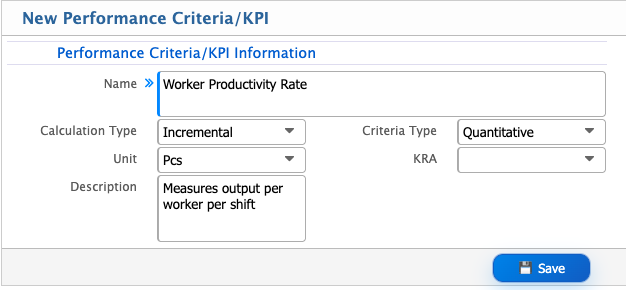
Calculation Type defines how a KPI affects scoring. Incremental increases the score when performance improves, while Decremental reduces the score in case of negative performance such as errors or absence.
Criteria Type defines the measurement method. Qualitative is based on descriptive evaluation such as performance levels, while Quantitative is based on numeric values such as sales or targets achieved.
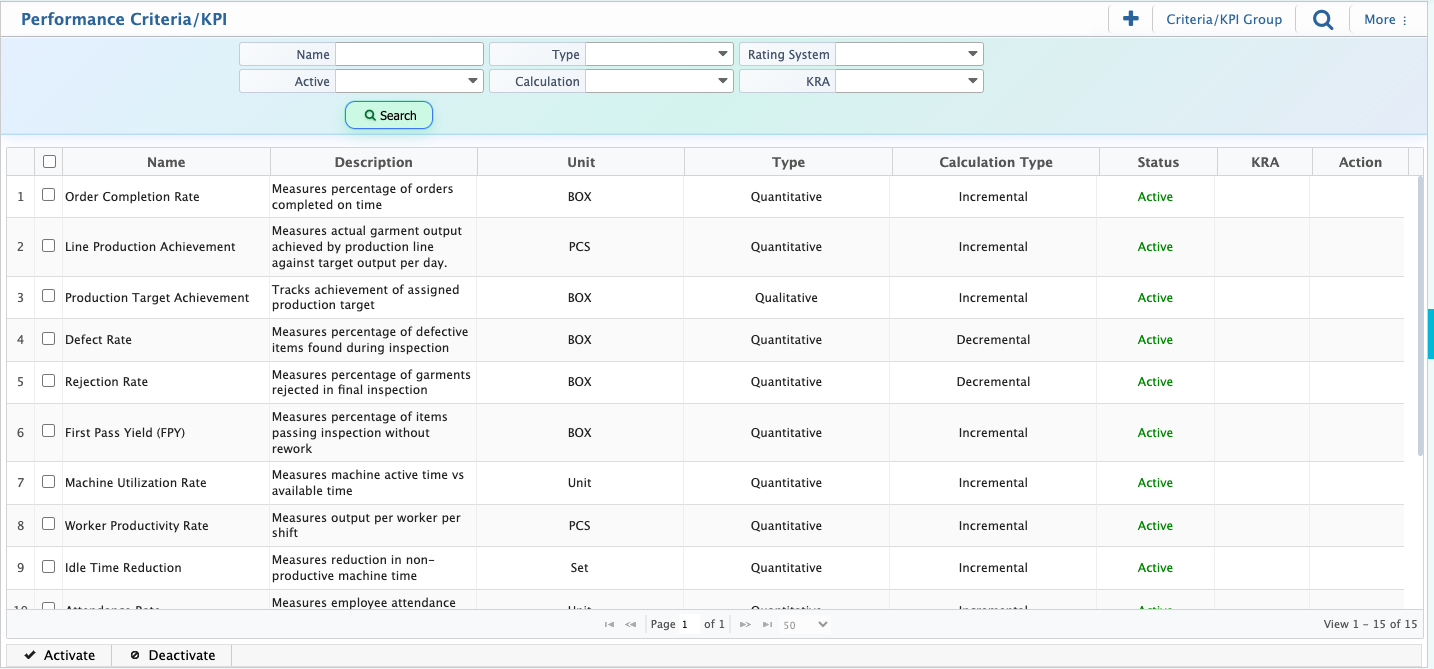
After creation, KPIs appear in the Criteria List where users can search, filter, activate, or deactivate records based on requirements.
Add Criteria / KPI Category
| Field | Action |
|---|---|
| Name | Enter a unique name for the KPI category. |
| Order | Enter the display order of the category in lists and dropdowns. |
| Target Editable | Enable or disable whether the target value can be edited. |
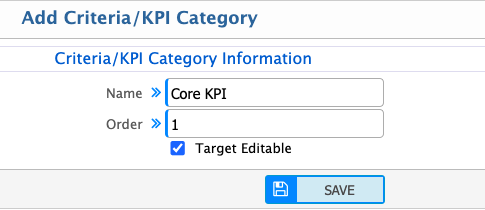
After creation, KPI categories are available in the category list. Users can search, filter, and update category details as required.

Add KPI Group
| Field | Action |
|---|---|
| Group Title | Enter a unique name for the KPI group. |
| Category | Select the KPI category for this group. |
| Performance Criteria/KPI | Select KPIs to include in this group. |
| Weightage | Assign weightage to each KPI. Total must equal 100. |
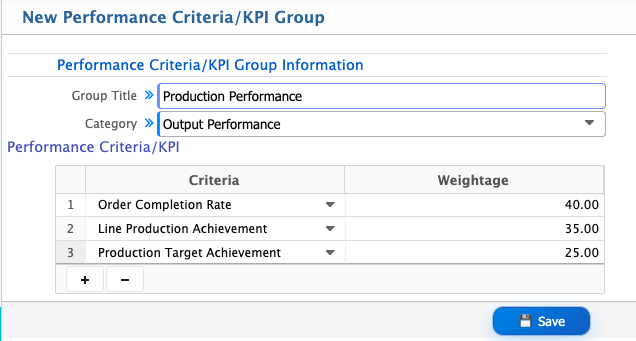
After creation, KPI groups appear in the group list. Users can search, filter, activate, or deactivate groups and manage individual KPIs within the group.