Sales Cancellation
Sales Cancellation in PrismERP allows users to record and manage cancelled sales. Cancellations can be created directly, from the sale cancellation list, or by referencing an invoice. The system captures all relevant details, including delivery, transport, shipping address, quantities, discounts, VAT, and instructions. Users can process cancellations through the approval workflow and generate, preview, or download reports in multiple formats.
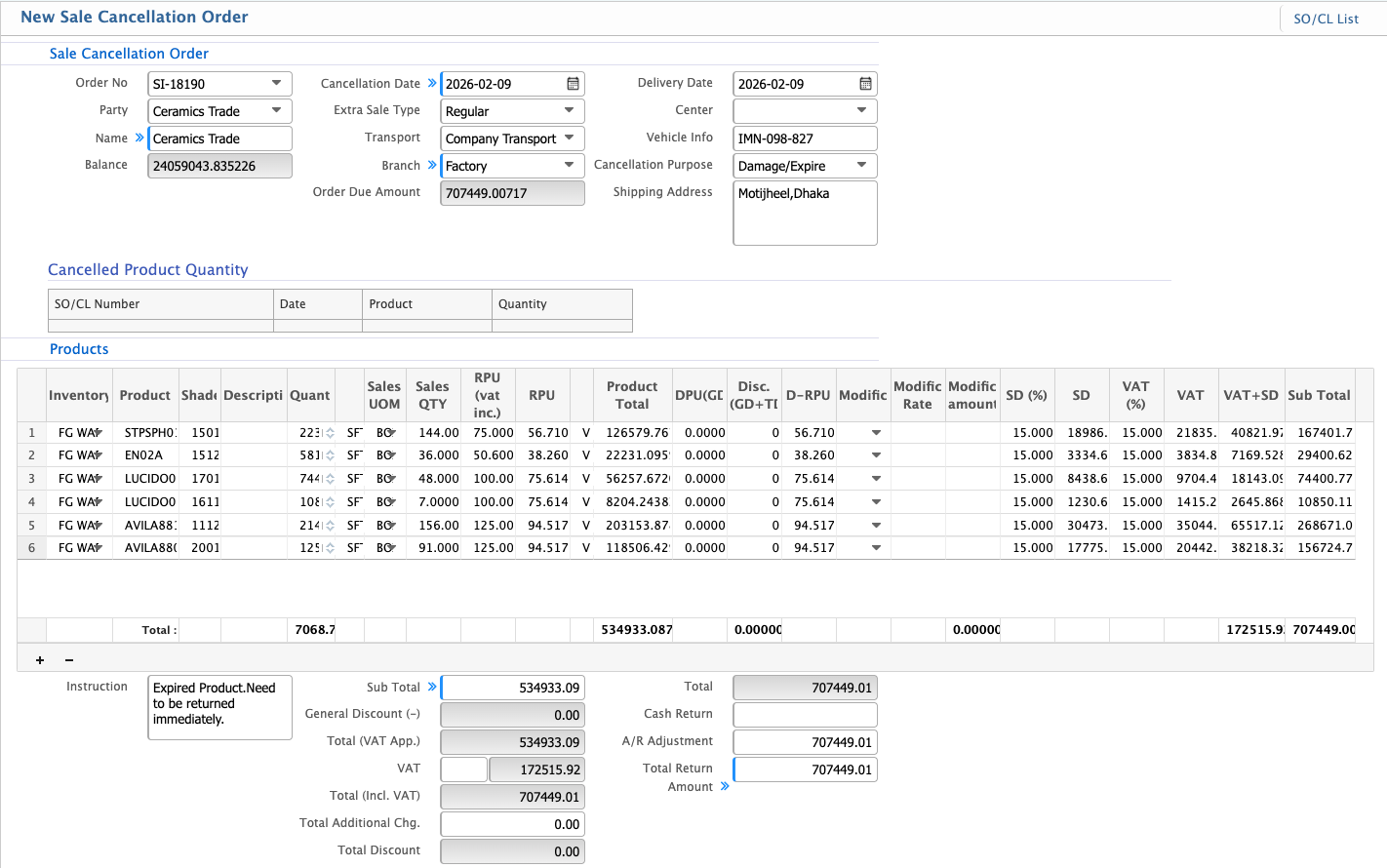
Add New Sales Cancellation Order
| Field | Action |
|---|---|
| Sale Cancellation Order No | View the system-generated sale cancellation order number used for identification and tracking. |
| Cancellation Date | Select the date on which the sale order is cancelled. |
| Transport | Select the transport mode used for delivery (e.g., Company Transport). |
| Branch | Select the branch under which the original sale was recorded. |
| Delivery Date | View or select the delivery date associated with the cancelled sale. |
| Center | Select the center linked to the sale cancellation. |
| Vehicle Info | Enter vehicle details used during delivery, if applicable. |
| Cancellation Purpose | Select the reason for cancelling the sale order. |
| Shipping Address | Enter the shipping address related to the cancelled sale. |
| Instruction | Enter any special instructions related to the sale cancellation. |
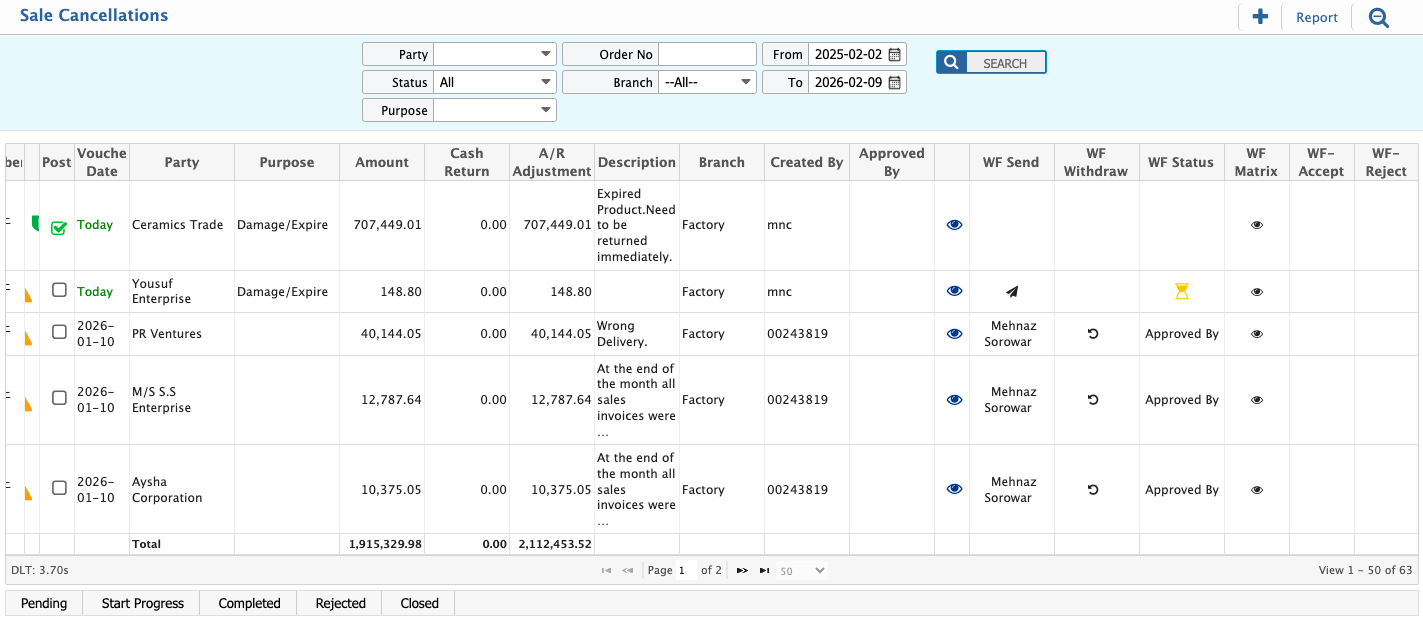
Sales Cancellation List
| Field | Action |
|---|---|
| Party | Filter by selecting a specific customer or party to view related sale cancellation records. |
| Status | Filter by cancellation status to display records based on processing state and update status as needed. |
| Purpose | Filter by cancellation purpose to narrow results based on cancellation reason. |
| Order No | Search by entering a specific sale cancellation order number. |
| Branch | Filter by selecting a branch to view branch-wise sale cancellation records. |
| From Date | Filter by selecting the start date to display sale cancellations from the selected date onward. |
| To Date | Filter by selecting the end date to display sale cancellations up to the selected date. |
| Approval Workflow | Send the sale cancellation to the approval workflow for review and authorization and withdraw the workflow needed. |
| Report | Generate, preview, and download the sale cancellation report in multiple supported formats based on the applied filters. |
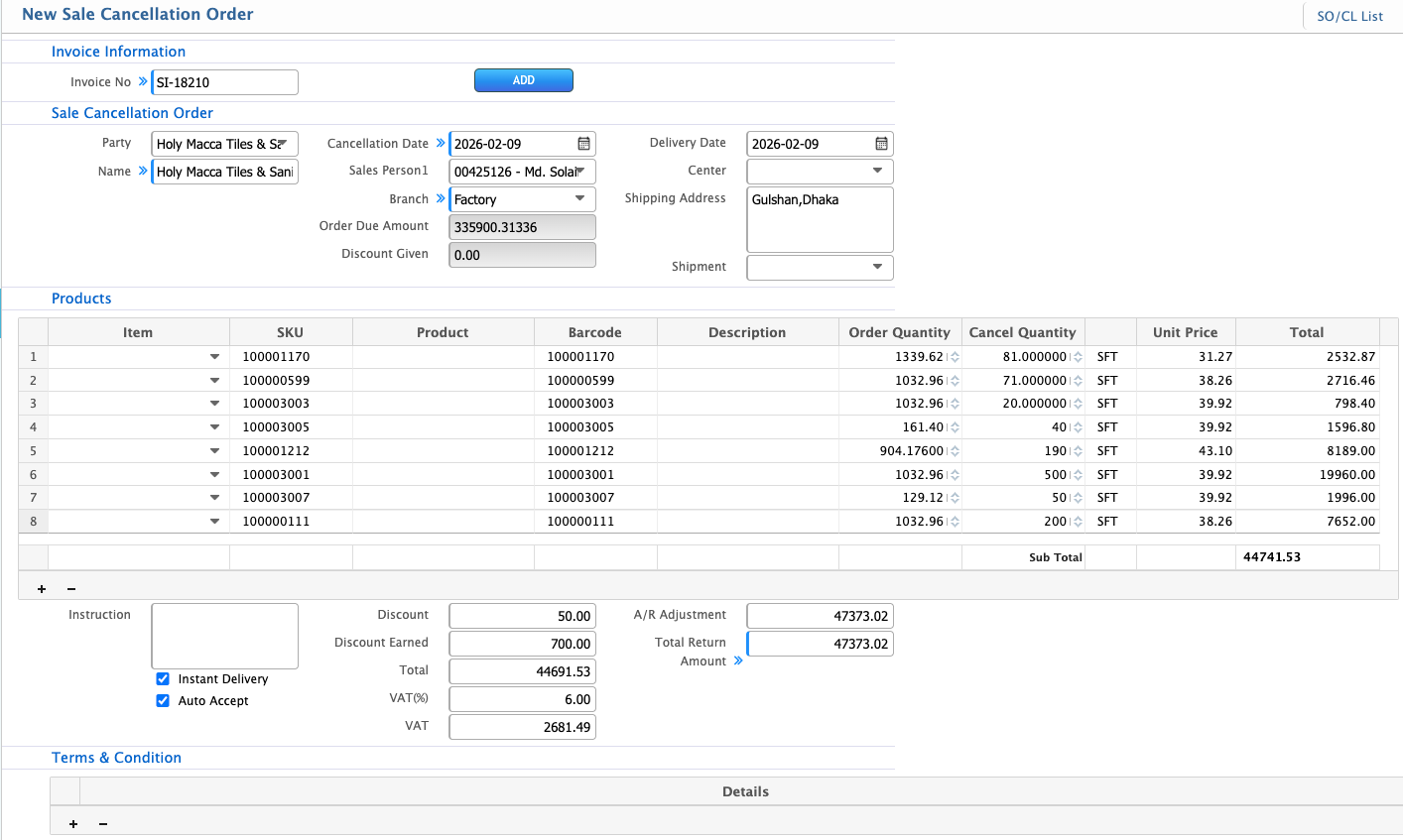
Sale Order Cancellation by Invoice
| Field | Action |
|---|---|
| Invoice No | Enter the invoice number linked to the sale being cancelled. |
| ADD | Add the selected invoice to load related sale details for cancellation. |
| Cancellation Date | Select the date on which the sale is cancelled. |
| Sales Person 1 | Select the primary sales person associated with the original sale. |
| Delivery Date | Select the delivery date related to the cancelled sale. |
| Center | Select the center associated with the sale cancellation. |
| Shipping Address | Enter the shipping address for the cancelled sale. |
| Shipment | Select the shipment related to the original delivery. |
| Cancel Quantity | Enter the quantity to be cancelled for the selected product. |
| Instruction | Enter special instructions related to the sale cancellation. |
| Instant Delivery | Enable if there's a requirement for instant delivery. |
| Auto Accept | Enable if the order should be auto accepted. |
| Discount | Enter the amount of discount for sales cancellation. |
| Discount Earned | Enter the discount amount earned through cancellation adjustments. |
| VAT (%) | Enter the VAT percentage applied. |
| Terms & Condition | Enter terms and conditions related to the sale cancellation. |