Manpower Requisition
Manpower Requisition in PrismERP is used to manage and control the process of requesting new or replacement employees across different branches and departments. It allows HR and departmental users to raise structured requisitions with complete details such as position requirements, organizational placement, budget alignment, and priority level.
Each requisition captures key information including job type, manpower quantity, and justification to ensure proper approval and planning before recruitment begins.
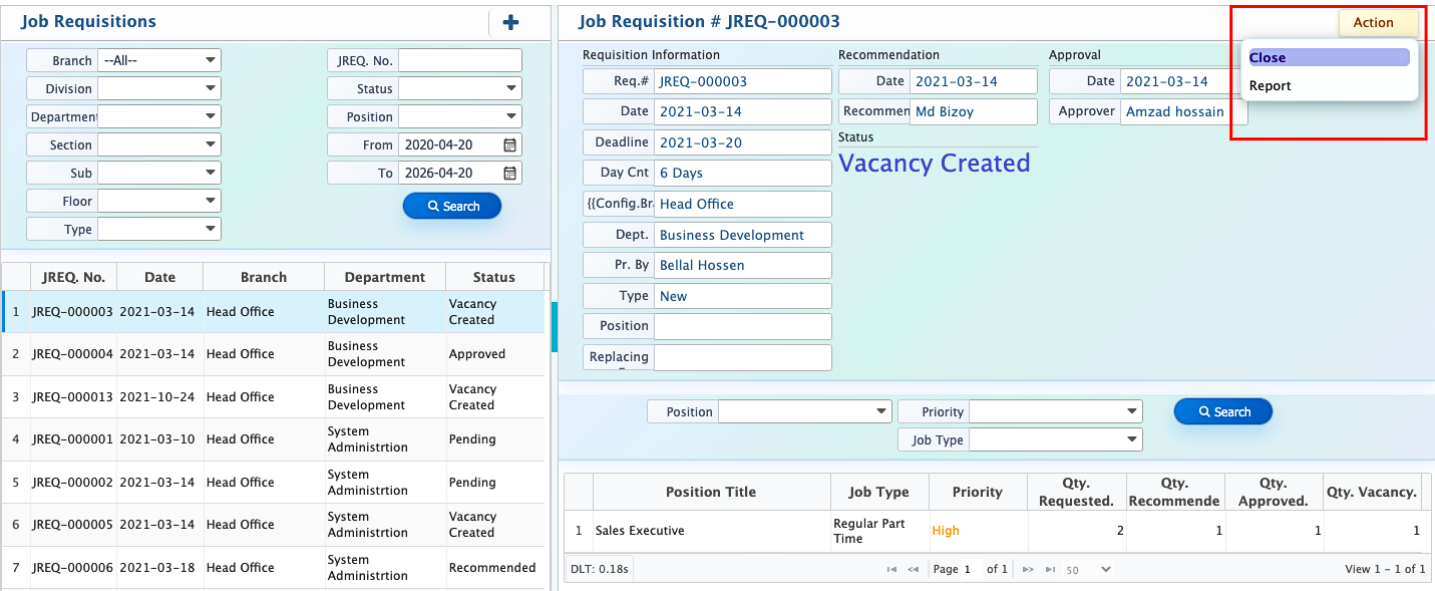
After submitting a requisition, it is stored in the system and becomes available in the Job Requisition List, where all records are organized with full tracking and filtering options for easy management throughout the recruitment process.
Add New Job Requisition
| Field | Action |
|---|---|
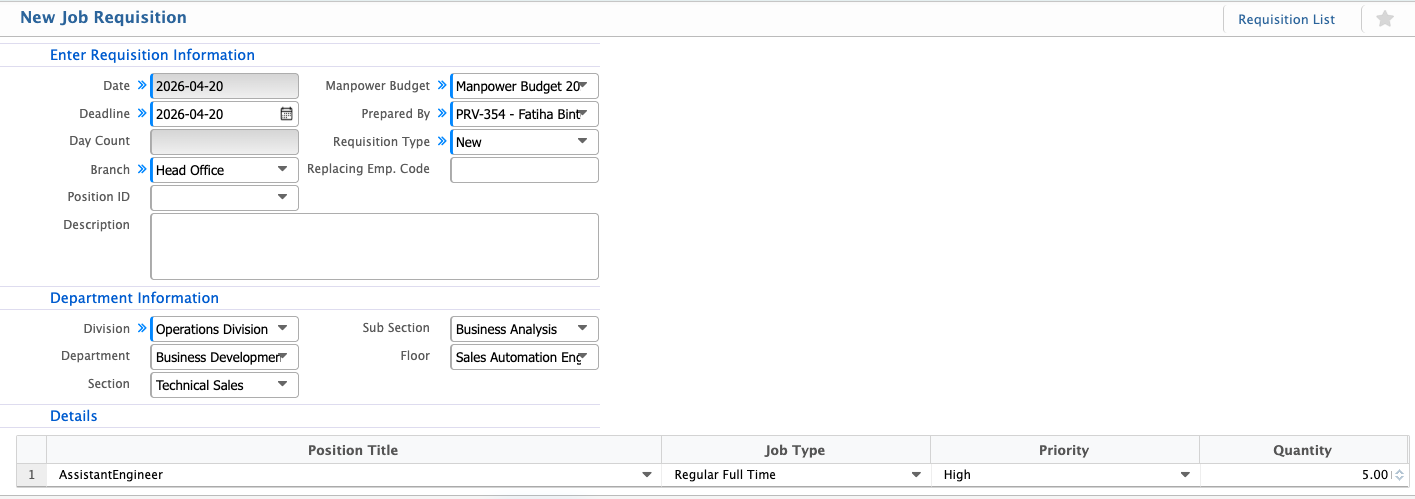
| Date | Select the date on which the job requisition is created. |
| Deadline | Select the deadline by which the requisition needs to be fulfilled. |
| Day Count | Displays the total number of days between the requisition date and the deadline. |
| Branch | Select the branch for which the job requisition is created. |
| Position ID | Select the position ID associated with this requisition. |
| Manpower Budget | Select the approved manpower budget year for this requisition. |
| Prepared By | Displays the employee who prepared the requisition. |
| Requisition Type | Select the type of requisition, such as new or replacement. |
| Replacing Emp. Code | Enter the employee code if the requisition is for replacing an existing employee. |
| Description | Enter a brief description or justification for the job requisition. |
| Division | Select the division under which the requisition is raised. |
| Department | Select the department requesting the manpower. |
| Section | Select the section under the department. |
| Sub Section | Select the sub-section, if applicable. |
| Floor | Select the floor where the position will be located. |
| Position Title | Enter the title of the position being requested. |
| Job Type | Select the job type, such as permanent, contractual, or temporary. |
| Priority | Select the priority level of the requisition. |
| Quantity | Enter the number of manpower required for this position. |
After creating a job requisition, it appears in the Job Requisition List where all requisition records are displayed along with their branch, division, department, section, sub-section, floor, type, requisition number, status, and position. Users can easily filter and search the list using these fields, including date ranges, to quickly locate specific requisitions. From this list, users can directly create a vacancy from an approved requisition, edit or approve requisition details when required, and generate reports based on the selected filters and search criteria.