Approval Workflow
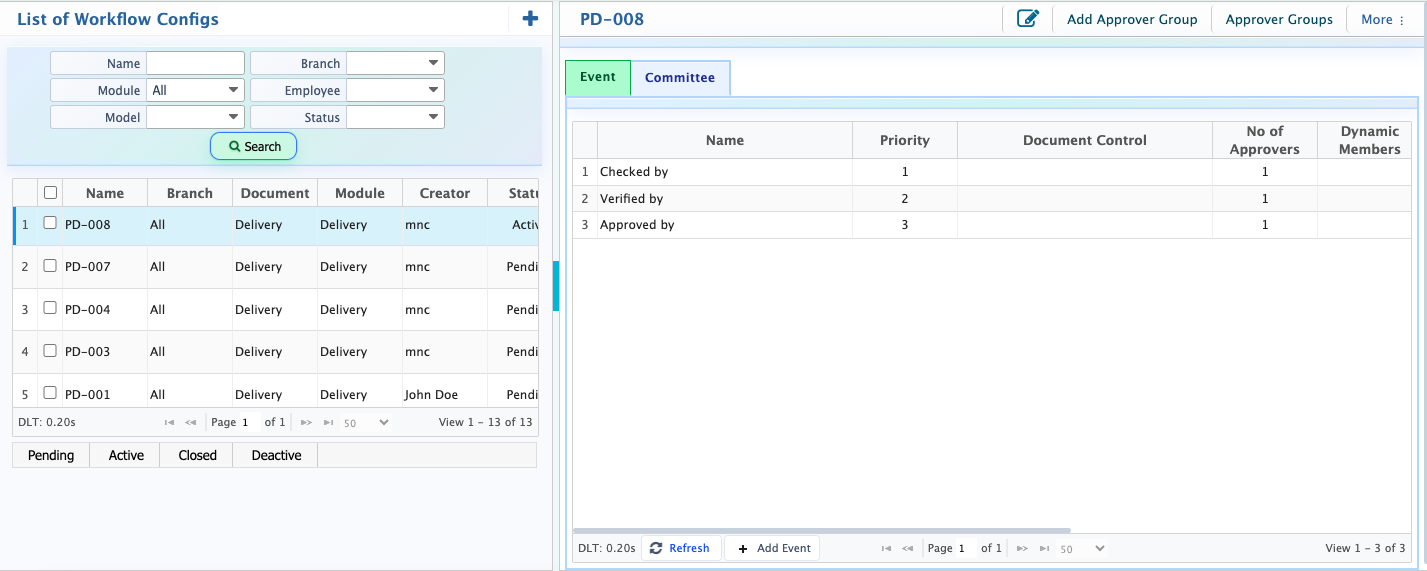
Approval Workflow in PrismERP is used to manage the review and approval of documents before they move to the next stage. Organizations can set up separate workflows for different modules, documents, and transaction types based on their internal approval requirements. Each workflow can have multiple approval stages, such as Checked By, Verified By, and Approved By. Employees or approver groups are assigned to these stages, along with the required approval rules and sequence.After the setup is complete, users can send documents for approval. The assigned approvers receive notifications, review the documents, and take action by approving or rejecting them. Users can also check the current approval status, see which stages have been completed, and review previous approval actions and comments through the Workflow Matrix.
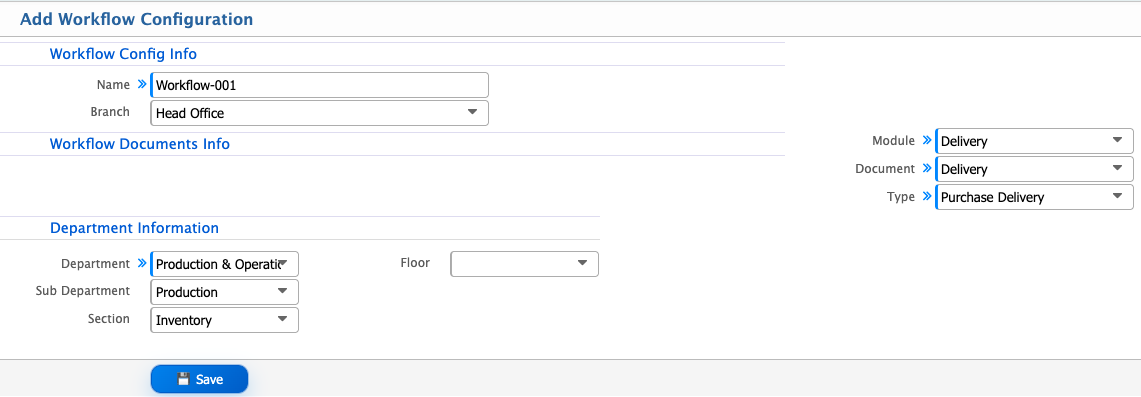
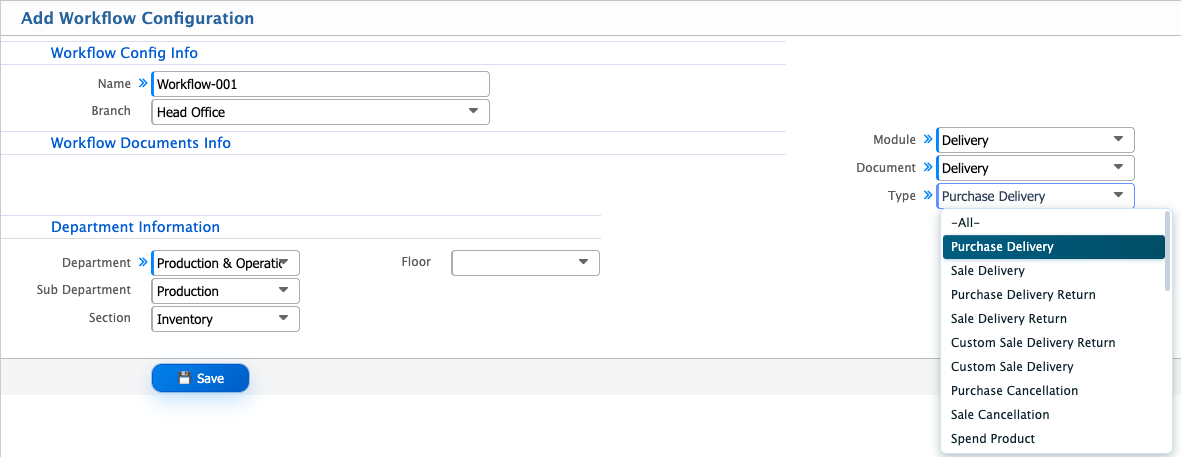
Add Workflow Configuration
| Field | Action |
|---|---|
| Name | Enter a name for the workflow configuration to identify it within the system. |
| Branch | Select the branch where the workflow configuration will be applicable. |
| Module | Select the module for which the approval workflow will be configured. |
| Document | Select the specific document or transaction within the selected module that will follow the approval workflow. |
| Type | Select the document type to define the category of documents covered by this workflow configuration. |
| Department | Select the department to which the workflow configuration will apply. |
| Sub Department | Select the relevant sub-department under the selected department. |
| Section | Select the section under the selected sub-department. |
| Floor | Select the floor associated with the department or employee group covered by the workflow configuration. |
Workflow Document Configuration
The Workflow Document Configuration section is used to define the business transactions and operational activities that will be subject to an approval process. In PrismERP, approval workflows can be configured for different modules, documents, and transaction types across the organization.
Users first select a Module to identify the functional area where the approval process will be applied. After selecting a module, they choose the relevant Document to specify the particular transaction or activity that requires approval. Finally, they select the Type to identify the specific category of that transaction, where applicable.
Available Modules
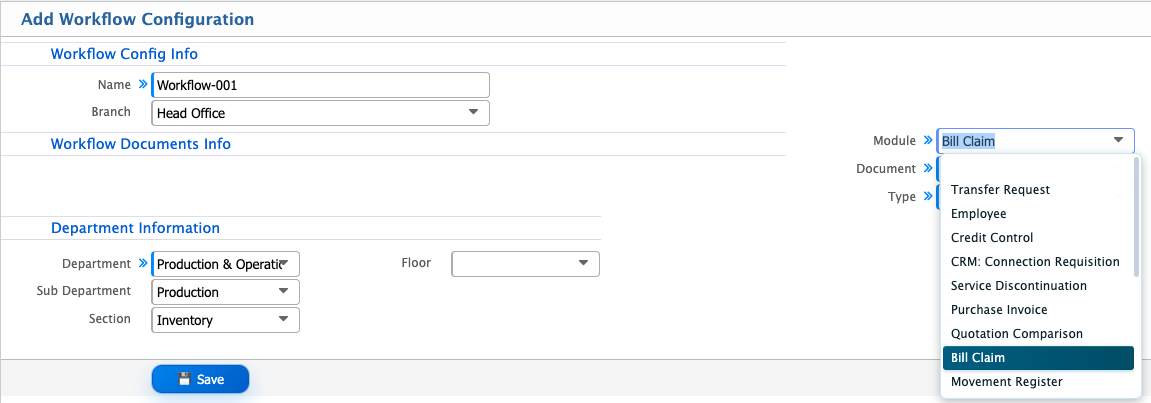
The Module field contains different functional areas of PrismERP where approval workflows can be configured. Each module represents a particular business operation or organizational process.
- Late Adjustment
- Sales Invoice
- Voucher
- Procurement
- Delivery
- Requisition
- Customer Credit Management
- Service Billing
- Purchase Order
- Transfer Request
- CRM: Connection Requisition
- Service Discontinuation
- Employee
- Sales/Work Order
- Credit Control
- Movement Register
- Quotation Comparison
- Purchase Invoice
- Bill Claim
Available Documents
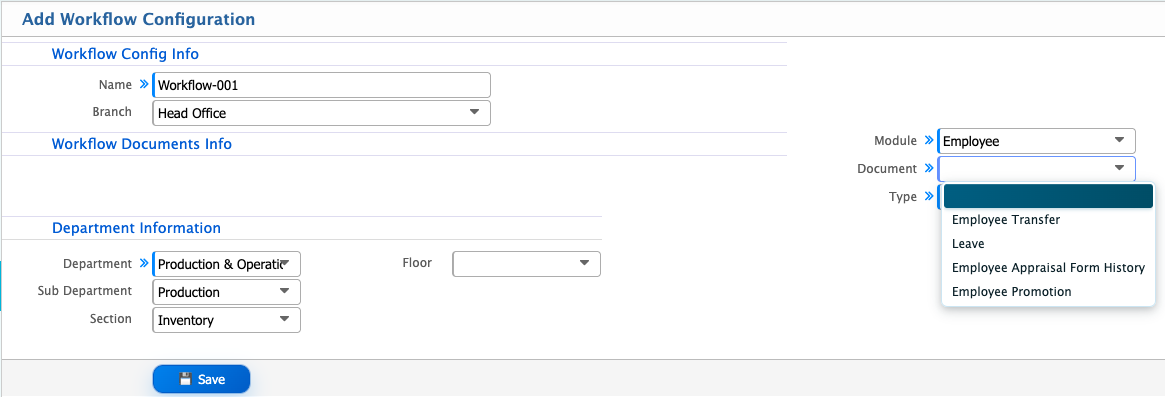
The Document field allows users to identify the specific transaction or activity within the selected module that requires approval. The available documents cover different operational areas, including finance, procurement, sales, inventory, and human resource management.
- Voucher
- Purchase Invoice
- Send Work Order
- Bill Claim
- Sales Order
- Sales Invoice
- Sales Cancellation
- Market Return
- Transfer Request
- Service Discontinuation Request
- Service Up/Down Request
- Credit Plan Group
- Quotation Comparison
- Receive Quotation
- Credit Limit
- Request for Quotation
- Employee Transfer
- Overtime Register
- Shift Roster Batch
- Alternate Holiday
- Leave
- Attendance Schedule
- Late Adjustment
- Out Punch Adjustment
- Early Out Adjustment
- Payroll Earning
- Payroll Payment
- Loan
- Employee Appraisal Form History
- Training Requisition
- Employee Promotion
- Movement Register
- Product Requisition
- Purchase Request
- Employee Meal Application
- Generic Bill Requisition
- Manpower Budget
- Manpower Budget Requisition
- Manpower Budget Amendment
- Budget
- Employee Transfer Requisition
- Delivery
- Connection Requisition
Type
Once the Module and Document are selected, users can choose the relevant Type to specify the particular transaction that will follow the approval process. The available types depend on the selected Module and Document, allowing users to define separate approval workflows for different transaction types under the same document.
After adding a workflow configuration, users can view it in the Workflow List. From this list, users can update the workflow status based on their requirements. The available statuses are Pending, Active, Closed, and Deactive. Users can change the status to manage the workflow's availability and operational state.