Approval Execution System
Approval Execution
Once users have configured the workflow, they can apply it to the relevant documents. When a user creates and saves a document associated with the configured workflow, the document list displays the available workflow options. From there, users can send the document for approval using Workflow Send, view the assigned approvers and approval stages through the Workflow Matrix, withdraw it from the approval process using Workflow Withdraw, and check its current progress through Workflow Status.
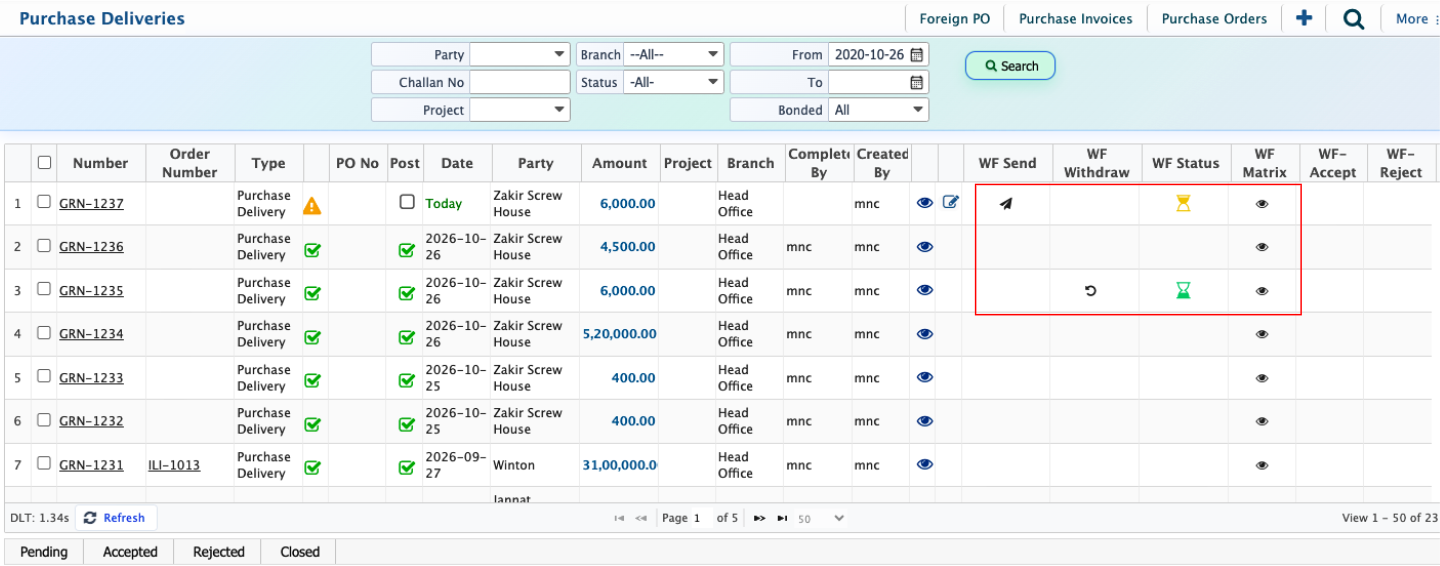
Document Approval Process
Once a user sends a document to the configured workflow using the Workflow Send option, the system forwards it to the first assigned approver based on the configured approval sequence and rules. Each approver receives a notification on their dashboard when the document reaches their approval stage.
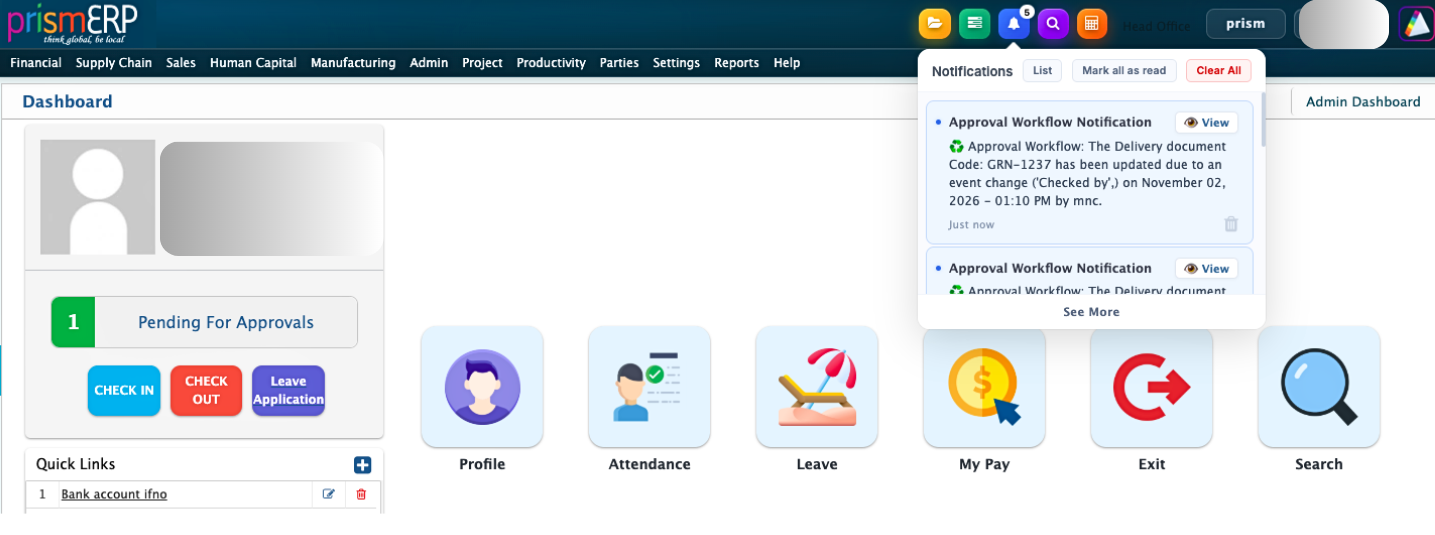
By clicking the View option from the dashboard notification, the approver can open the Approval Details page. From this page, the approver can review the document information and decide whether to approve or reject it. If further review is needed, the approver can open the document in Document View to examine its details before making a decision. This allows the approver to check the actual transaction or document information rather than relying only on the approval summary.
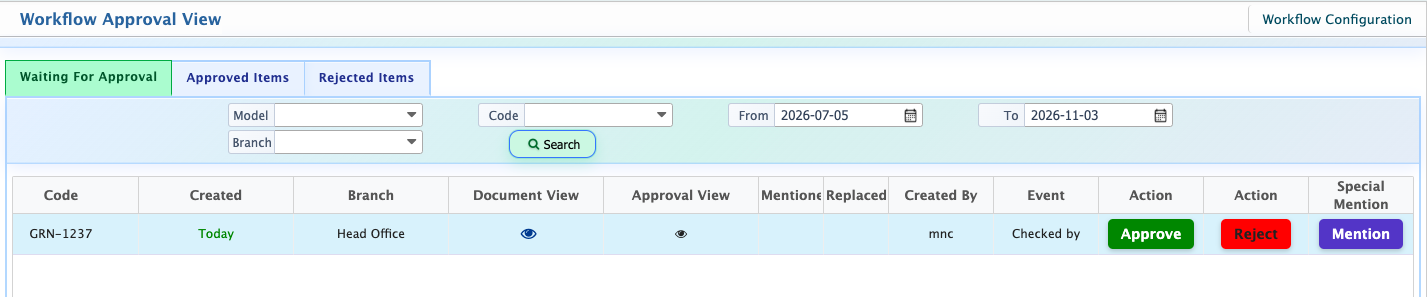
When the approver approves the document, the system records the approval action along with the date, time, and approval status. The document then moves to the next approval stage if additional approvers are assigned. This process continues until all required approval stages are completed according to the configured approval rules. If an approver rejects the document, it is returned to the creator instead of proceeding to the next stage. The creator can then review the rejection and take the necessary action.
During the approval process, approvers can also use the Special Mention option to mention other relevant people when their attention or input is required. Users can also access the Approval View to monitor documents submitted to the workflow. From this view, they can check which documents are pending approval, identify the stage each document has reached, and review its current status.