Rejection & Return Handling
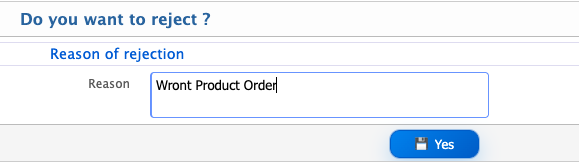
Rejection occurs when an approver reviews a document and decides that it does not meet the necessary requirements to proceed to the next approval stage. In this case, the approver must provide a reason explaining why the document is being rejected before submitting the action. The reason may relate to incorrect information, missing details, or other issues that need to be addressed.
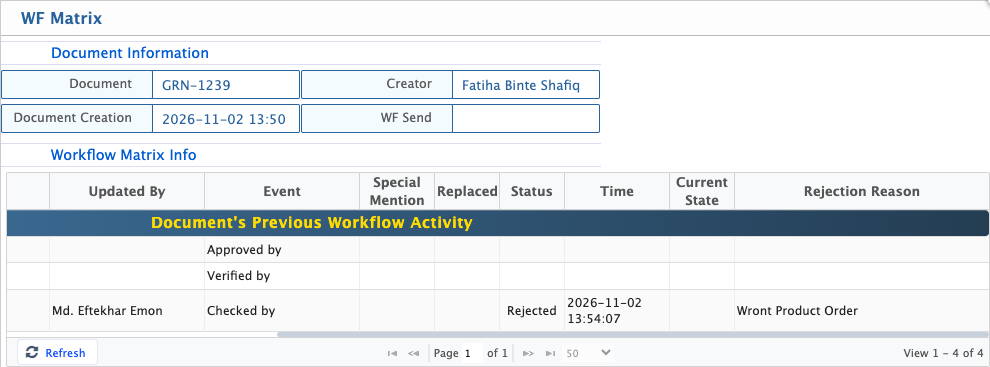
Once the approver submits the rejection, the document stops moving through the configured workflow and is returned to its creator for review and necessary action. The creator can then check the document and understand what needs to be corrected or reconsidered. The Workflow Matrix records the rejection status along with the reason provided by the approver, making it possible to review why the document was rejected and track the action taken during the approval process.
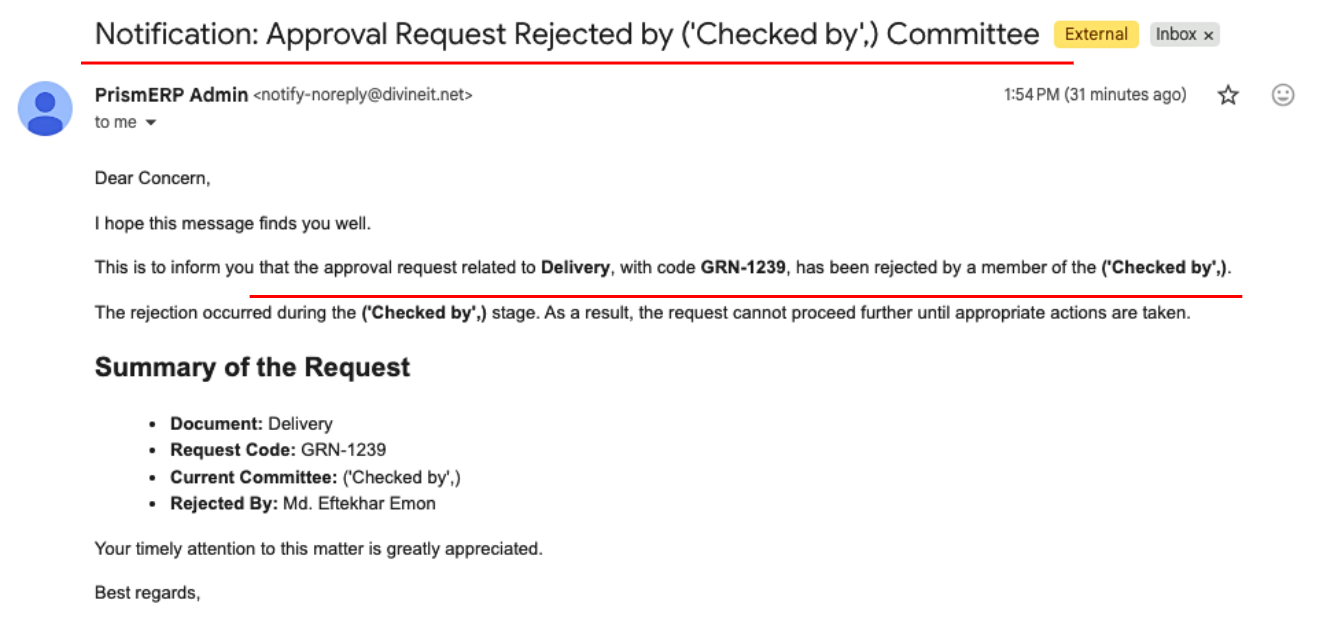
When an approver rejects a document, the other members involved in the workflow also receive a notification through the PrismERP portal and email (if email notifications are configured). The email includes the document type and code, the stage where the rejection took place, and the name of the approver who rejected it. It also informs them that the document cannot move forward until the necessary actions are taken.