Driver & Trip Management
Driver & Trip Management in fleet management is used to manage driver information, driver advance payments, and trip records. Users can register drivers with their license and experience details, record advance payments, and add trip information including the assigned fleet, driver, route, weight, and mileage.
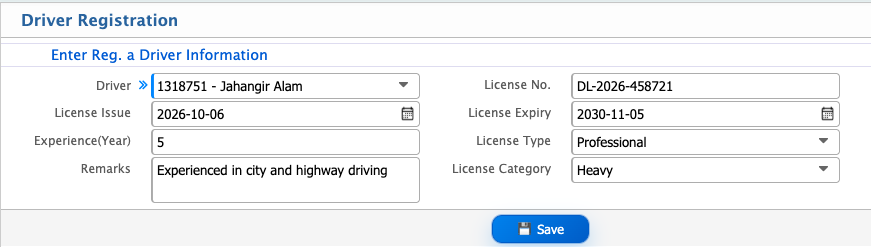
Driver Registration
| Field | Action |
|---|---|
| Driver | Select the driver from the available driver list. |
| License No. | Enter the driver's license number. |
| License Issue | Select the date when the driver's license was issued. |
| License Expiry | Select the license expiry date. |
| Experience (Year) | Enter the driver's total driving experience in years. |
| License Type | Select the type of driving license. |
| Remarks | Enter any additional information or remarks about the driver. |
| License Category | Select the applicable license category. |
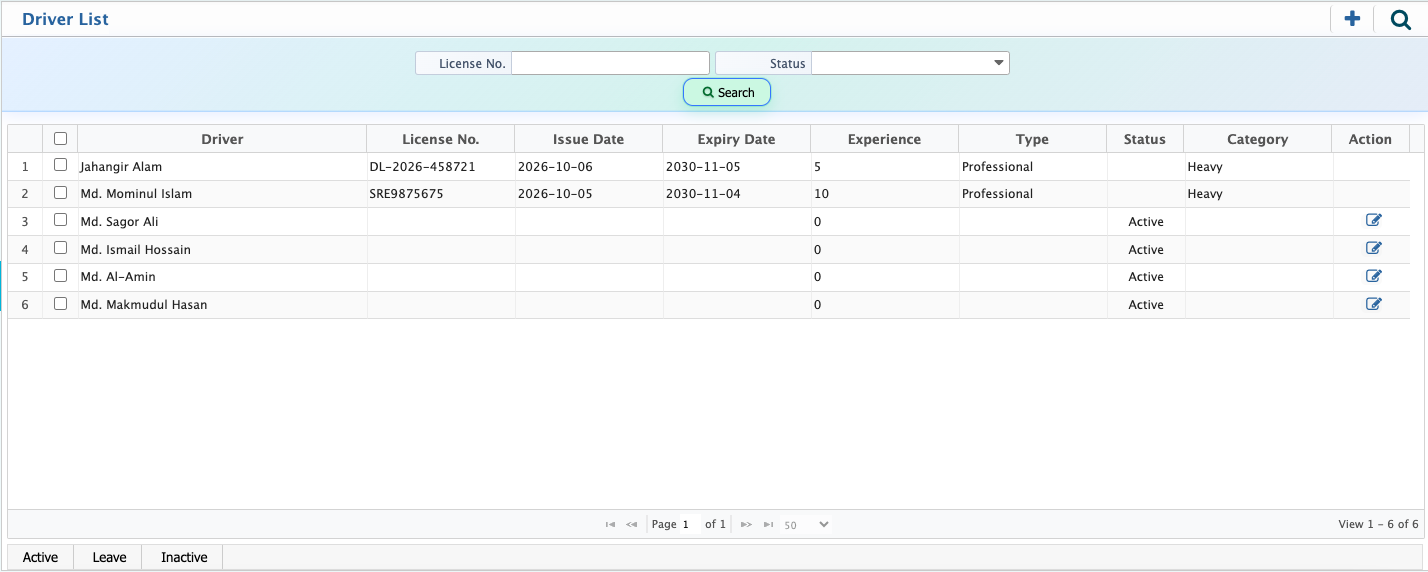
After registering a driver, the driver is added to the Driver List. Users can view the registered drivers and change their current Status as needed.The available status options are Active, Leave, and Inactive. Users can also filter the driver list by License No. and Status to find specific driver records.
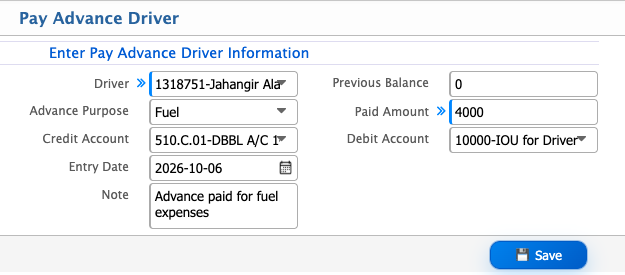
Pay Advance
| Field | Action |
|---|---|
| Driver | Select the driver for whom the advance is being paid. |
| Advance Purpose | Enter the purpose of the advance payment. |
| Paid Amount | Enter the amount being paid as an advance. |
| Credit Account | Select the account from which the advance amount is paid. |
| Debit Account | Select the account where the driver's advance is recorded. |
| Entry Date | Select the date of the advance entry. |
| Note | Enter any additional information related to the advance payment. |
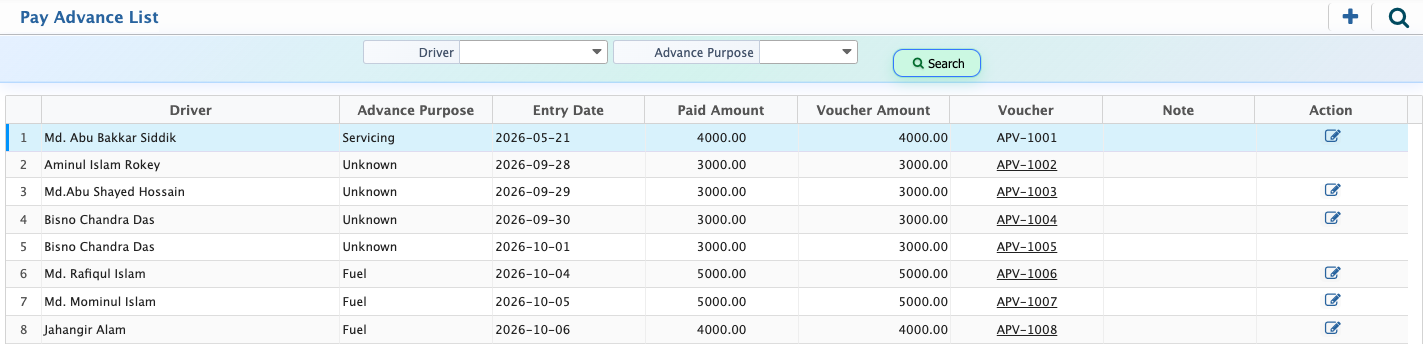
After adding a pay advance for a driver, the record is added to the Pay Advance List. Users can view the advance payment records and access the associated voucher from the Voucher column.Users can filter the list by Driver and Advance Purpose to find specific pay advance records.
Add Trip
| Field | Action |
|---|---|
| Fleet | Select the fleet vehicle for the trip. |
| Trip Date | Select the date of the trip. |
| Driver | Select the driver assigned to the trip. |
| Weight | Enter the weight carried during the trip. |
| UOM | Select the unit of measurement for the weight. |
| Starting Location | Enter the starting location of the trip. |
| Destination | Enter the destination of the trip. |
| Milage | Enter the mileage for the trip. |
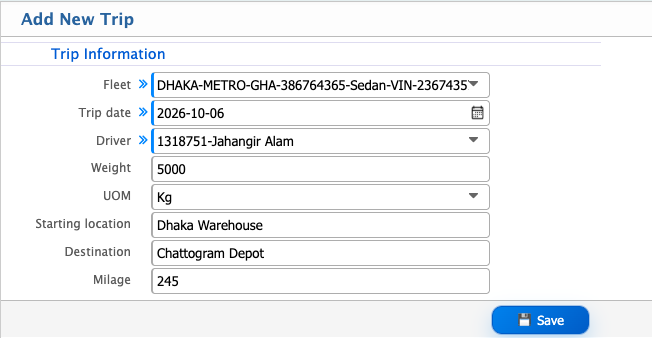
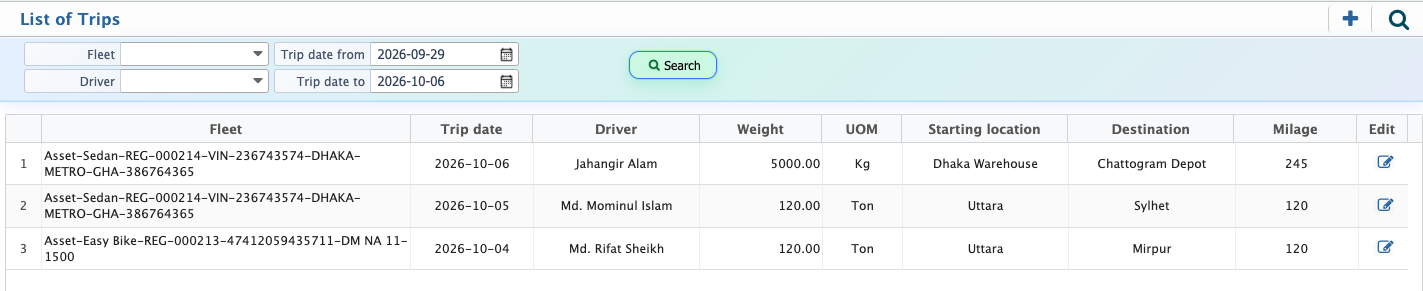
After adding a trip, the trip record is displayed in the List of Trips. Users can view the registered trip records and edit them when required.Users can use the available filters to find specific trip records.