Fleet Registration
Fleet Registration in is used to register and maintain the basic information of vehicles used by an organization. Users can record vehicle details such as fleet type, model, registration, ownership, capacity, and route information, and manage the fleet’s status and related records after registration.
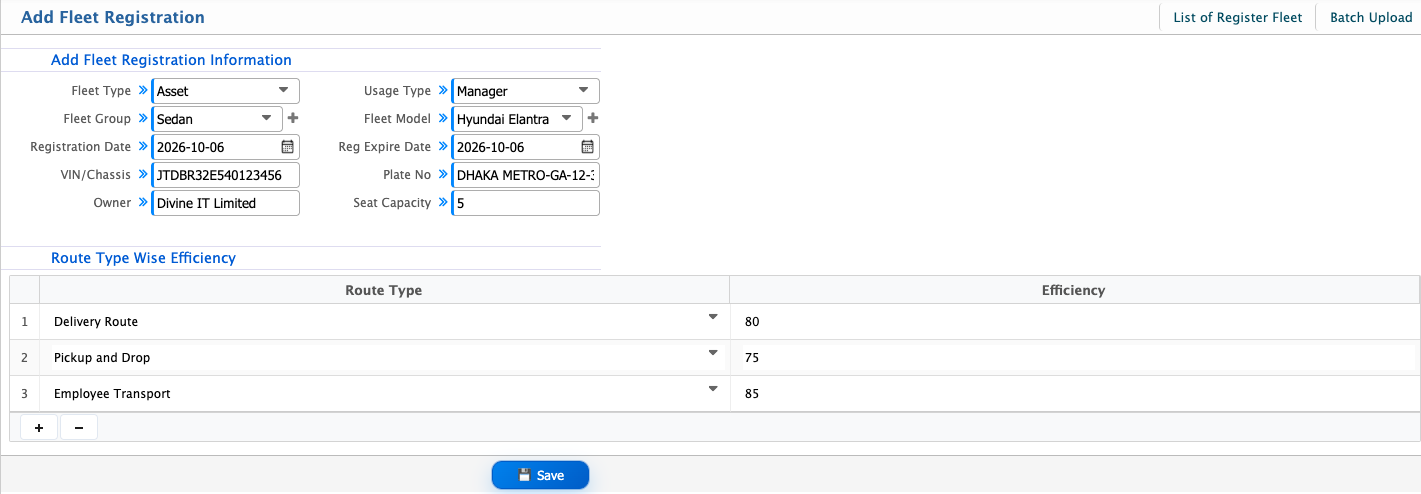
Add Fleet Registration
| Field | Action |
|---|---|
| Fleet Type | Select the type of fleet being registered. |
| Usage Type | Select how the fleet will be used. |
| Fleet Group | Select the fleet group for the vehicle. |
| Fleet Model | Select the fleet model. |
| Registration Date | Enter the vehicle registration date. |
| Reg Expire Date | Enter the registration expiry date. |
| VIN/Chassis | Enter the vehicle's VIN or chassis number. |
| Plate No | Enter the vehicle registration or plate number. |
| Owner | Enter or select the vehicle owner. |
| Seat Capacity | Enter the total number of seats available in the vehicle. |
| Route Type | Select the route type for which the vehicle will be used. |
| Efficiency | Enter the vehicle's efficiency for the selected route type. |
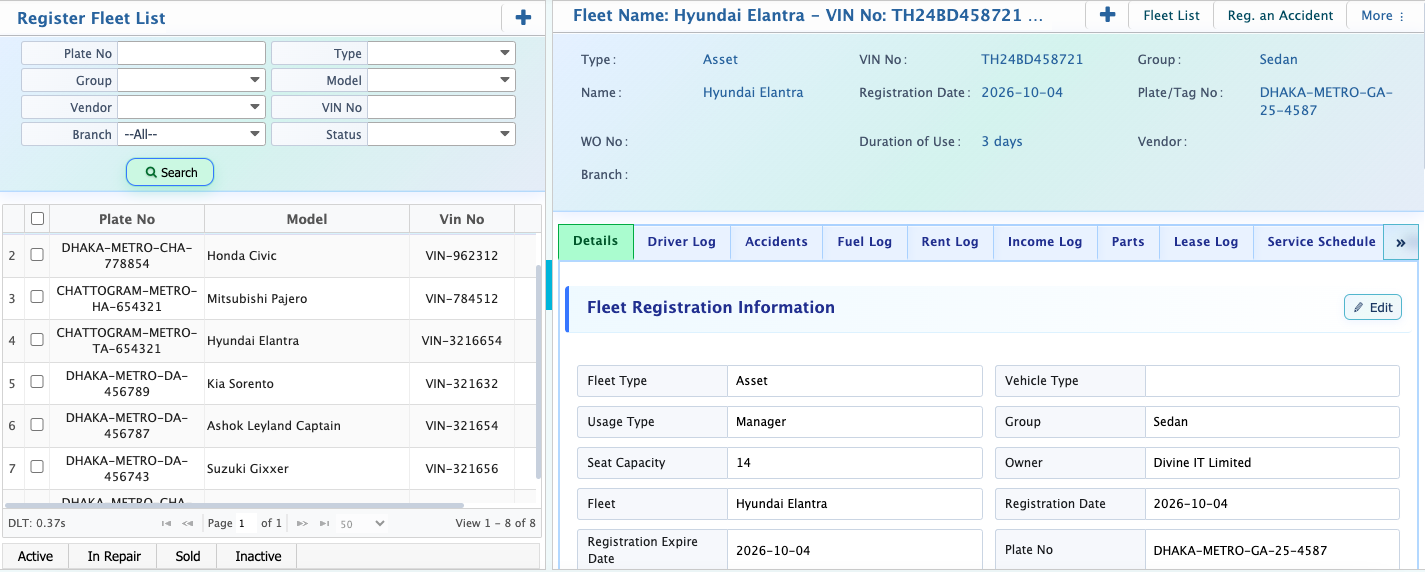
After registering a fleet, it will appear in the Register Fleet List with detailed information. From the details page, users can manage related records such as Driver Log, Accidents, Fuel Log, Rent Log, Income Log, Parts, Lease Log, Service Schedule, Duty Log, Expense Log, and Statement. Users can also update the fleet information and set its status as Active, Inactive, Sold, or In Repair as needed.
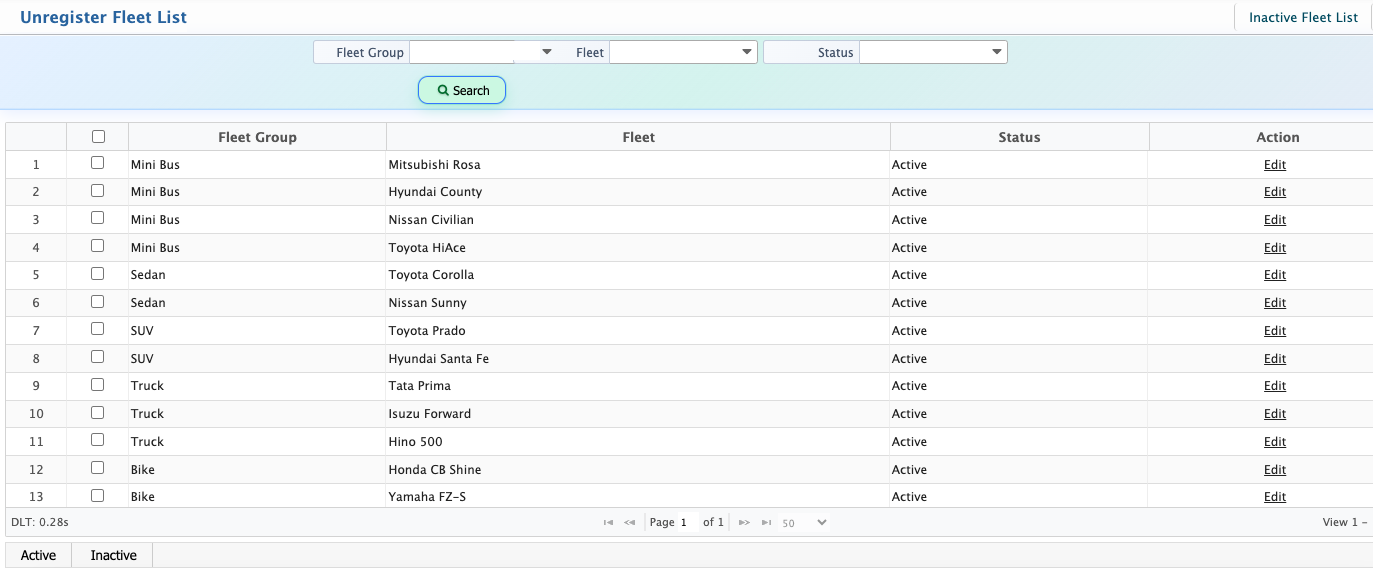
Users can also access the Unregister Fleet List to view fleets that are not currently active. They can use Fleet Group, Fleet, or Status to search for a specific fleet and view its current status. Users can also activate or deactivate a fleet as needed.