Fleet Services
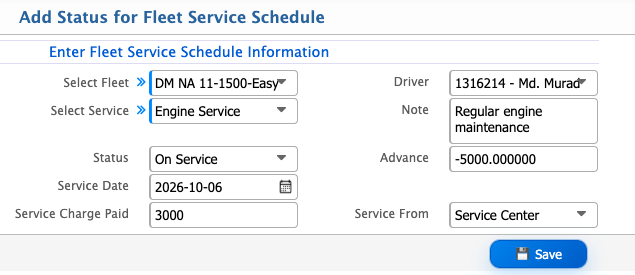
Fleet Servicing is used to define fleet services and manage their service schedules. Users can set recurring service intervals, schedule services for specific fleets, and update the service status with details such as service date, advance, service charge, and service provider.
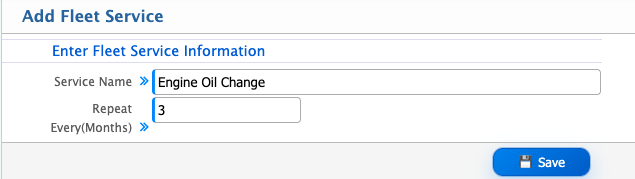
Add Fleet Service
| Field | Action |
|---|---|
| Service Name | Enter the name of the fleet service. |
| Repeat Every (Months) | Enter the number of months after which the service should be repeated. |
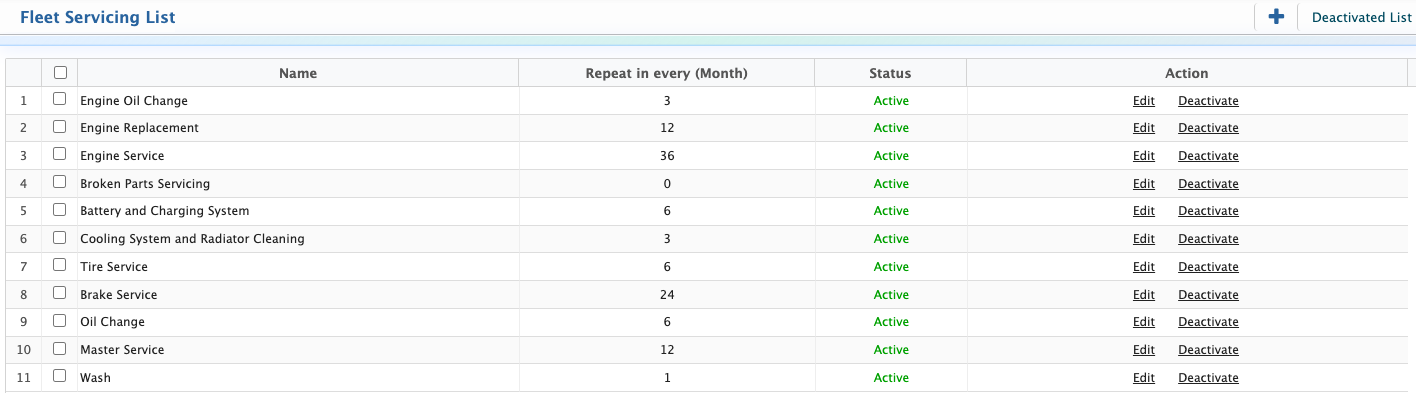
After adding a fleet service, the service is displayed in the Fleet Servicing List. Users can view the service details and edit the service when required.Users can also deactivate a service when it is no longer in use. Deactivated services are available in the Deactivated List.
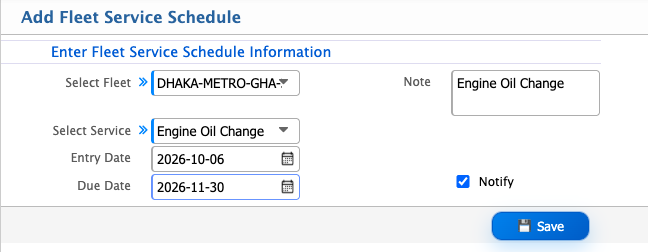
Add Fleet Service Schedule
| Field | Action |
|---|---|
| Select Fleet | Select the fleet for which the service schedule is created. |
| Note | Enter any additional information about the service schedule. |
| Select Service | Select the service to be scheduled. |
| Entry Date | Select the date when the service schedule is entered. |
| Due Date | Select the due date for the service. |
| Notify | Enable the option to receive a notification for the scheduled service. |
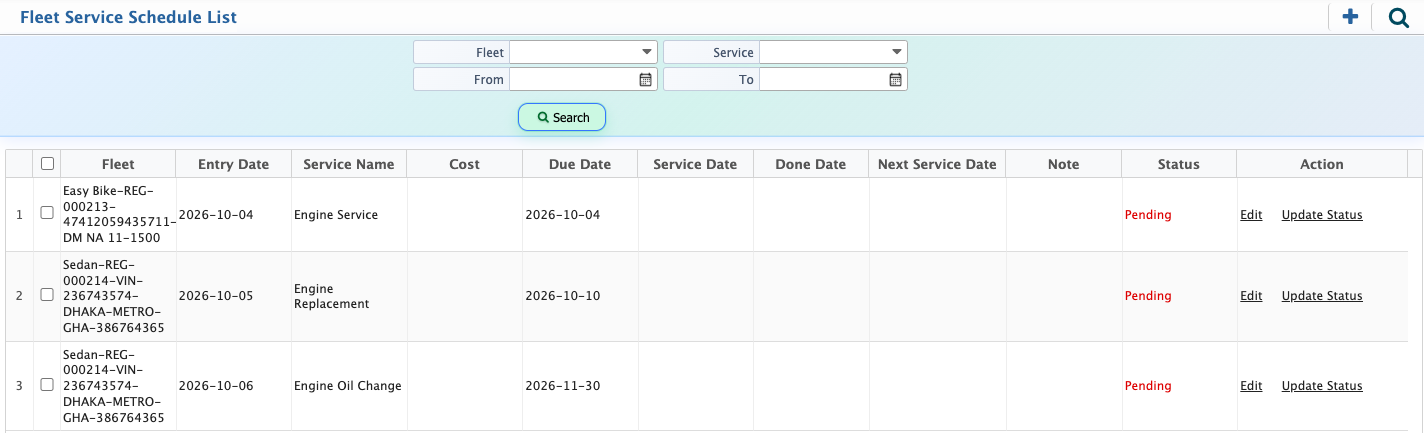
After adding a fleet service schedule, the schedule is displayed in the Fleet Service Schedule List. Users can view the scheduled services and update their status when required.Users can also edit a service schedule from the Action column. The service schedule list can be filtered using the available filters.
Update Status for Service Schedule
| Field | Action |
|---|---|
| Select Fleet | Select the fleet for the service. |
| Driver | Select the driver assigned to the fleet. |
| Select Service | Select the service being performed. |
| Note | Enter any additional information about the service. |
| Status | Select the current status of the service. |
| Advance | Enter the advance amount paid for the service. |
| Service Date | Select the date when the service is performed. |
| Service Charge Paid | Enter the amount paid for the service. |
| Service From | Enter the service provider or service location. |