Fleet Scheduling
Fleet Scheduling in PrismERP is used to plan and manage transport requests, fleet schedules, and related fleet assignments. Users can create transport requisitions, assign drivers and fleets, create regular or custom schedules, track schedule status, and manage fleet packages with predefined costs.
Add Fleet Requisition
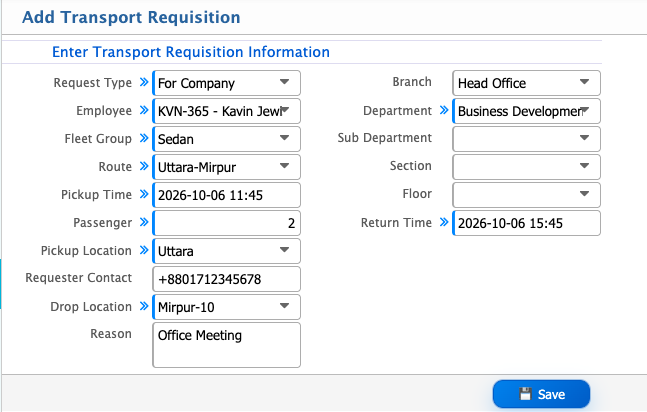
| Field | Action |
|---|---|
| Request Type | Select the type of transport request. |
| Employee | Select the employee requesting the transport. |
| Fleet Group | Select the required fleet group. |
| Route | Select the route for the transport. |
| Pickup Time | Enter the required pickup time. |
| Passenger | Enter the number of passengers. |
| Pickup Location | Enter the pickup location. |
| Requester Contact | Enter the contact number of the requester. |
| Drop Location | Enter the destination or drop location. |
| Reason | Enter the reason for requesting the transport. |
| Branch | Select the relevant branch. |
| Department | Select the relevant department. |
| Sub Department | Select the relevant sub-department. |
| Section | Select the relevant section. |
| Floor | Select the relevant floor. |
| Return Time | Enter the expected return time. |
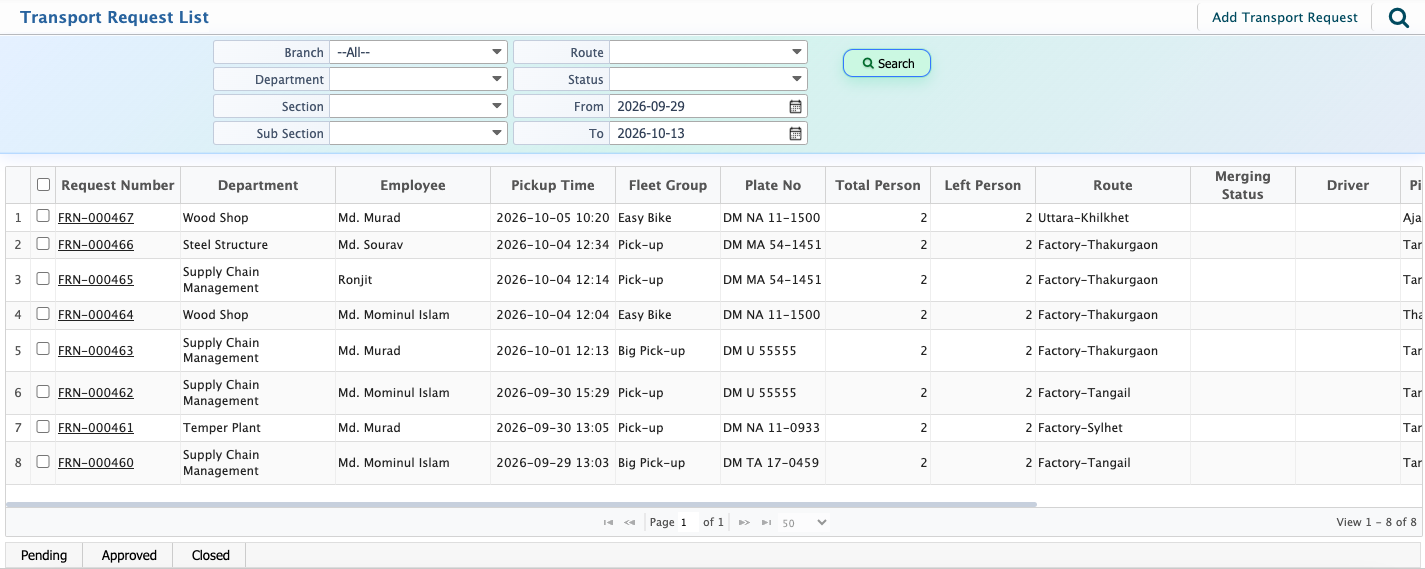
After adding a transport request, it will appear in the Transport Request List. Users can use the available search fields to find a specific transport request. They can also open a request to view its details and edit the request when needed.
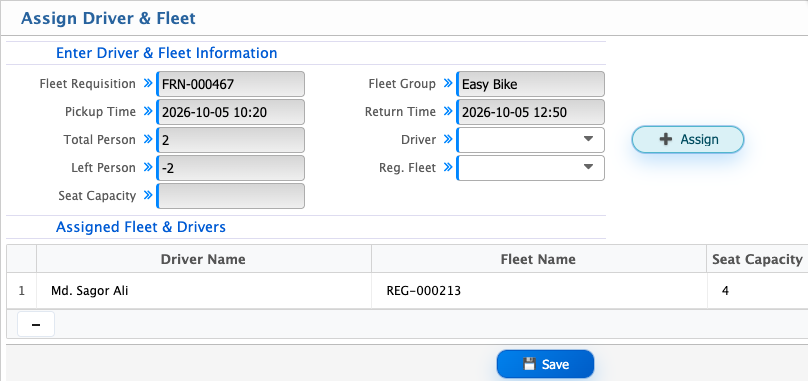
Users can assign a Driver and Fleet to a transport requisition directly from the Transport Request List. After selecting a requisition, users can enter the required information. The assigned driver and fleet will then appear in the Assigned Fleet & Drivers section.
Add Fleet Schedule
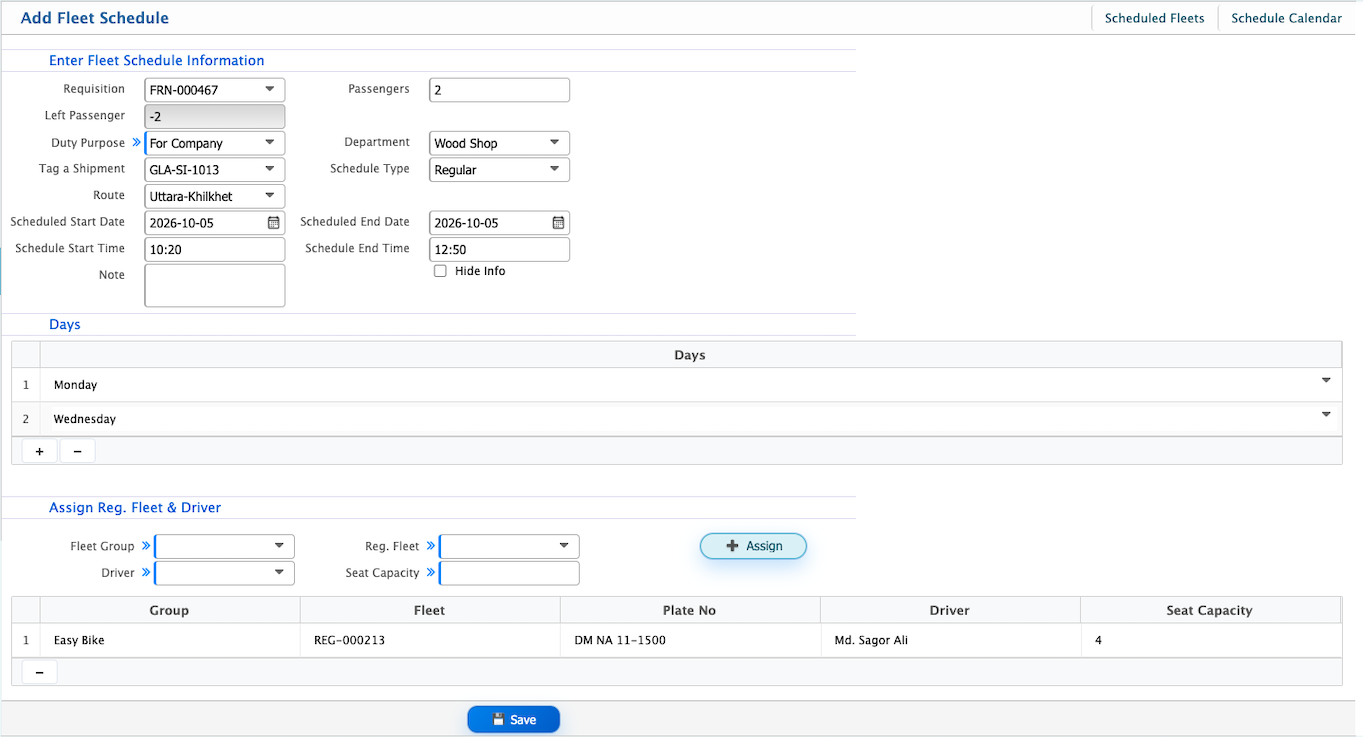
Users can create a Fleet Schedule by selecting a relevant Requisition, after which related information such as Passengers, Left Passenger, Duty Purpose, Department, and Route will be loaded automatically. Users can also create a schedule without tagging a requisition.
| Field | Action |
|---|---|
| Requisition | Select a transport requisition. |
| Tag a Shipment | Select a shipment to associate with the fleet schedule. |
| Schedule Type | Select the type of fleet schedule.(It can be regular or custom) |
| Route | Select the route for the schedule. |
| Scheduled Start Date | Select the date on which the schedule starts. |
| Scheduled End Date | Select the date on which the schedule ends. |
| Schedule Start Time | Enter the starting time of the schedule. |
| Schedule End Time | Enter the ending time of the schedule. |
| Note | Enter any additional information about the schedule. |
| Days | Select the days on which the schedule will operate. |
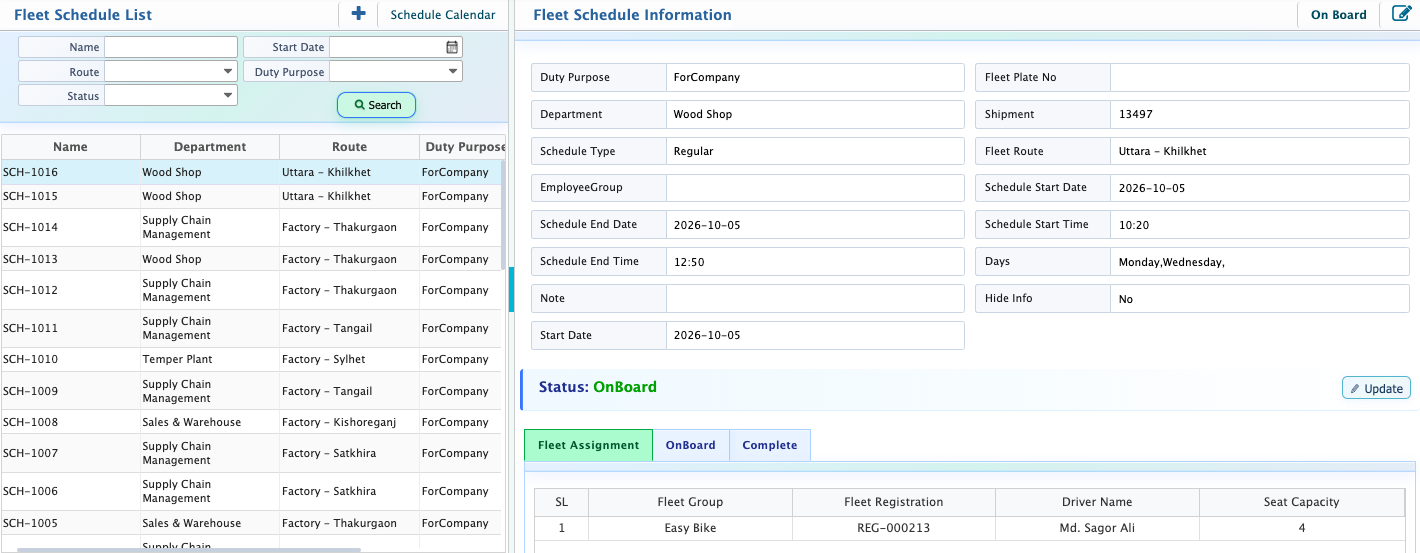
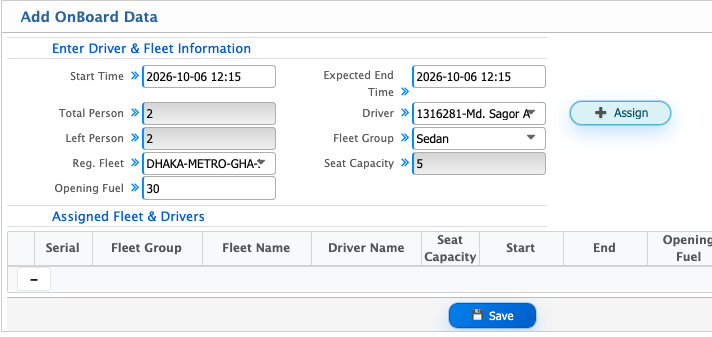
After adding a fleet schedule, it will appear in the Fleet Schedule List. Users can search for a specific schedule using the available filters. From the schedule details, users can update the status to Scheduled, On Board, Closed, Cancelled, or On Service. For an On Board schedule, users can enter the trip details, including the Start Time, Expected End Time, Driver, L, Fleet Group, Reg. Fleet and Opening Fuel.
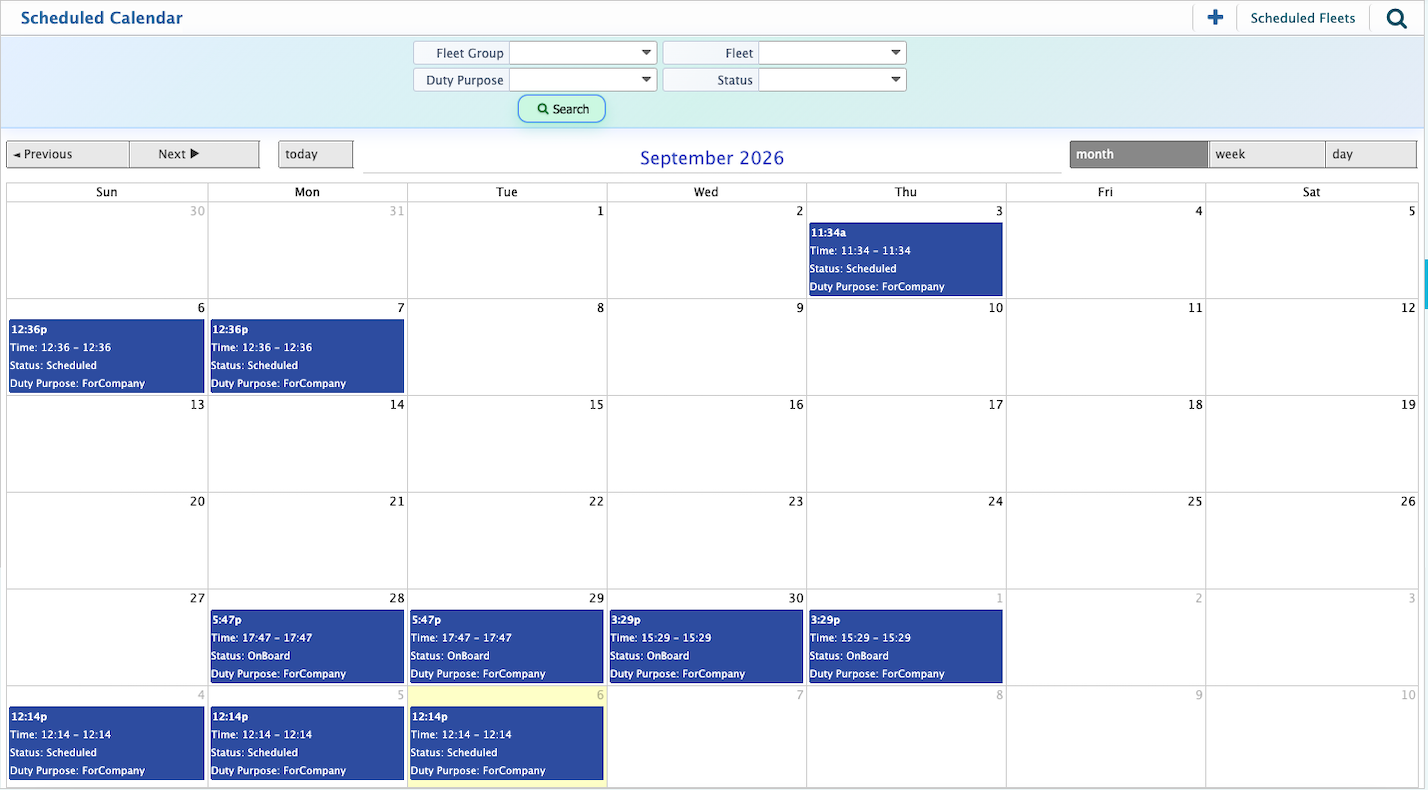
Users can use the Scheduled Calendar to view fleet schedules by date. It provides a calendar-based view of scheduled fleet activities, allowing users to check schedules for a specific day, week, or month and see when fleet resources are scheduled.
Add Fleet Package
| Field | Action |
|---|---|
| Fleet Group | Select the fleet group for which the package is created. |
| Package Name | Enter the name of the fleet package. |
| Package Type | Select the type of fleet package. |
| Active From | Select the date from which the package will be active. |
| Expires On | Select the date on which the package will expire. |
| Description | Enter the terms and conditions of the fleet package. |
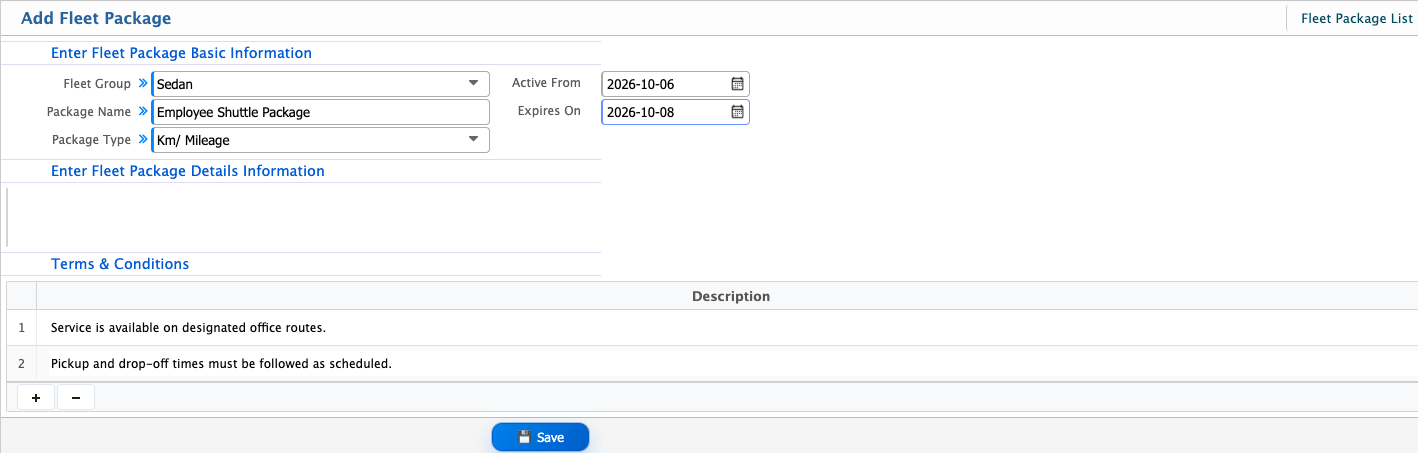
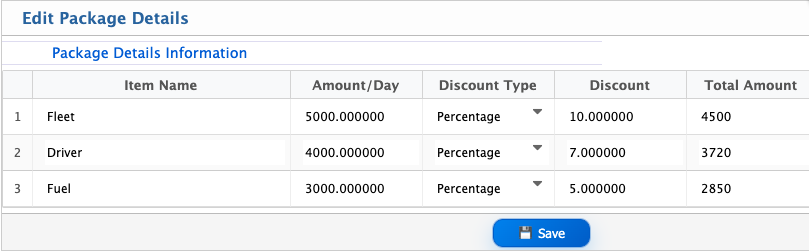
After adding a fleet package, it will appear in the Fleet Package List. Users can open a package to view and edit its package details.
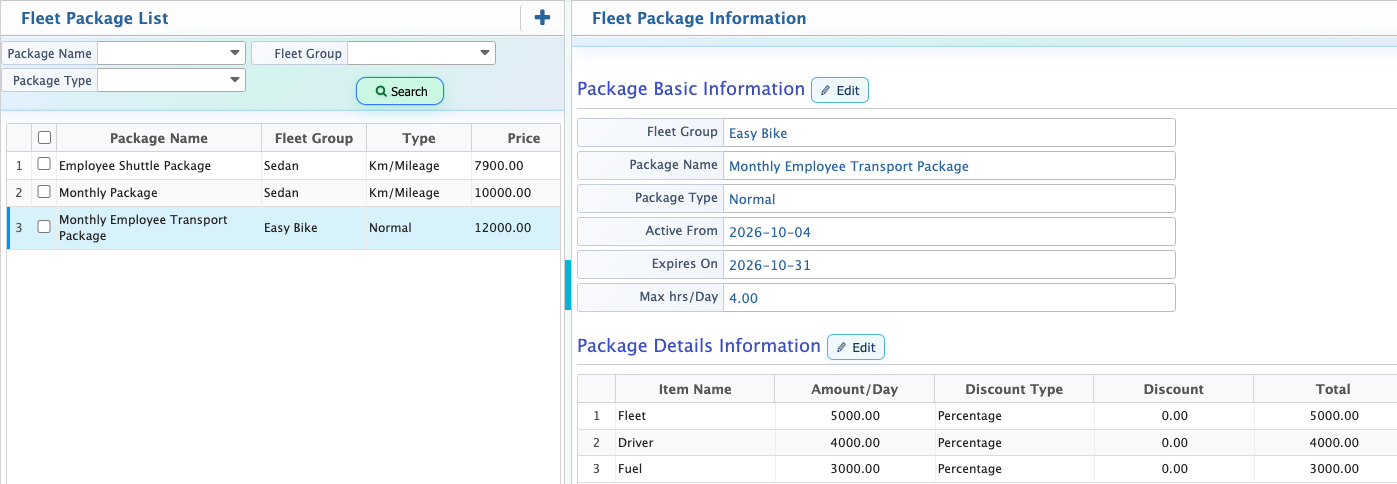
Users can use the Fleet Package List to manage predefined fleet packages and their associated costs. Each package can include separate cost components such as Fleet, Driver, and Fuel, with a daily amount and discount for each item. The system calculates the Total Amount based on the added package details. Users can open a package to view its details and edit the package when required.