Billing Management
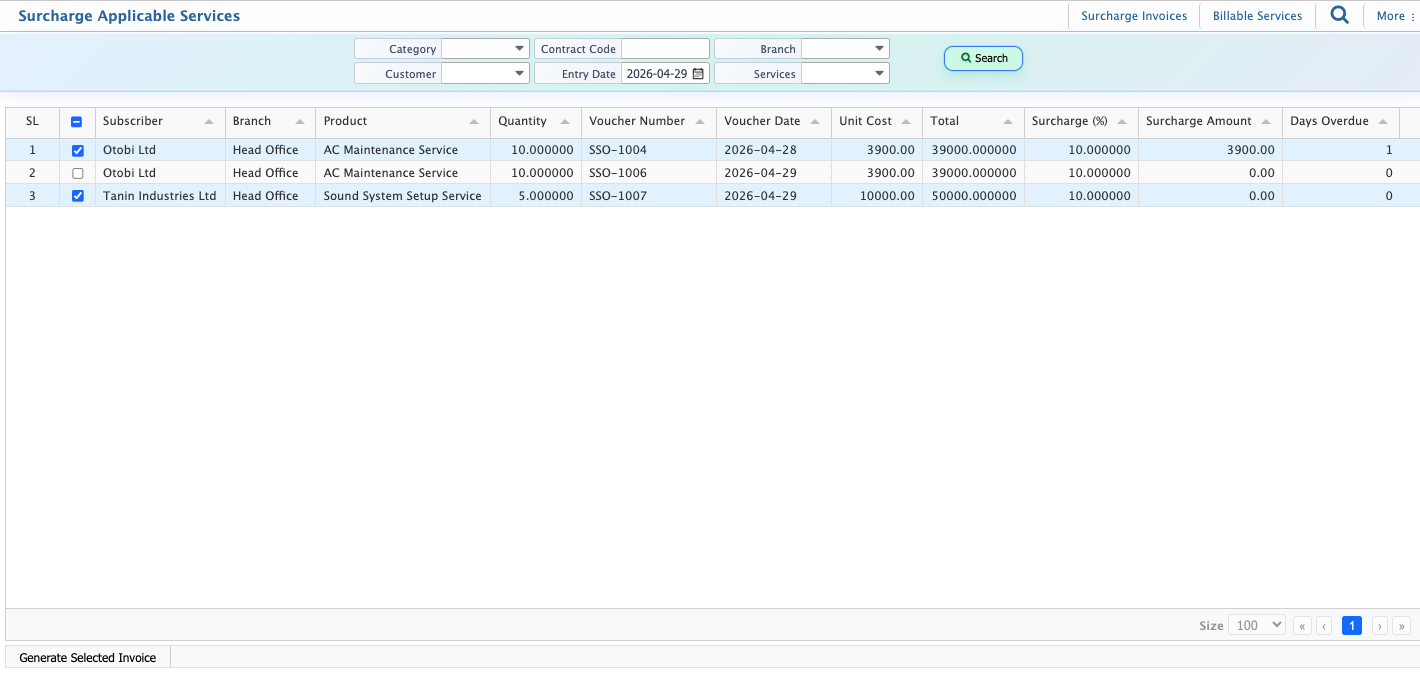
Billing in PrismERP manages the complete service invoicing and payment process in a single workflow. It allows users to generate invoices from billable services, track invoice status through different stages, and process payments using vouchers.The system supports both partial and full payments, along with invoice status tracking and amount monitoring. Service surcharges are also included within the same billing flow to ensure all service-related charges are processed together.
Generate Service Invoice
To create service invoices, users first navigate to the Billable Services List. From this screen, they can filter subscribers using the search panel or directly view available entries. After selecting the required subscribers, invoices can be generated in bulk.
| Field | Action |
|---|---|
| Select Subscribers | Select one or multiple billable subscribers for invoice generation. |
| Generate Selected Invoice | Click to generate invoices for the selected subscribers. |
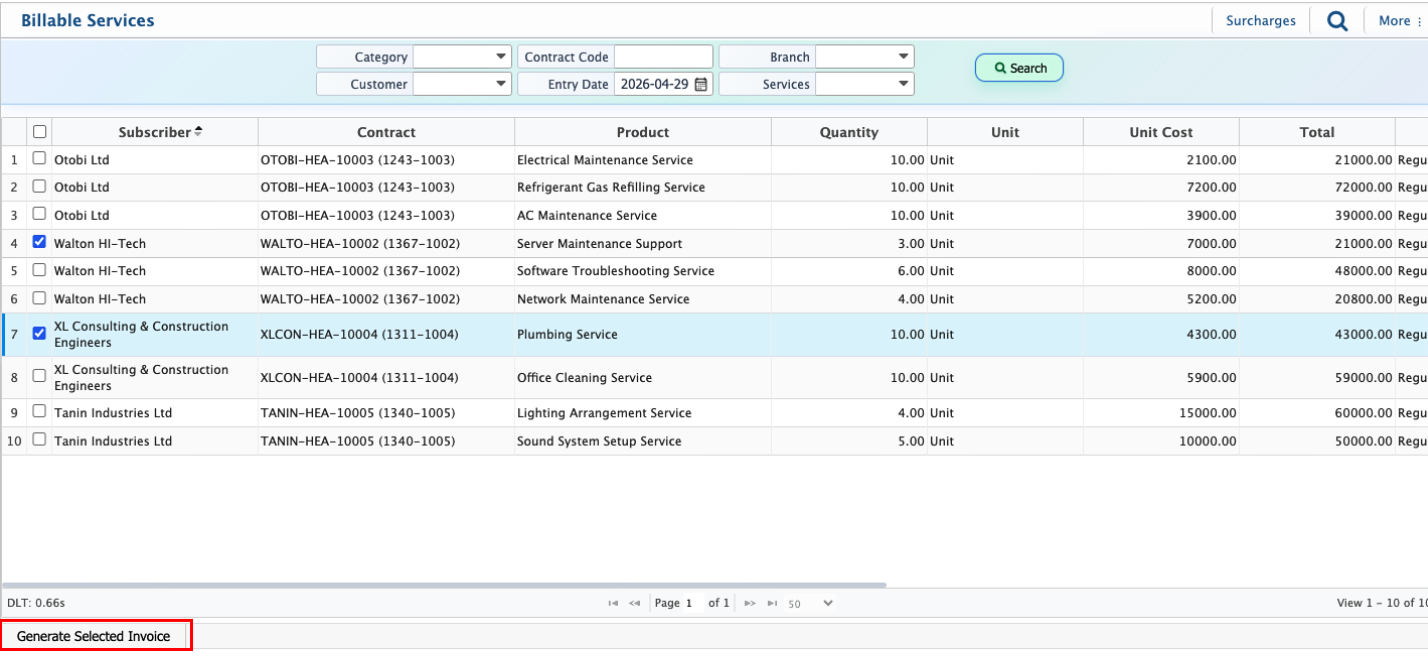
After invoice generation, all invoices are available in the Service Invoices List for tracking and management.
Service Invoice Management
| Field | Action |
|---|---|
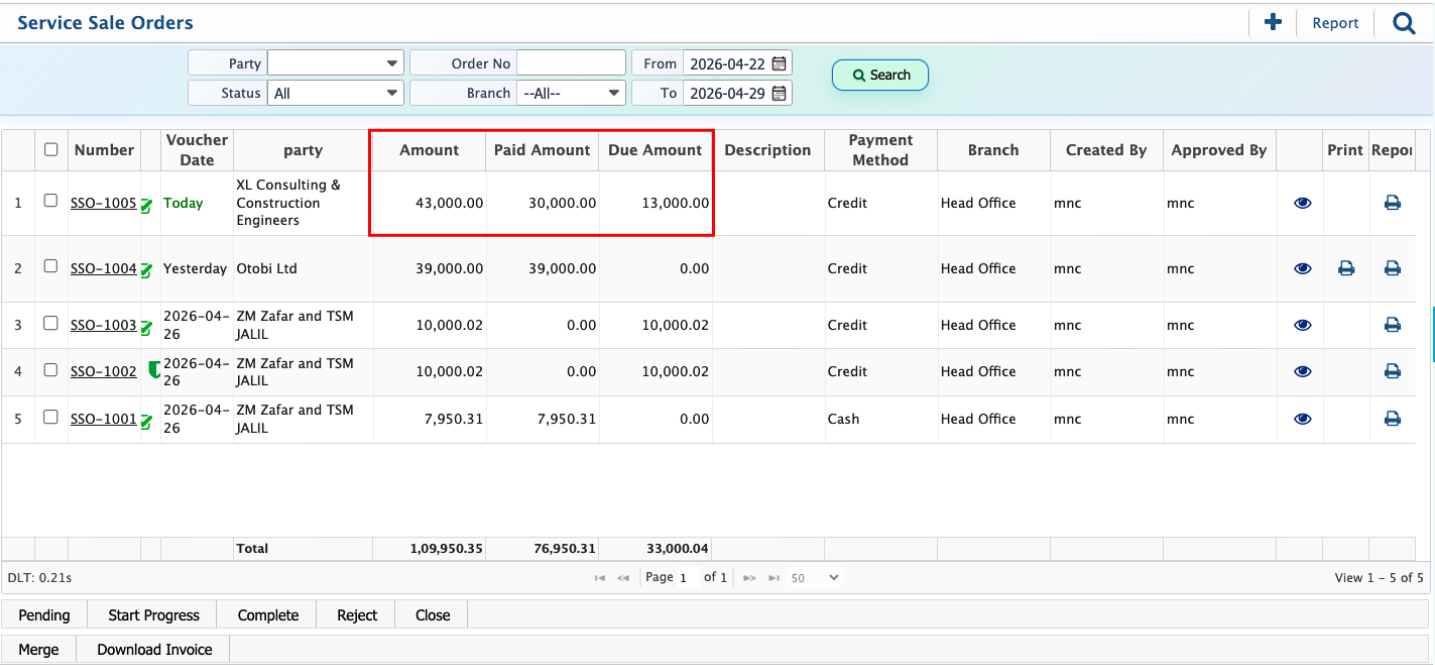
| Invoice Status | Update invoice status such as Pending, In Progress, Completed, or Closed. |
| Merge Invoice | Combine multiple invoices into a single record if required. |
| Reject Invoice | Reject an invoice when it does not meet processing requirements. |
Invoice Details View & Payment Processing
Clicking the SSO number opens the invoice details view. This view includes Details, Vouchers, Accountant View, and Unearned Vouchers.
From the Vouchers section, users can process payments using partial or full amounts. Multiple vouchers can be added until the invoice is fully settled.
| Field | Action |
|---|---|
| Voucher Amount | Enter partial or full payment amount for the invoice. |
| Add Voucher | Create a payment voucher against the invoice. |
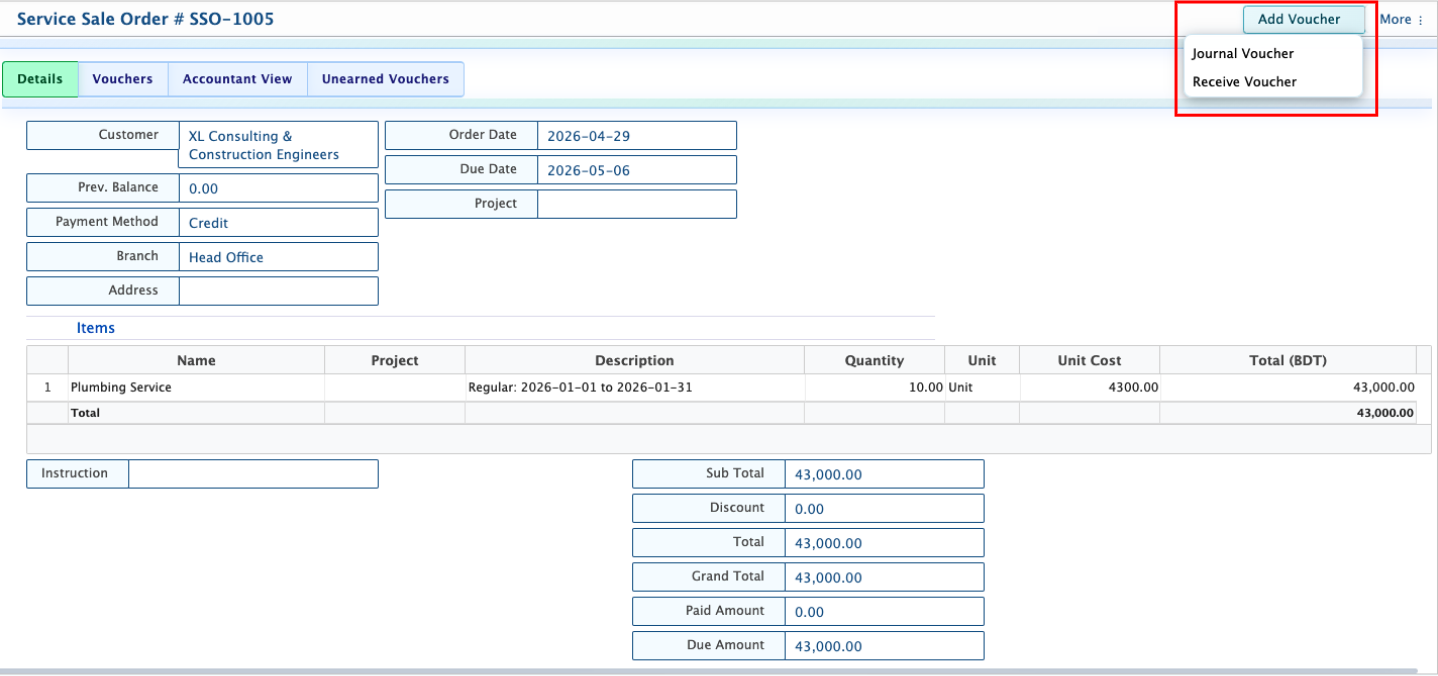
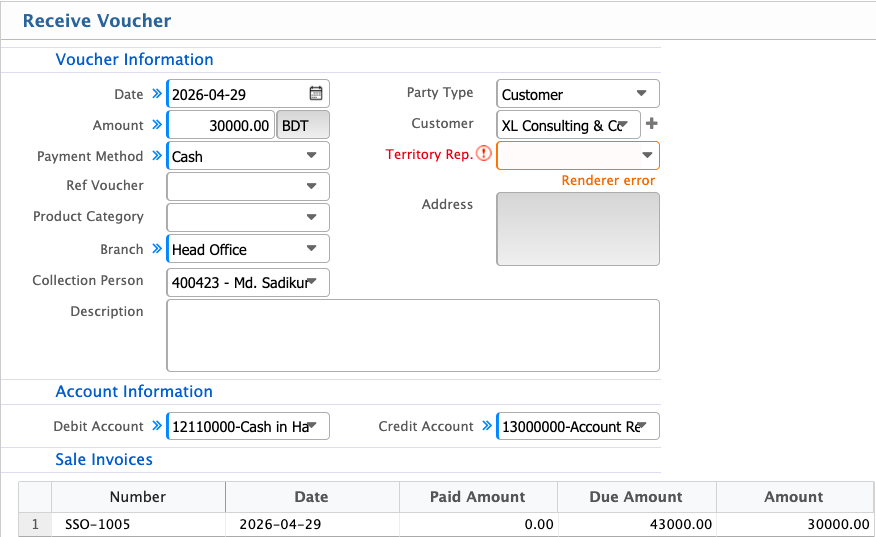
After voucher creation, it appears in the voucher list under the invoice. Once approved, the voucher amount is applied to the invoice.
If the total amount is covered through one or multiple vouchers, the invoice status is updated to Completed. Users can also track:
- Total Amount
- Paid Amount
- Due Amount
Service Surcharges
Service surcharges can be added during invoice generation. These charges are included in the invoice along with the base service amount.After generation, surcharge invoices follow the same billing flow as standard service invoices, including voucher-based payments and status tracking.