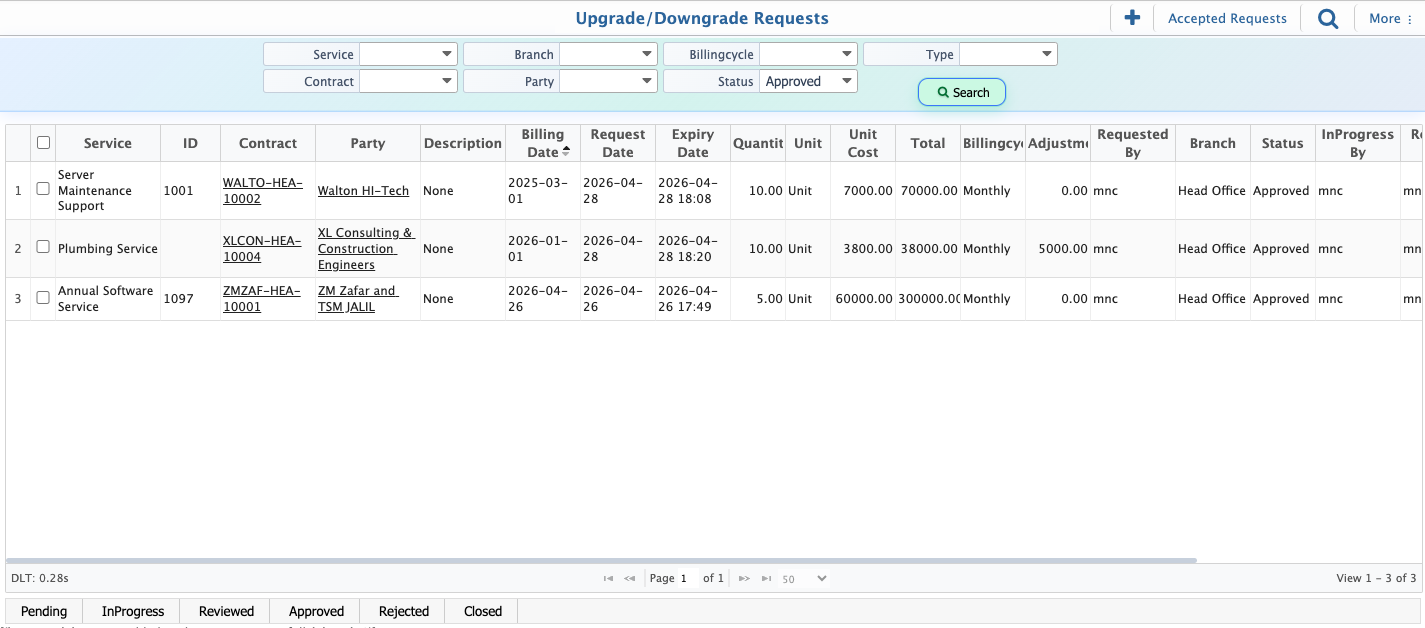
Service Upgrade/Downgrade Request
In PrismERP, service upgrade, downgrade, and price revision requests are used to modify existing service contracts when changes are required in service scope, quantity, or pricing. Users can select the request type based on the required change, such as upgrading the service, downgrading it, or revising the price.
The system allows controlled updates to service quantity, unit price, and recurring amounts. It automatically calculates the difference between the current and updated plan to ensure accurate contract adjustments and billing consistency.
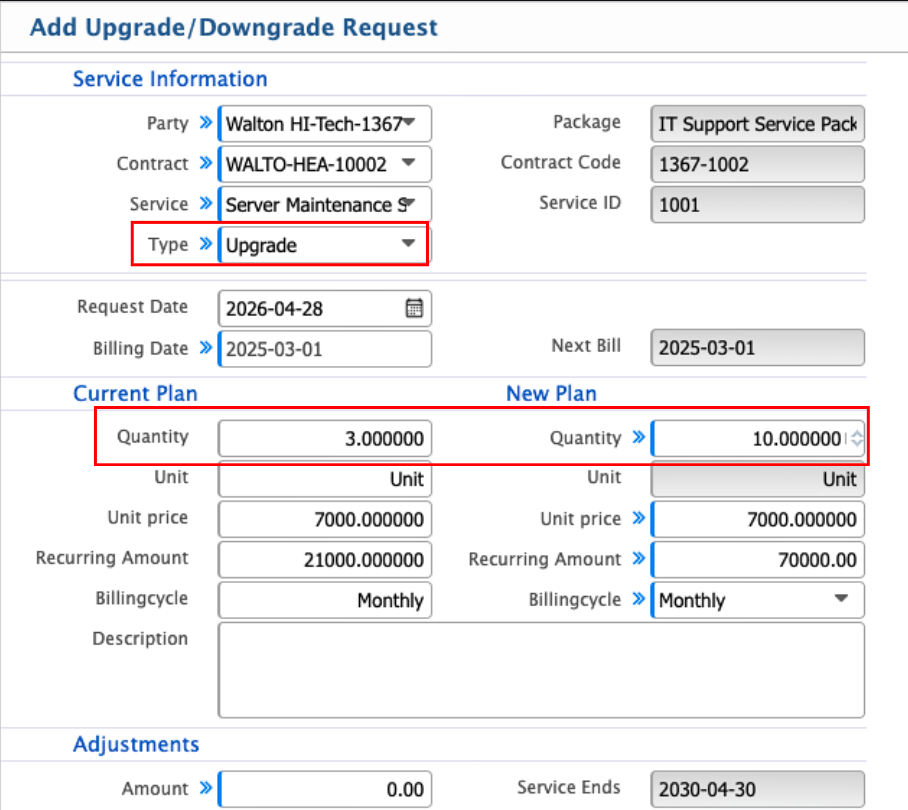
Add Upgrade/Downgrade Request
| Field | Action |
|---|---|
| Party | Select the customer or party for whom the request is created. |
| Contract | Select the existing service contract to be modified. |
| Service Type | Select the request type such as upgrade, downgrade, or price revision. |
| Package | Select the service package linked with the contract. |
| Contract Code | Select or view the unique contract code. |
| Service ID | Select or view the specific service identifier. |
| Request Date | Select the date when the request is created. |
| New Plan – Quantity | Enter the updated service quantity after modification. |
| New Plan – Unit | Select the unit for the updated service plan. |
| New Plan – Unit Price | Enter the updated unit price for the service. |
| New Plan – Recurring Amount | Enter the updated recurring billing amount. |
| New Plan – Billing Cycle | Select the billing cycle for the revised plan. |
| Adjustments Amount | Enter the difference amount resulting from the change. |
| Description | Enter remarks or reason for the request. |
After saving, the request appears in the Upgrade/Downgrade Request List where all submitted requests are managed. Each request follows an approval workflow and can be tracked through different stages.The status progresses sequentially as Pending, In Progress, Reviewed, Approved, and Closed. Requests can also be rejected at any stage if they do not meet approval requirements.