Service Contracts
Service Contracts in PrismERP are used to manage and control service agreements between a party and the organization by defining services, billing structure, pricing, and contract duration in a single setup. It supports package-based service selection, configurable billing cycles, fee types, tax rules, and account mapping to ensure structured service delivery and billing throughout the contract period.
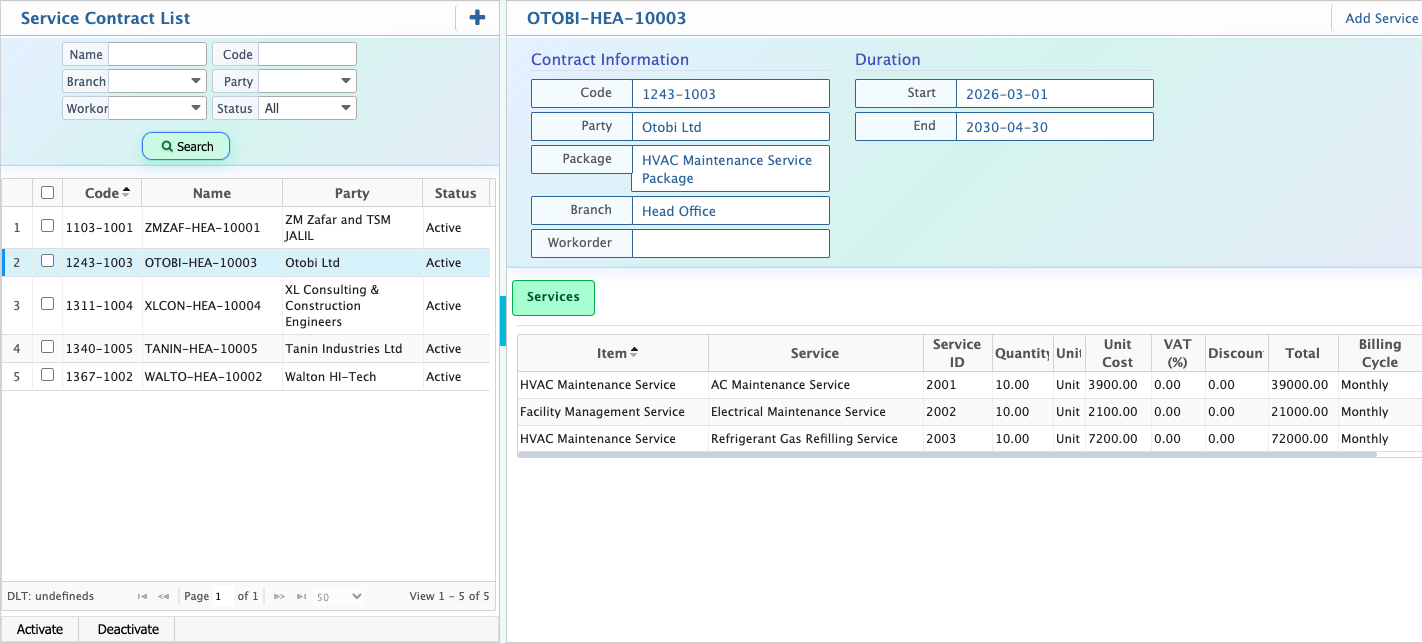
After creation, contracts are managed from the contract list where search, activation, deactivation, and extension options are available. New services can be added when required. It also supports service adjustments such as upgrade, downgrade, or price revision requests, allowing controlled changes to quantity, rate, and recurring amounts. These changes follow an approval workflow before being applied to the contract.
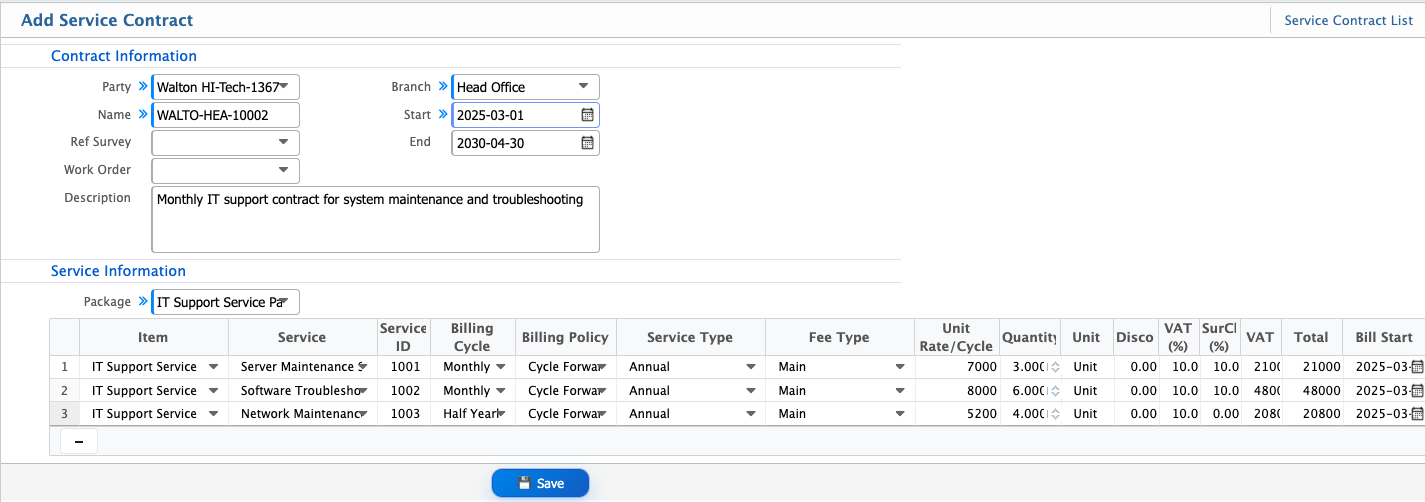
Add Service Contract
| Field | Action |
|---|---|
| Party Name | Select the customer or party for whom the service contract is created |
| Ref Survey | Select or enter the reference survey linked with the contract if applicable |
| Work Order | Select the related work order associated with this contract |
| Branch | Select the branch under which the contract will be managed |
| Start | Select the contract start date |
| End | Select the contract end date |
| Description | Enter a short description of the service contract scope |
| Package | Select the service package assigned under this contract |
| Service ID | System displays or assigns the unique service ID |
| Billing Cycle | Select the billing frequency (e.g., Monthly, Half Yearly) |
| Billing Policy | Select the billing method used for contract billing |
| Service Type | Select the type of service included in the contract |
| Fee Type | Select how the service fee will be applied |
| Unit Rate/Cycle | Enter the rate for each billing cycle |
| Quantity | Enter the quantity of service units |
| Unit | Select the unit of measurement |
| Discount | Enter discount amount if applicable |
| VAT (%) | Enter VAT percentage applicable to the service |
| Surcharge (%) | Enter additional surcharge percentage if applicable |
| VAT | System calculates VAT amount automatically |
| Total | System calculates total contract amount |
| Bill Start | Select the date from which billing will start |
After creating a service contract, it appears in the Service Contract List where all contracts are stored and managed. The search panel allows filtering by party name, service, branch, or reference details.Contracts can be activated or deactivated depending on usage status. When scope of work changes, additional services can be added to an existing contract without creating a new one, allowing flexible contract extension.