Employee PF Setup
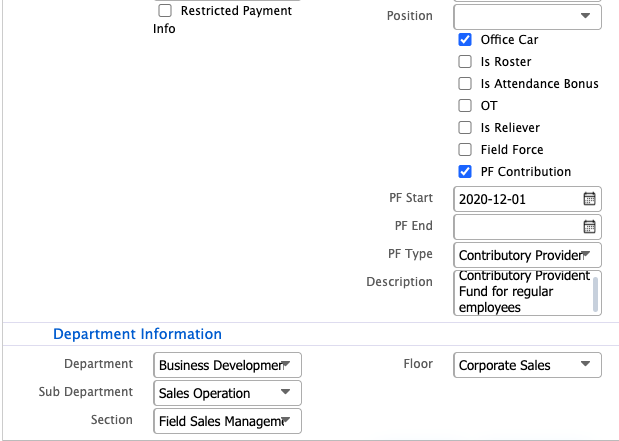
Employee PF setup in PrismERP is used to mark an employee as eligible for Provident Fund and define their PF details at the employee level. This includes enabling the PF contributor option, setting the PF start date, and selecting the applicable PF type based on system-defined categories.
Once configured, the employee is included in payroll processing. During salary calculation, the system identifies PF-enabled employees and deducts the calculated PF amount from their salary, which is then recorded under the employee’s Provident Fund.To include an employee under Provident Fund in PrismERP, the employee needs to be marked as a PF contributor from the employee profile. This is done by enabling the PF contributor option for that employee.
Once selected, the user can define the PF start date, which indicates when the PF calculation will begin for that employee. The PF type can also be assigned based on the applicable PF category defined in the system.
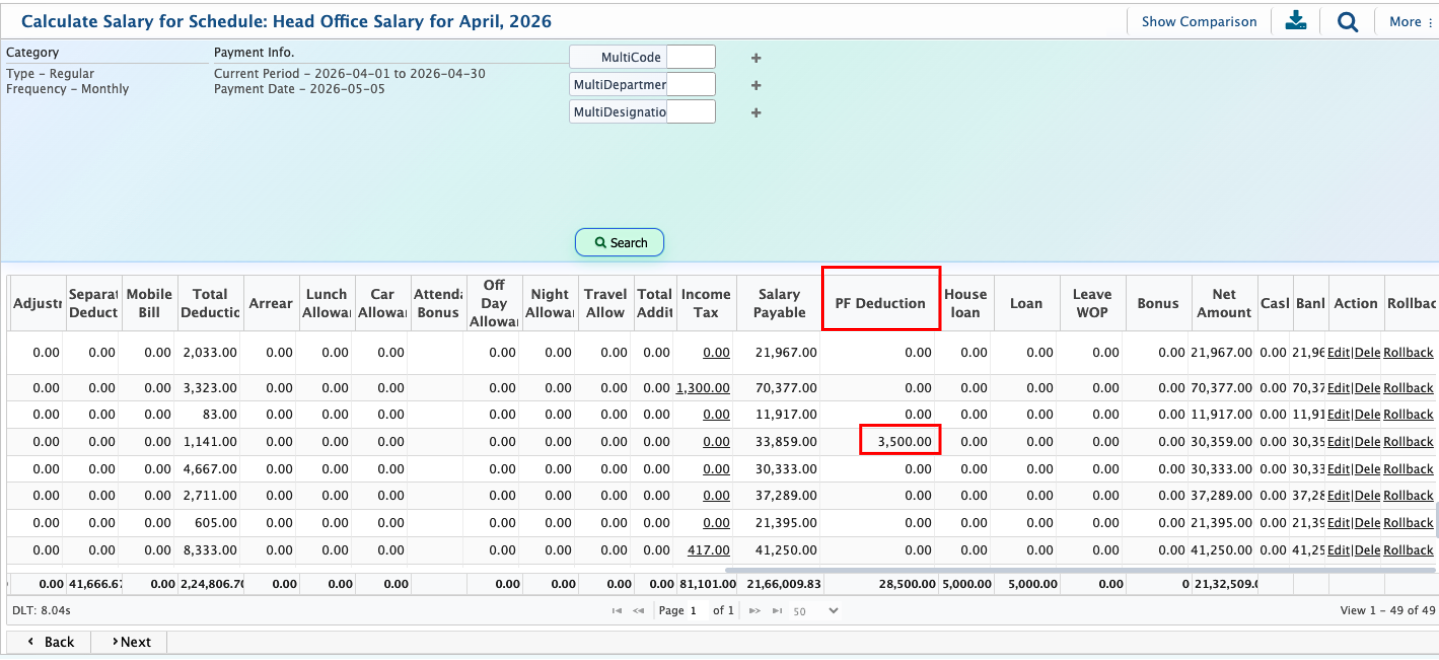
After adding an employee under PF, the employee goes through the regular payroll process in PrismERP. The user first needs to post the payroll schedule, then calculate attendance, and finally proceed with salary calculation.
During salary calculation, the system checks employees marked under PF. For those employees, the calculated PF amount is deducted from their salary and transferred to the employee’s Provident Fund record for further processing.
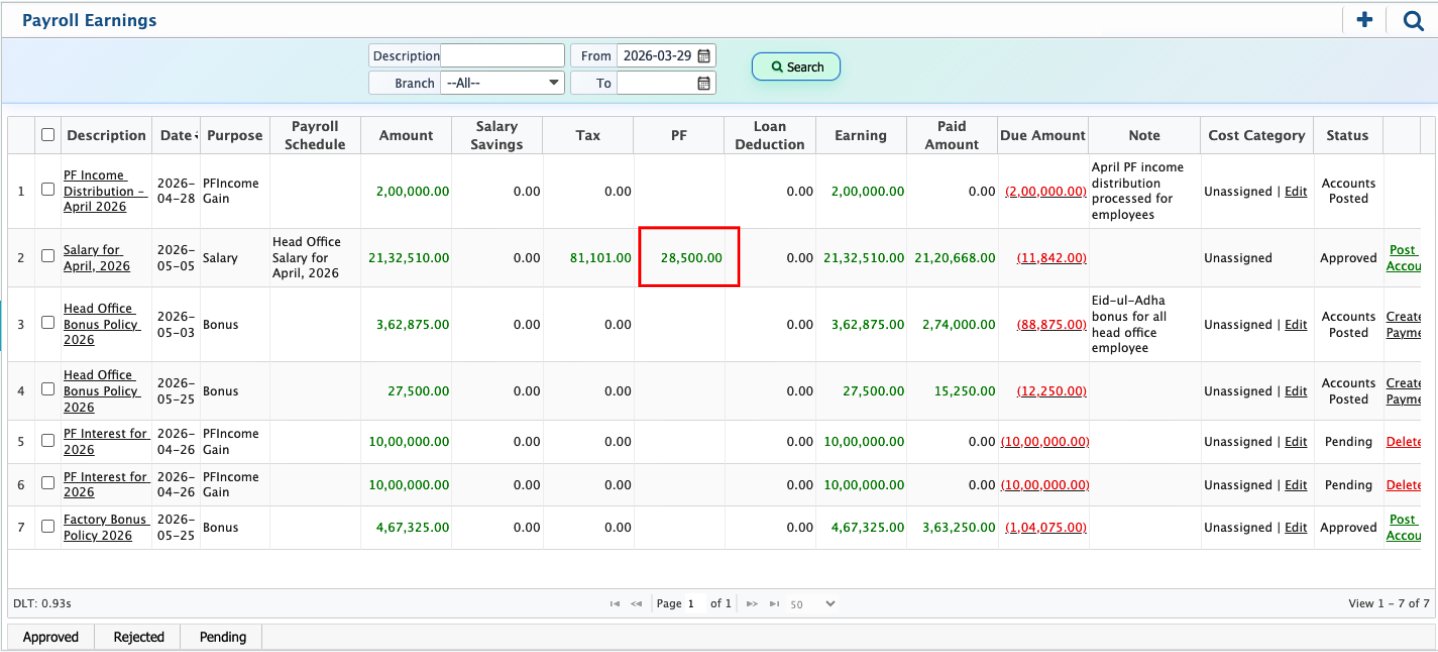
After salary calculation, the record is posted to the Payment Earning List. From here, the user can view the complete salary breakdown, including the PF amount deducted from the employee’s salary.