PF Income Distribution
PF Income Distribution in PrismERP is used to allocate PF income, which refers to the earnings generated from Provident Fund balances, to eligible employees based on their PF records. The process begins with entering basic information and selecting employees from the system, followed by automatic calculation of each employee’s share of PF income with the option to adjust amounts if required. After calculation, the distribution is added to the payment earning list where it goes through approval or rejection. Once approved, it is posted to accounts, liabilities are recorded, and the PF income is transferred to employee accounts, with a detailed distribution record available for reference.
PF Income Distribution
| Field | Action |
|---|---|
| General Information Name | Enter the name of the PF income distribution record |
| Date | Select the date of PF income distribution |
| Amount | Enter the total PF amount to be distributed |
| Only Employee Contribution | Select to include only employee contribution in distribution; remaining amount will be moved to laps fund |
| Description | Enter any remarks or notes related to the PF income distribution |
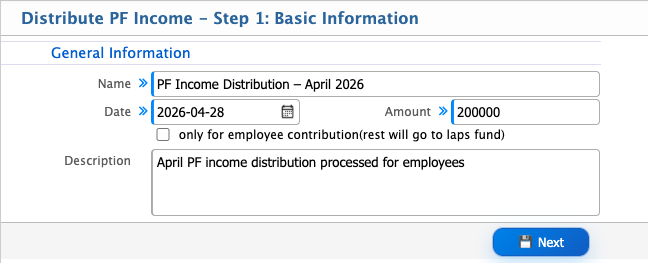
After saving the basic information, the system automatically loads the employee list eligible for PF income distribution. The user can select employees from this list for income distribution.
The user can use the search panel to find specific employees by name, ID, or other details. After selecting the required employees, the user clicks Next to continue the process.
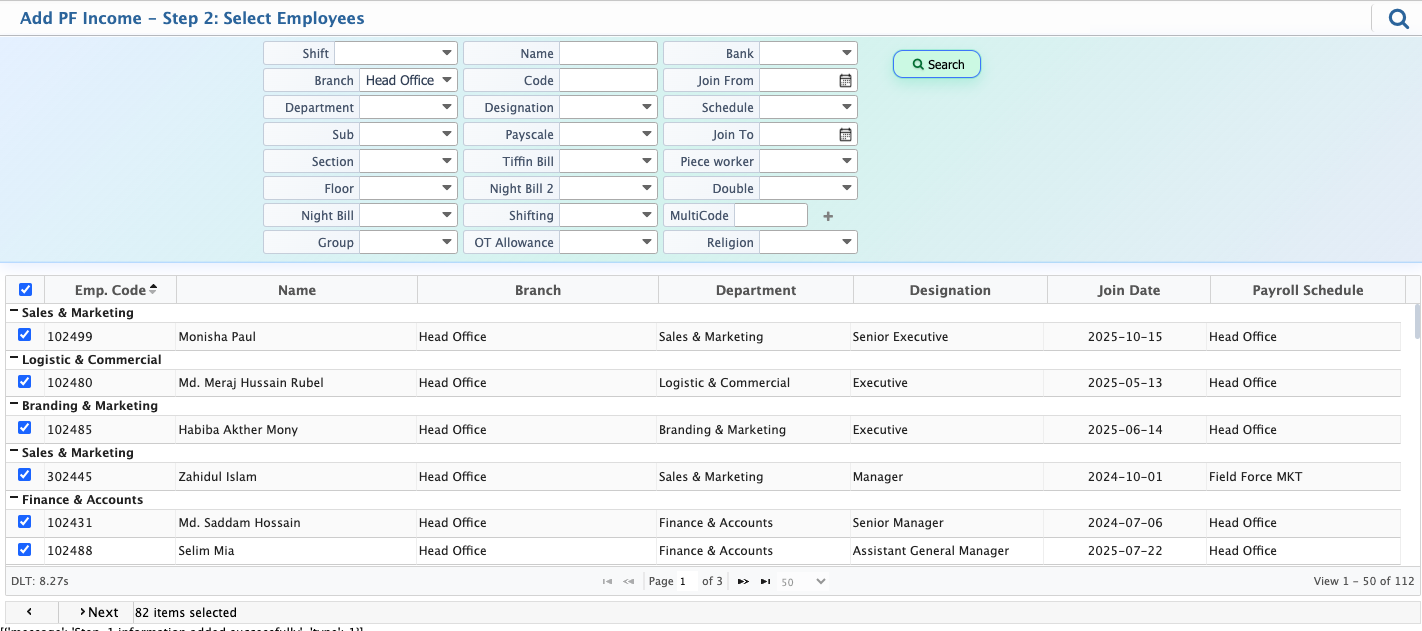
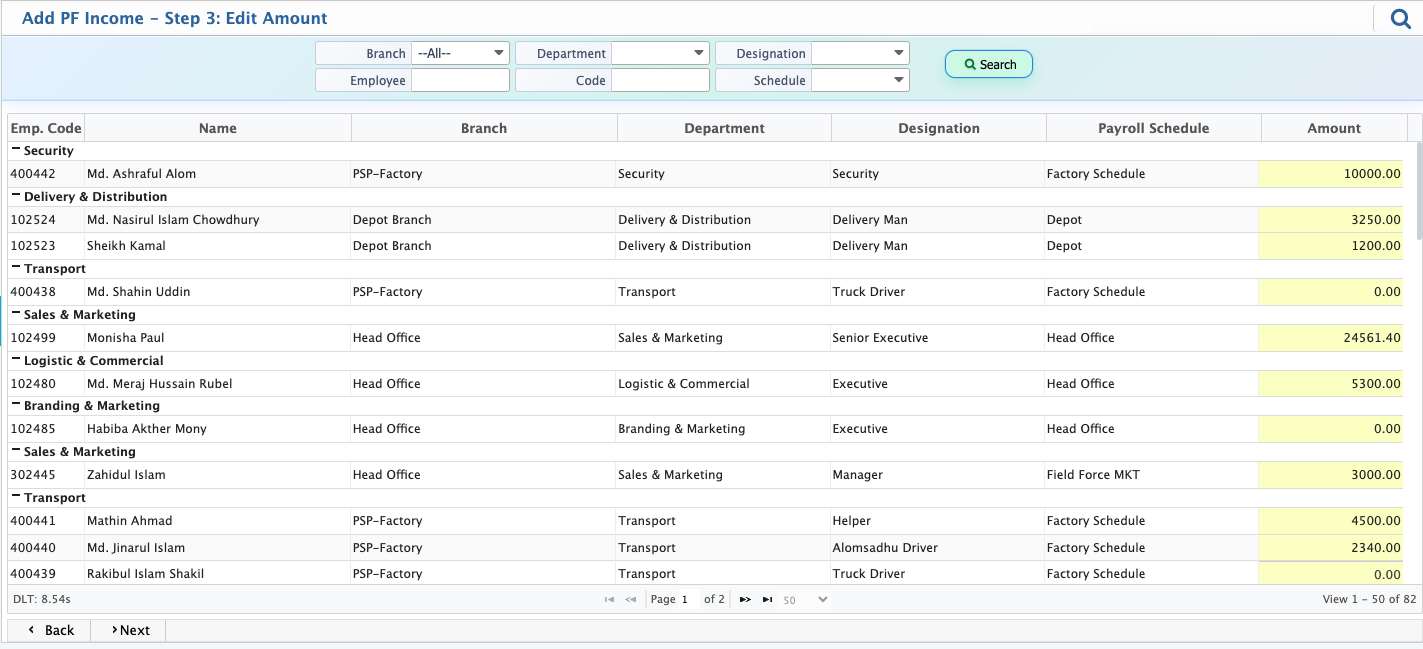
After selecting the employees and clicking Next, the system automatically calculates the PF income amount for each selected employee. The user can also edit the calculated amount manually if required before proceeding to the next step.
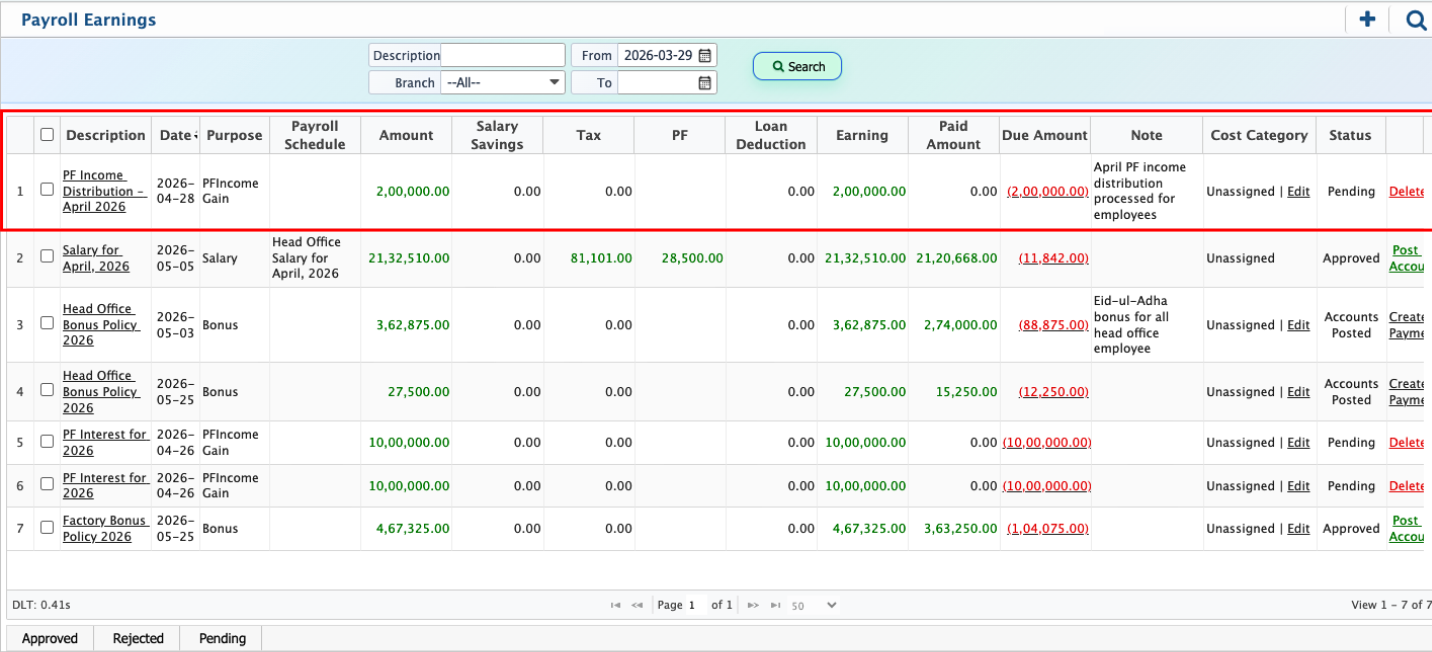
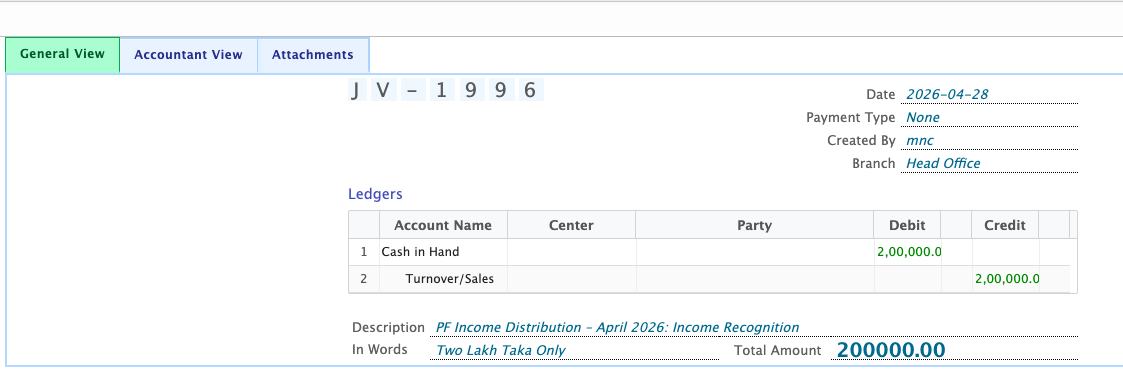
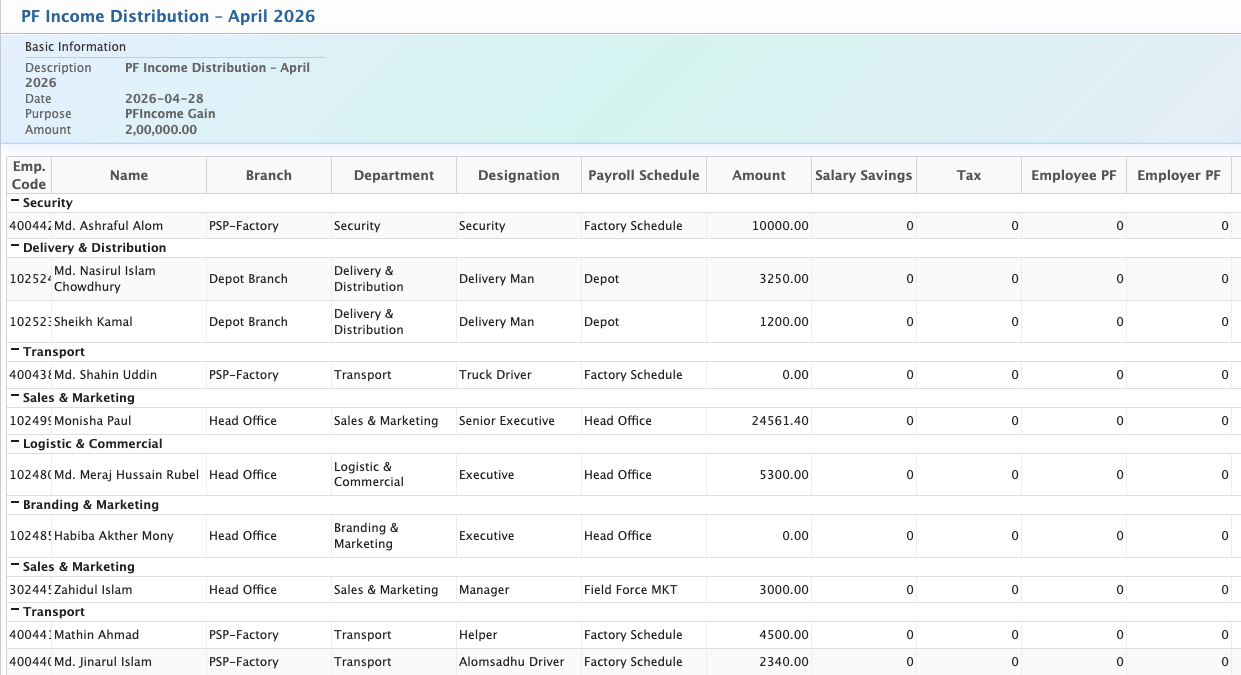
After the calculation is completed, the PF income distribution is added to the Payment Earning List. From this list, the user can set the status to Approved or Rejected. Once approved, the user can proceed with posting the accounts and saving the liabilities. After posting, the system generates the accounting entries and transfers the PF income to the respective employee accounts. A voucher is created and made available in the Voucher List. Once the voucher is approved, the amount is processed as a completed payment. The user can also view the detailed distribution list for reference.