PF Refund
PF Refund in PrismERP is used to define how Provident Fund amounts are calculated and returned during an employee’s final settlement. It allows the system to apply different refund rules based on service duration and contribution structure, along with how employee contribution, employer contribution, and income/interest portions are considered.
These rules are used when an employee is marked for settlement. The system automatically calculates the eligible PF refund amount based on the configured conditions and includes it in the final settlement. After approval and payment processing, the PF amount is transferred to the employee as part of their final dues.
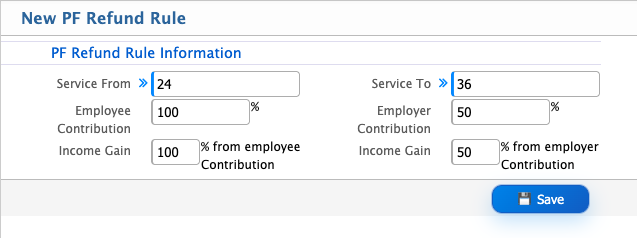
Add PF Refund Rules
| Field | Action |
|---|---|
| Name | Enter the name of the PF refund rule |
| Service From | Enter the starting service period from which the refund rule will be applied |
| Service To | Enter the ending service period up to which the refund rule will be applied |
| Employee Contribution % | Enter the percentage of employee PF contribution to be refunded |
| Employer Contribution % | Enter the percentage of employer PF contribution to be refunded |
| Income Gain | Select or define how PF income/interest gain will be considered in refund calculation |
| % from Employee Contribution Income Gain | Enter the percentage of income gain calculated from employee contribution portion |
| % from Employer Contribution Income Gain | Enter the percentage of income gain calculated from employer contribution portion |
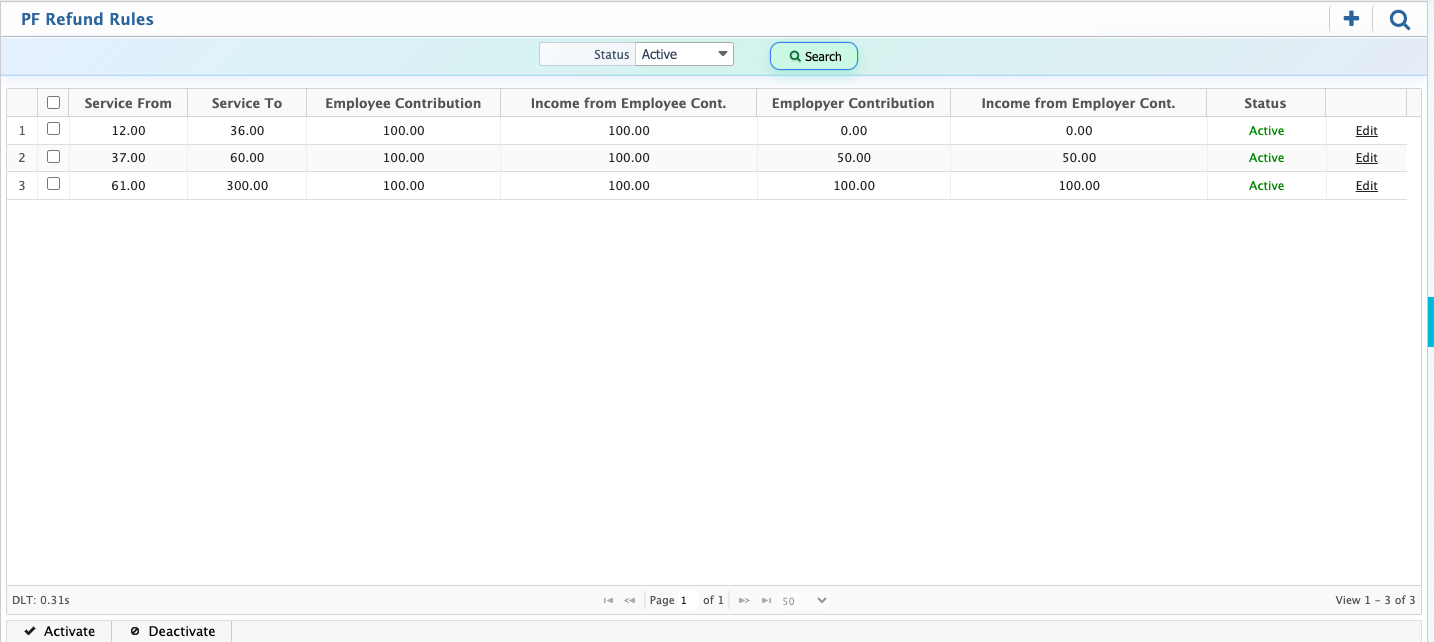
After creating a PF Refund Rule in PrismERP, the rule is added to the refund rule list where all configured rules are displayed.
From this list, the user can modify the rule details at any time if changes are required. The user also has the option to activate or deactivate the rule depending on whether it should be applied in PF refund calculations.
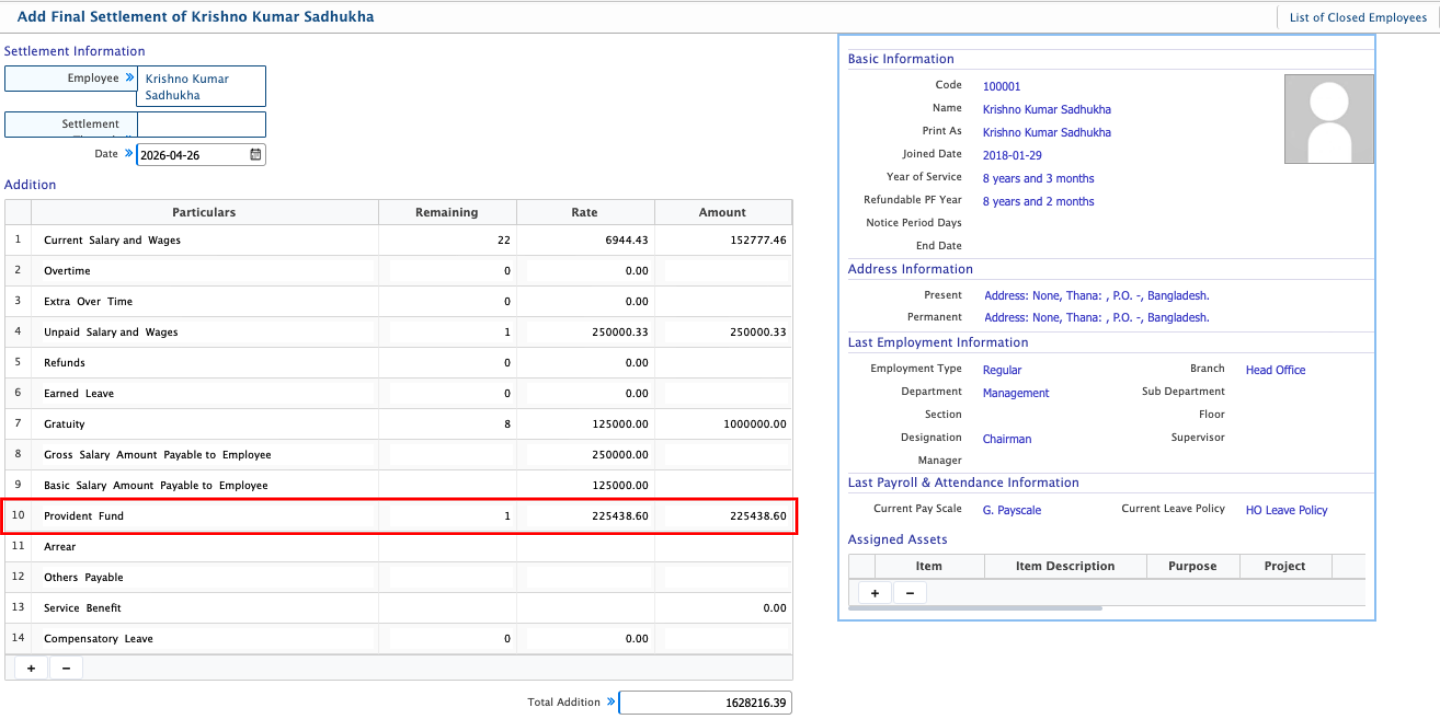
After configuring the PF Refund Rules, the system uses these rules during final settlement of an employee. When an employee is marked for settlement, the system automatically calculates the eligible Provident Fund amount based on the defined refund rules and includes it in the final settlement amount.
Once the settlement is posted and approved, the user can proceed with payment processing. After payment is completed, the calculated PF settlement amount is transferred to the employee’s account as part of the final dues.