Target Setup
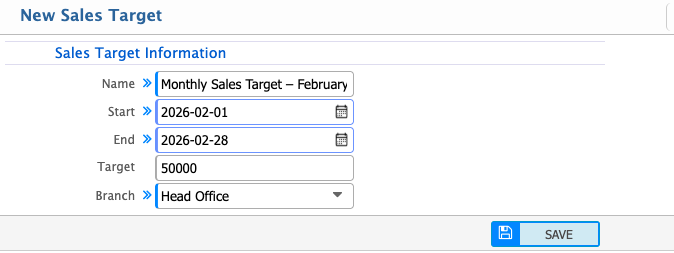
The Sales Target Setup in PrismERP is used to define and manage sales goals for a specific time period. It allows users to set a target amount, assign it to a branch, and define the validity period using start and end dates. This helps in organizing structured sales planning and tracking performance against defined targets.Users can create multiple sales targets by specifying the target name, duration, total target amount, and branch. Once configured, these targets can be tracked and managed from the Sales Target List.
From the Sales Target List, users can search for targets by name and filter them by branch to quickly locate specific records. Existing targets can be edited to update details such as name, duration, amount, or branch. Users can also clone an existing target to create a new one with the same configuration, making it easier to set up similar targets.
