Territory Setup
The Territory setup in PrismERP is used to define how business territories are structured and organized in the system.It starts with Territory Types, where the hierarchy levels are created, such as Nation, Zone, Region, or Territory. These levels act as the base structure for the overall territory setup.After that, Territory Areas are created under each type. These represent the actual locations or working areas and are linked with parent-child relationships to form the full territory structure in the system.
Add Territory Type
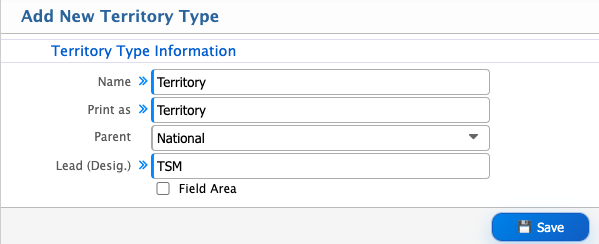
| Field | Action |
|---|---|
| Name | Enter the name of the territory type. |
| Print As | Enter the display name used for reporting and system output. |
| Parent | Select the parent territory type to define the hierarchy level. |
| Lead (Desig.) | Select the primary responsible designation for the territory type. |
| Sub (Desig.) | Select supporting or subordinate designations under the lead designation. |
| Field Area | Enable or disable the checkbox to mark the territory type as a field area. |
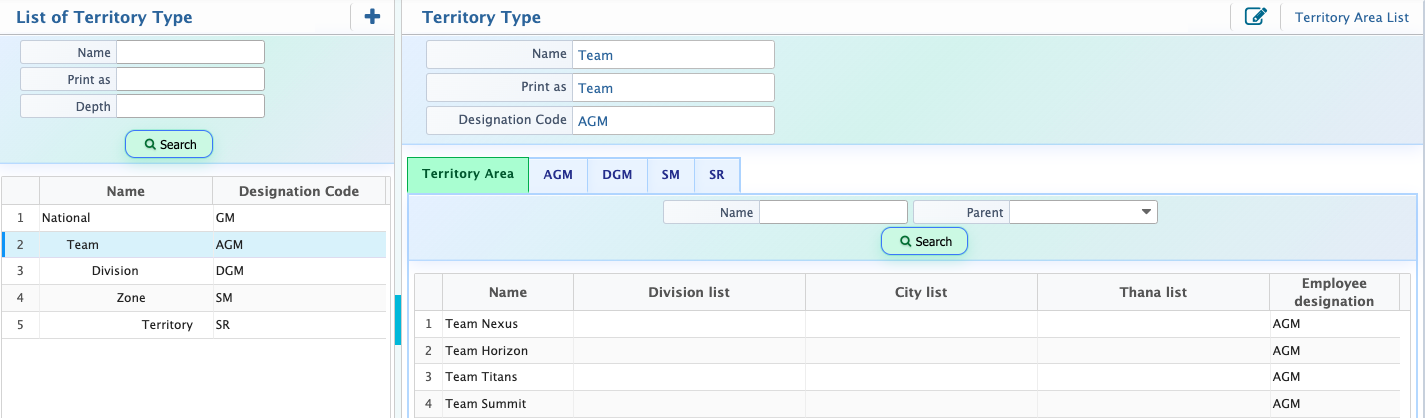
After creating a Territory Type, the entry becomes available in the List of Territory Type. This list displays all configured territory types along with details such as name, print as value, depth, and designation code. Each record represents a defined level in the territory hierarchy, such as National, Team, Division, Zone, or Territory.When a user selects a record from the list, the details are shown in the right-side Territory Type Details View panel. This panel displays the full configuration of the selected territory type, including its name, print as value, depth, designation code, and related setup information. From this panel, users can also edit and update the territory type information as required.
Add Territory Area
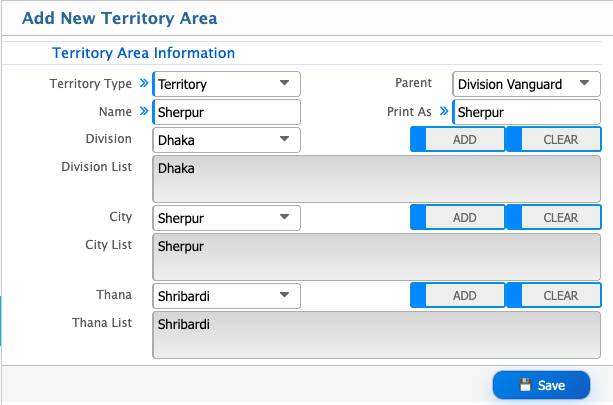
| Field | Action |
|---|---|
| Territory Type | Select the territory type for the territory area, such as Nation, Zone, Region, or Territory. |
| Parent | Select the parent territory area under which the new territory area will be created. |
| Name | Enter the name of the territory area. |
| Division | Select a division to associate with the territory area. |
| City | Select a city to associate with the territory area. |
| Thana | Select a thana to associate with the territory area. |
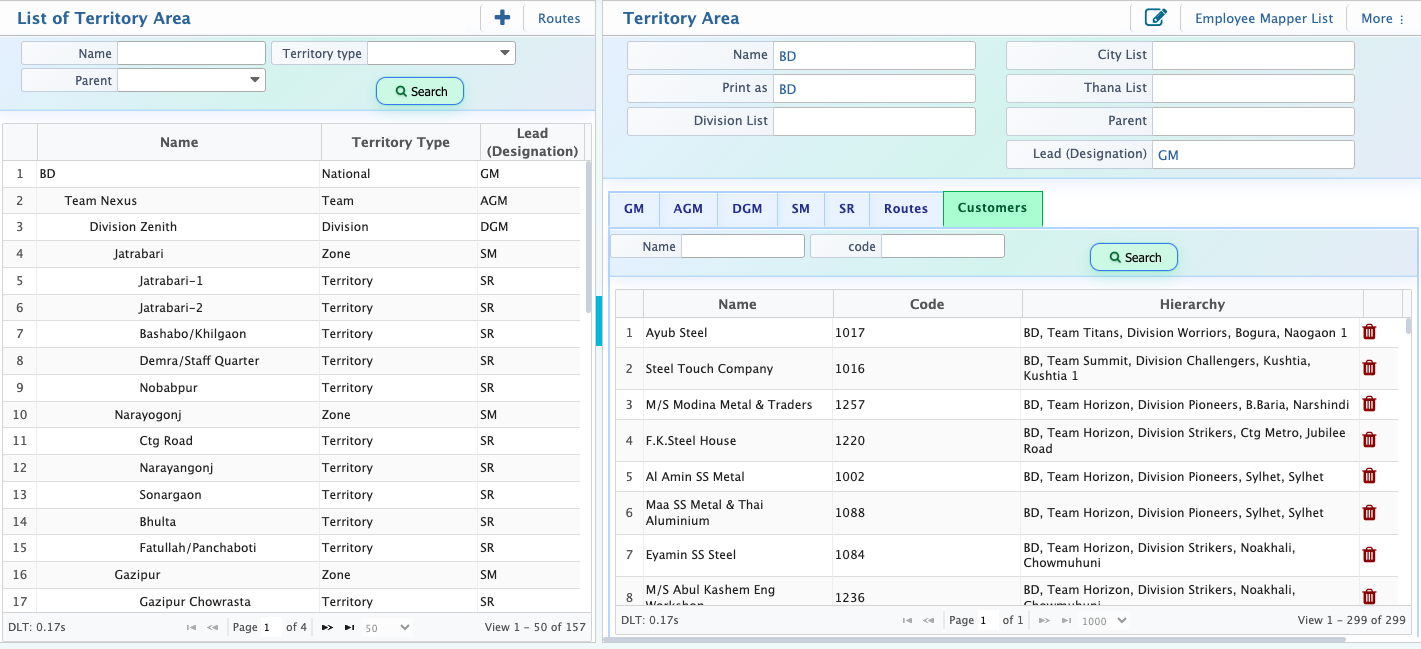
After creating territory areas, the records are displayed in the Territory Area List. This list shows all configured territories along with key details such as territory name, territory type, parent territory, and assigned lead designation. Each entry represents a specific level in the hierarchy, such as nation, division, zone, or territory, depending on the configuration. Users can also view associated routes and customers linked to each territory area. The Search Panel is used to find a specific territory area by entering relevant criteria such as name, type, or parent, and the system returns matching records from the list.