Report Configuration
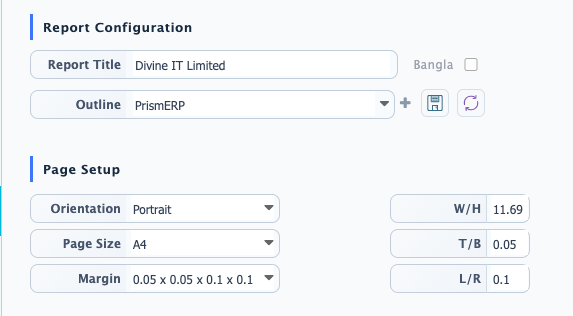
In PrismERP, the Report Configuration option is used to set up the basic structure of a report before it is generated or printed. This is where the report identity and layout rules are defined.Users can enter the report title, which will be shown as the heading when the report is generated. The system also supports Bangla input for the title if localized naming is required. The outline field is used to define how the report content should be arranged.After setting the required configuration, users can save it to keep the setup for later use. The reload option can be used if the user needs to restore the last saved configuration.
Page Setup
The Page Setup option in PrismERP is used to control how the report will be printed or exported. It defines the overall page layout to ensure the report is properly structured in the final output.Users can select the page orientation based on the report layout requirement. Portrait is typically used for standard reports, while Landscape is used when the report contains wider data and needs more horizontal space.
Page size can be selected from available options such as A4, Legal, or Custom, depending on the printing requirement. When Custom is selected, users can manually define the page dimensions using W (Width) and H (Height) to control the exact size of the report page.
Margin settings are also available to control the spacing around the report content. PrismERP provides multiple predefined margin options along with a Custom option. When using custom margins, users can separately define spacing for Top/Bottom (T/B) and Left/Right (L/R) to adjust the layout according to specific formatting needs.
Header, Footer & Background Configuration
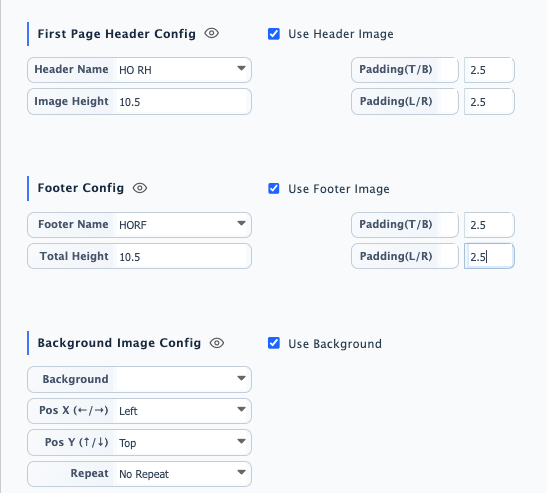
The Header, Footer & Background Configuration section is used to control the visual structure of a report when it is generated. This section allows users to define how the top, bottom, and background areas of the report will appear in the final output.Users can configure a header section by enabling the header image option. A header name is used to identify the configuration, and the image height determines how much space the header will occupy in the report. Padding can also be adjusted separately for Top/Bottom (T/B) and Left/Right (L/R) to control spacing and alignment within the header area.
Similarly, the footer section allows users to define a footer image with a specific footer name. The total height controls the overall space allocated for the footer. Like the header, padding settings are available for T/B and L/R, ensuring proper spacing and layout consistency at the bottom of the report.
For background customization, users can enable a background image for the report. The background position can be controlled using Pos X (Left/Right) and Pos Y (Top/Bottom) alignment settings. Users can also choose whether the background image should repeat across the page or remain as a single fixed image, depending on the desired report appearance.