Report Export
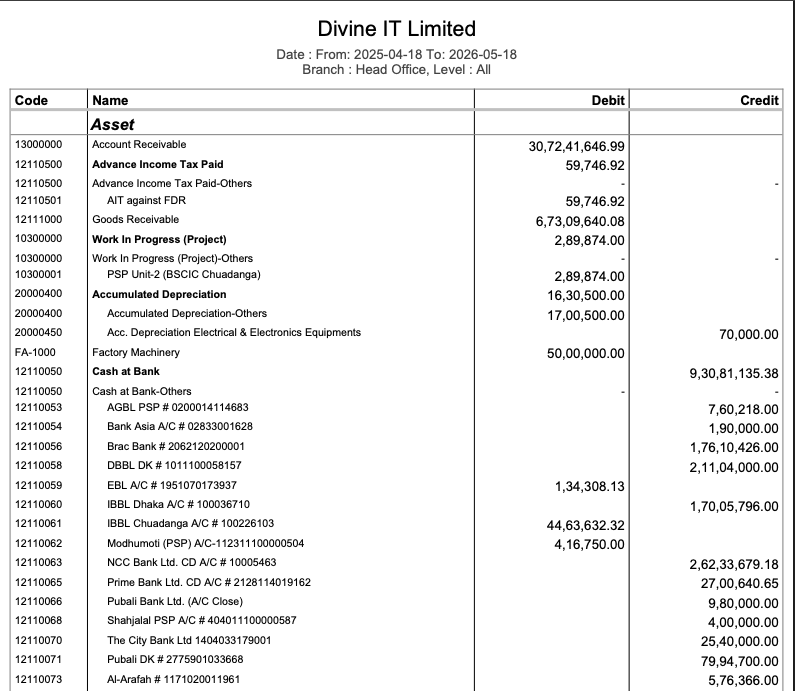
In PrismERP, the Report Export feature allows users to generate and export reports in multiple formats based on their requirements. After configuring and previewing a report, users can export it for download, sharing, or external use.The system supports multiple export formats including PDF, DOC, DOCX, HTML, XLS, XLSX, and CSV. Users can select any of these formats depending on how the report needs to be used, such as printing, editing, or data processing. Along with file export, PrismERP also provides a direct email option to send the report.

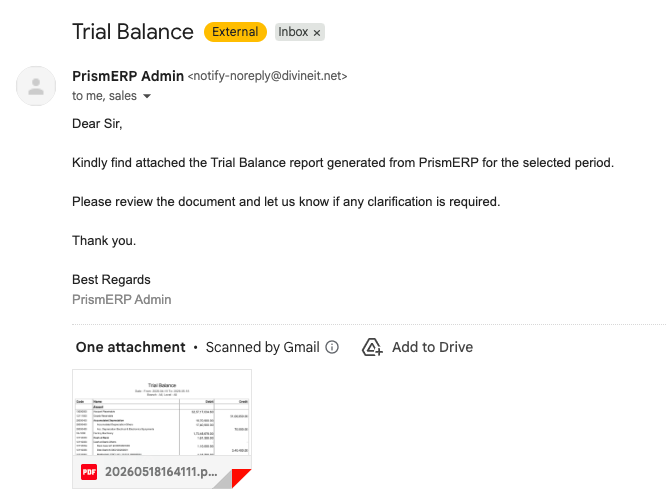
Users can use the Send Email option to distribute the report directly from the system. A list of email entries can be maintained under List of Emails, where multiple recipients can be configured.The Email Information Configure section is used to define email details before sending the report. Users can configure recipients in the To, Cc, and BCC fields.
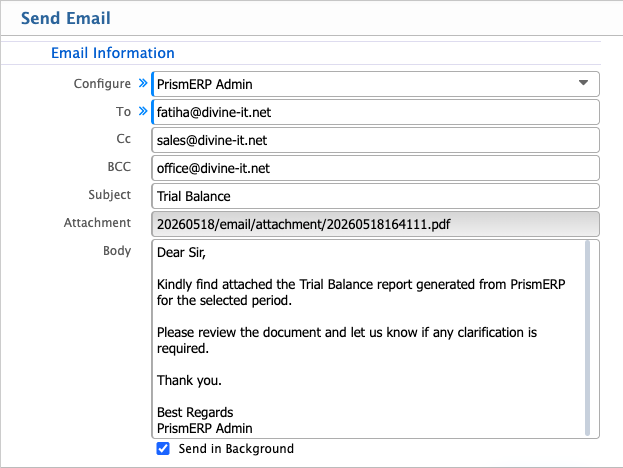
The Subject field is used to define the email subject line, while the generated report is automatically attached in the Attachment field.The Body section is used to write the email message that will be sent along with the report attachment.After sending the email, users can also view the sent message in their inbox, where the report is delivered along with the configured subject, body, and attachment.